SCORPIO LIGHT SERIES 10’/17’/23’L - SPECIAL CONFIGURATIONS - Interface with Scorpio Heads
Version 1.04 May 26, 2022
SERVICEVISION BIS SL
Ríos Rosas, 20 · 08940 CORNELLA DE LLOBREGAT (Barcelona) Spain · Tel. 34 93 223 86 30 · Fax 34 93 223 86 31 77
comercial@servicevision.es · www.servicevision.es
direction. If there is a shortcut to the M.G., just by short pressing the shortcut the keypad will be
opened to introduce the distance. If the shortcut is long pressed, it will open the M.G. menu.
DISTANCE BY FOCUS M
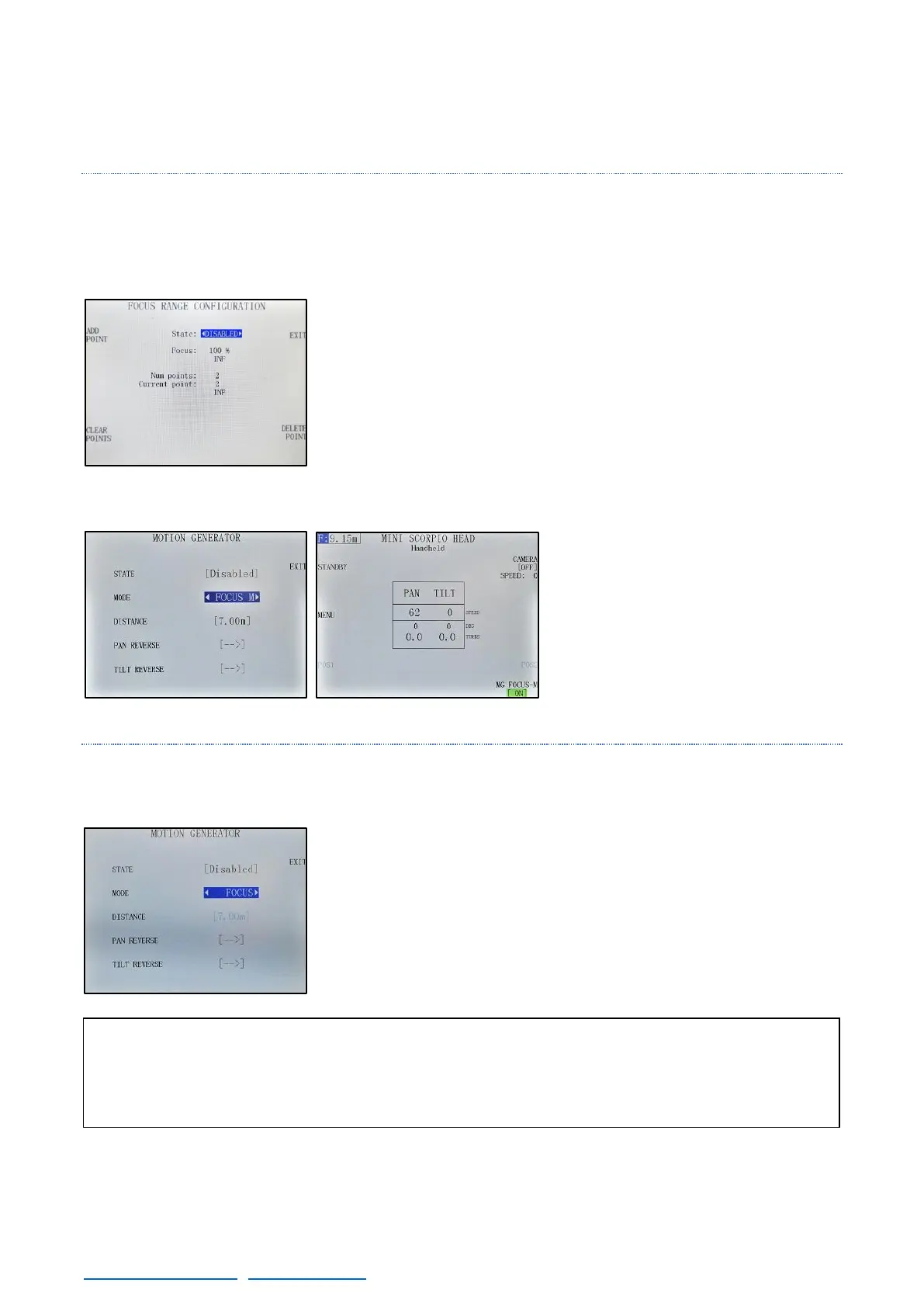
If there is a Scorpio Focus connected to the system, it is possible to introduce lens points in the system
in the MENU
→
Settings
→
Focus Range (fig. 08.16). This is mandatory to use the Focus M or the Focus
functions.
In this menu is it possible to copy the lens focal scale into the system
in order to be displayed in the main screen. To do so, move the focus
motor until one of the focal marks on the lens. In this mark press the
ADD POINT button. A keypad will appear to introduce the focal
distance mark (using the enter button). Now repeat the same process
with the rest of the marks on the lens. Once all the marks are
introduced and the state is ENABLED, in the main screen will be
displayed the current focal length and this can be used to introduce
the distance to the Motion Generator.
When the Focus M MODE is selected,
the distance of the initial tracking point
will be determined by the current focal
length when the system is ENABLED.
If there is a shortcut to the M.G., is
possible to generate a new point at
the current focal distance by pressing
the blue F at the left-upper corner of
the screen (fig.08.18).
DISTANCE BY FOCUS
To use the Focus function, a Scorpio Focus needs to be connected to the system and the focal lengths
needs to be previously introduced (as in the Focus M mode).
Once the Lens data is visible in the main screen, select the FOCUS
mode in the Motion Generator menu. Now the distance of the point
changes with the focal distance in real time as the focus puller moves
the lens.



 To Next Page