SCORPIO LIGHT SERIES 10’/17’/23’L - CONTROL DISPLAY INFORMATION - Balance
Version 1.04 May 26, 2022
40
4 CONTROL DISPLAY INFORMATION
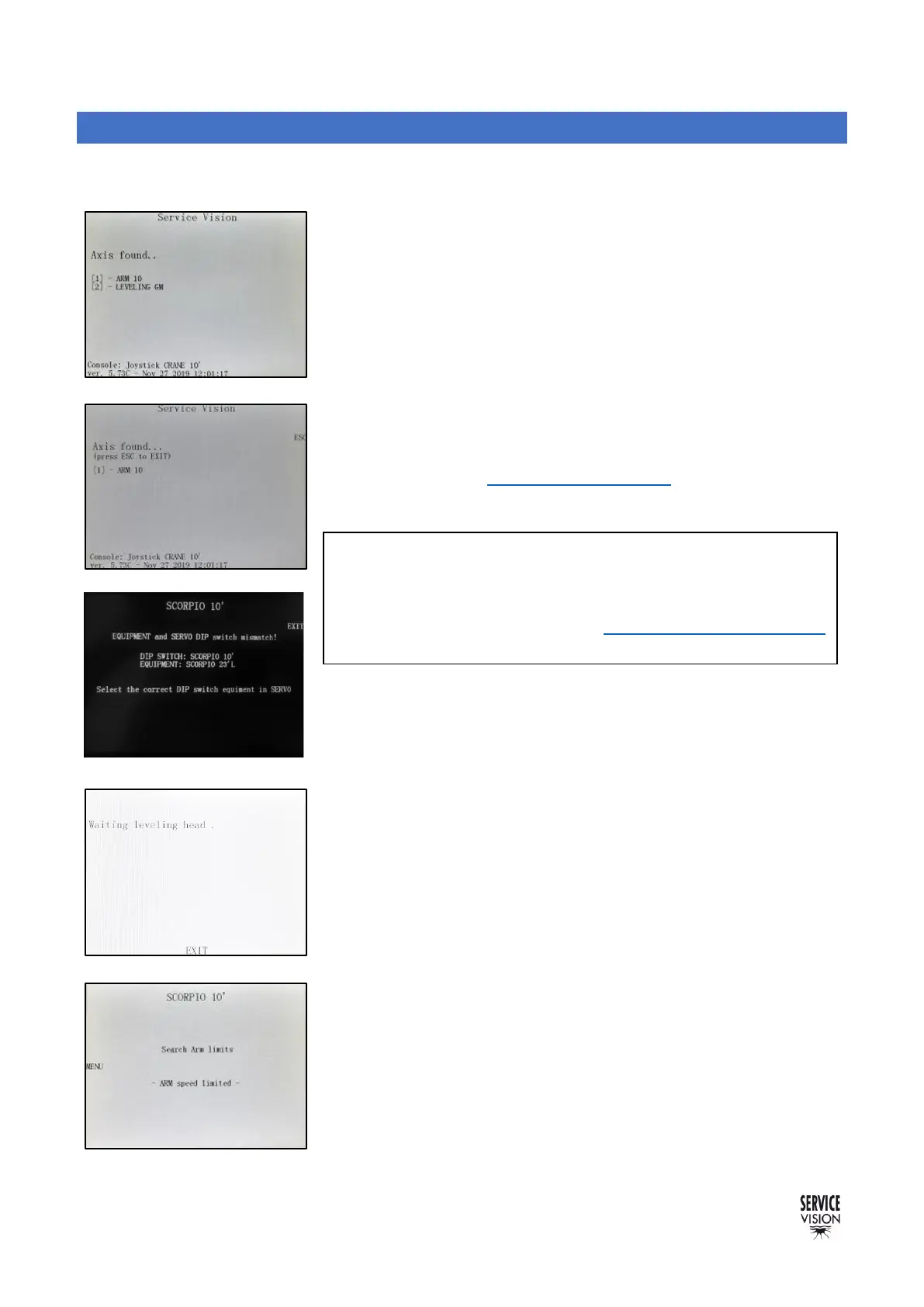
The following chapter describes the different screens displayed when starting the Electronic box:
After pressing the START button in the electronic box and if all the
securities are ready (Hand Command, Emergency stop.) screen 04.01
will appear. It shows to the user that the system is trying to connect
with the Servos of the Arm motor and the Leveling Head.
If the Central Control Unit does not find one or both of these axes
(the Leveling head is disconnected for example), it is possible to press
ESC in order to access the rest of the menus. If ESC is pressed, Matrix
mode is enabled (see chapter 8.2 Matrix mode).
If the Central Control Unit finds all the axes, the screen 04.03 will
automatically appear and show us that the Leveling Head is
searching the horizon level set by the factory. Once the horizon has
been reached, screen 04.04 will automatically appear.
While the crane is switched ON, the Leveling Head will correct any
change on the level automatically once it finds the horizon level.
At this point, the crane can be moved but with limited speed and one
magnetic limit must be find. The arm has an extended limit and a
retracted limit. It does not matter which one, but the system needs to
find one to be able to calculate where the Arm is. The crane must be
moved using the Hand Commands rocker until one magnetic limit is
detected. Once the limit is detected, the arm will stop moving in that
direction. Once it is moved on the opposite direction, the limit will stop
detecting, the system will acknowledge the position of the arm, and
the main screen will be shown.
Note: In case the electronic box configuration does not
match the crane (an electronic box for the S10’ is connected
in a S23’L crane for example), an error message will appear
on the screen (fig.04.02). See the chapter Replacement of the
Electronic box for more information.



 To Next Page