SCORPIO LIGHT SERIES 10’/17’/23’L - SPECIAL CONFIGURATIONS - Matrix mode
Version 1.04 May 26, 2022
80
8.2 MATRIX MODE
The Matrix mode is a special mode to be used with any head that can be nose mounted to the crane.
To enter in this working mode the Scorpio crane needs to be mounted
without the leveling head and the Remote Head nose mounted
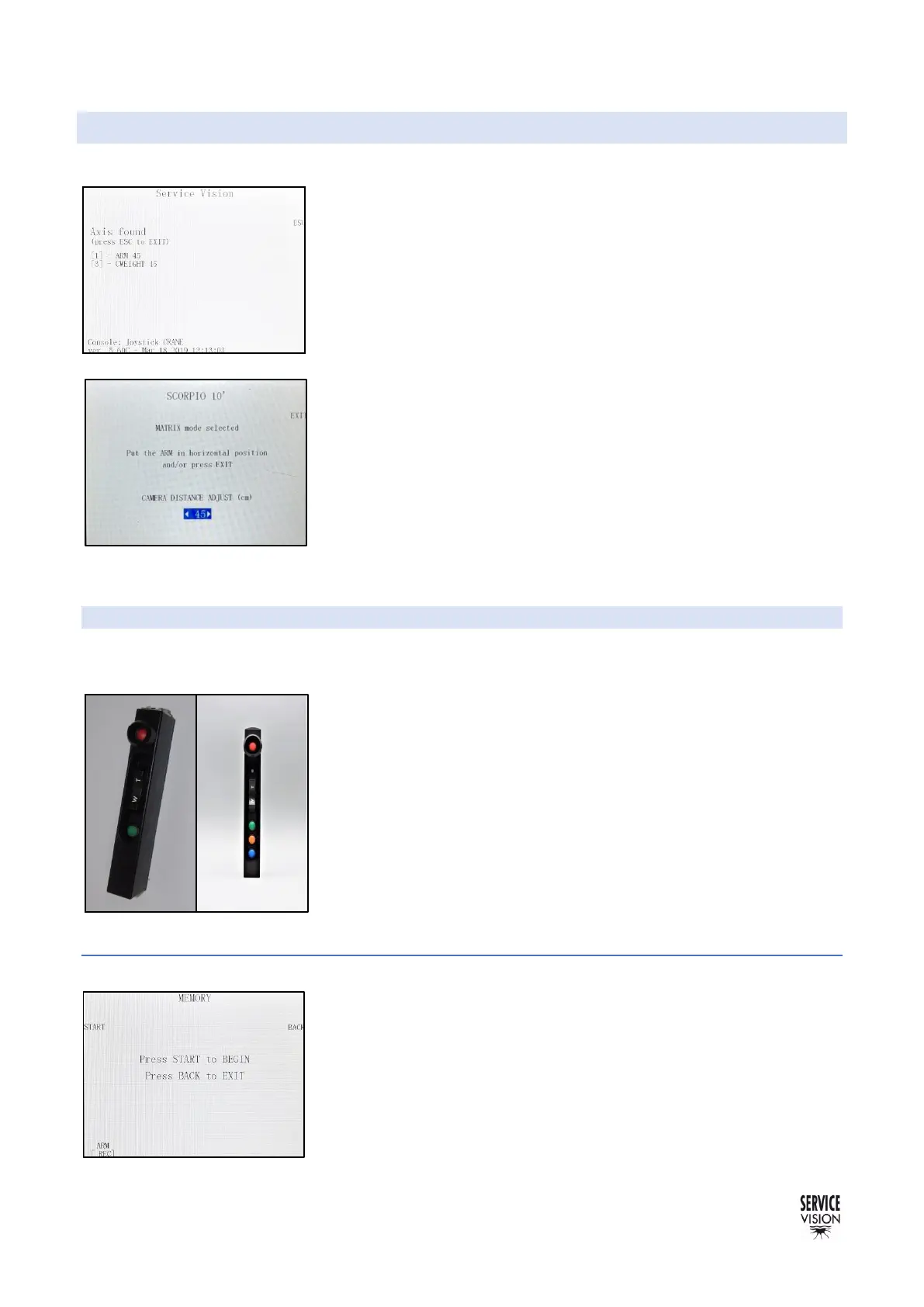
instead. The system will not communicate with the leveling head (fig
08.25) when is started. To activate the mode, press the ESC button
and the fig 08.26 will appear. This mode is available to allow the
system to do proper calculations (for example in functions as the Arc
compensator...) counting the size of the remote head. It is necessary
to measure the distance from the camera center to the end of the crane
(the attachment plate with the leveling head) and introduce it to the
system (it can be in centimeters or inches).
Press EXIT when the crane is in the horizontal position, then work as
in normal mode.
8.3 RECORD MEMORIES CRANE-HEAD
There is an accessory to synchronize the memories of the crane and the head in order to start them
at the exact same time.
To use this device, it is mandatory to know if the crane has been
updated with a digital hand command. It is easy to identify it because
the digital hand command is labeled as digital hand command and it
has an LED on it and three buttons instead of only the green one.
Depending on which hand command the crane has, the trigger for the
memories will be analogic or digital.
The control for the Scorpio Head does not need to be updated, just
take in consideration that in any case the trigger for the head will be
connected in the connector for the JDR Roll on the control desk.
8.3.1 SET UP CONDITIONS
The first thing to do is to connect the memory trigger as shown on the
respective diagrams depending on if the hand command is analog or
digital.
Both controls (crane & head control) must have a screen display
connected in order to have access to the memory menu. Once the
axes to be recorded are set, press the STARTUP button on the screen
and the fig. 08.28 will be displayed. Ensure that both controls have this
screen displayed before pressing the start button.



 To Next Page