Power connections
WARNING
Before performing the following operations make sure the mains are disconnected. Before powering the equipment,
perform the controls foreseen in paragraph “Start up”.
Place the power cord in the automatism paying careful attention not to damage the cord against any metallic edges.
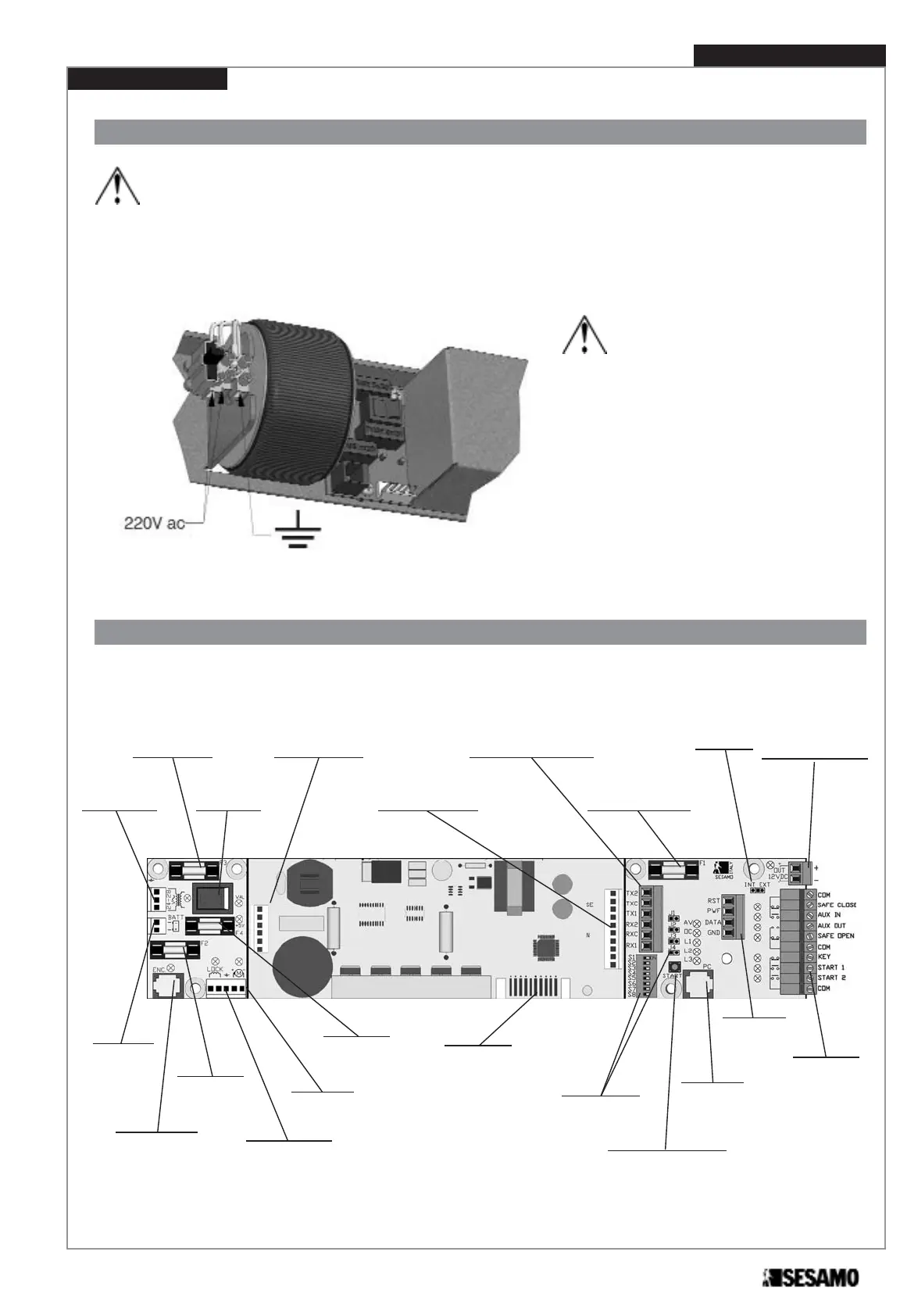
Connect mains and grounding wires on the terminal board (Fig. 27)
WARNING
Never invert the power wire with the grounding
wire. Do not replace the mains fuse with a fuse
other than the one foreseen by the manufactur-
er: T 1 A (delayed).
Power must be isolatable from the general
panel with a bi-polar switch with minimum con-
tact opening equal to 3 mm. (not supplied).
MILLENNIUM electronic board
The meanings of the main electronic board components are listed in Fig. 28:
Installation Instruction
15
Transformer
fuse
(F 6,3A)
Power
switch
Transformer
connector
Battery
connector
Electronic
lock fuse
(T 1A)
Electronic
lock connector
Motor
connector
Battery fuse
(F 6,3A)
Battery
charge board
connector
(optional)
Photocell
board connector
(optional)
Photocell ray
connector
(only used with optional
photocell board)
External peripher-
al power fuse
(T 500mA)
External peripheral
power connector
External
peripheral
connector
Factory only
use connector
Dip Switchs
and selection
Jumpers
START opening
control button
PC
connector
Multi-logic
selector
connector
Fig. 28
Encoder
connector
LIGHT MILLENNIUM
Fig. 27
Jumper
INT/EXT



 To Next Page