SETTOPSURVEY, S.L. Bofarull 14, 08027 Barcelona (Spain) Phone: (+34) 93 340 05 73 Fax: (+34) 93 351 95 18 www.settopsurvey.com info@settopsurvey.com
35
Network Settings
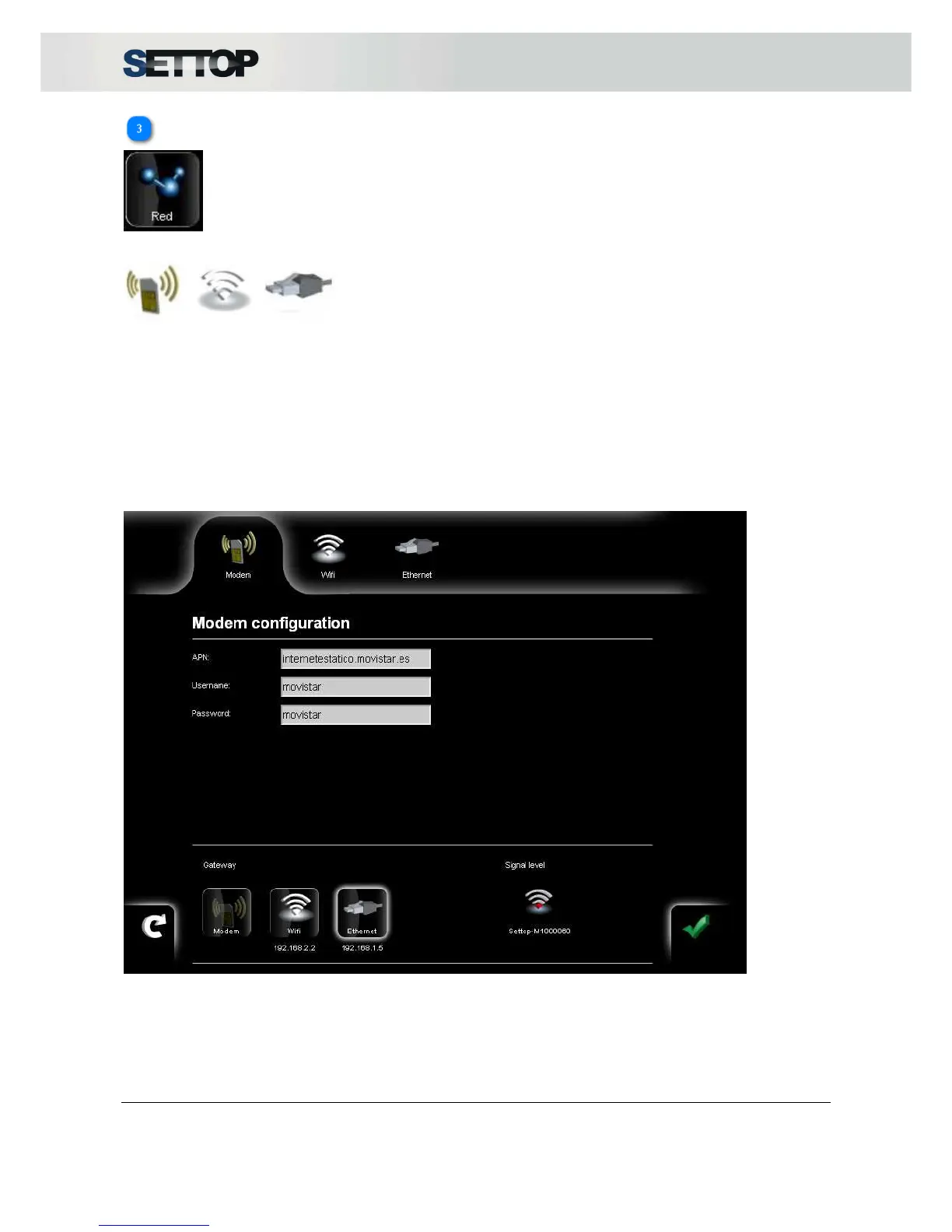
Network configuration has three interfaces that appear in the top horizontal bar, Modem, Wi-Fi, Ethernet:
Modem Wi-Fi Ethernet
1. Modem
The data required to configure internet access via the phone are the APN, username and password.
The intensity of the signal from the telephone network data transfer is shown at five levels ranging from 0%
(gray) to 100% (blue) regardless of the technology used.
In the horizontal top bar, you can see the technology used and the coverage level. GPRS (2G), EDGE (2.5
G), UMTS (3G), HSDPA (3.5 G).



 To Next Page