SETTOPSURVEY, S.L. Bofarull 14, 08027 Barcelona (Spain) Phone: (+34) 93 340 05 73 Fax: (+34) 93 351 95 18 www.settopsurvey.com info@settopsurvey.com
53
Once in the GPS section and GPSBase mode, enter the database name and load the coordinates, where
they are already known. Geodetic format can be entered (GG.gggggg) or UTM (Easting, Northing, Height,
Zone). If you don’t know the precise coordinates, you can press the button Here and the coordinates will
appear automatically with an accuracy of 1-2 meters.
By pressing OK you will accept the settings and the equipment will then be transmitting on the frequency
selected and the selected format in paragraph Radio.
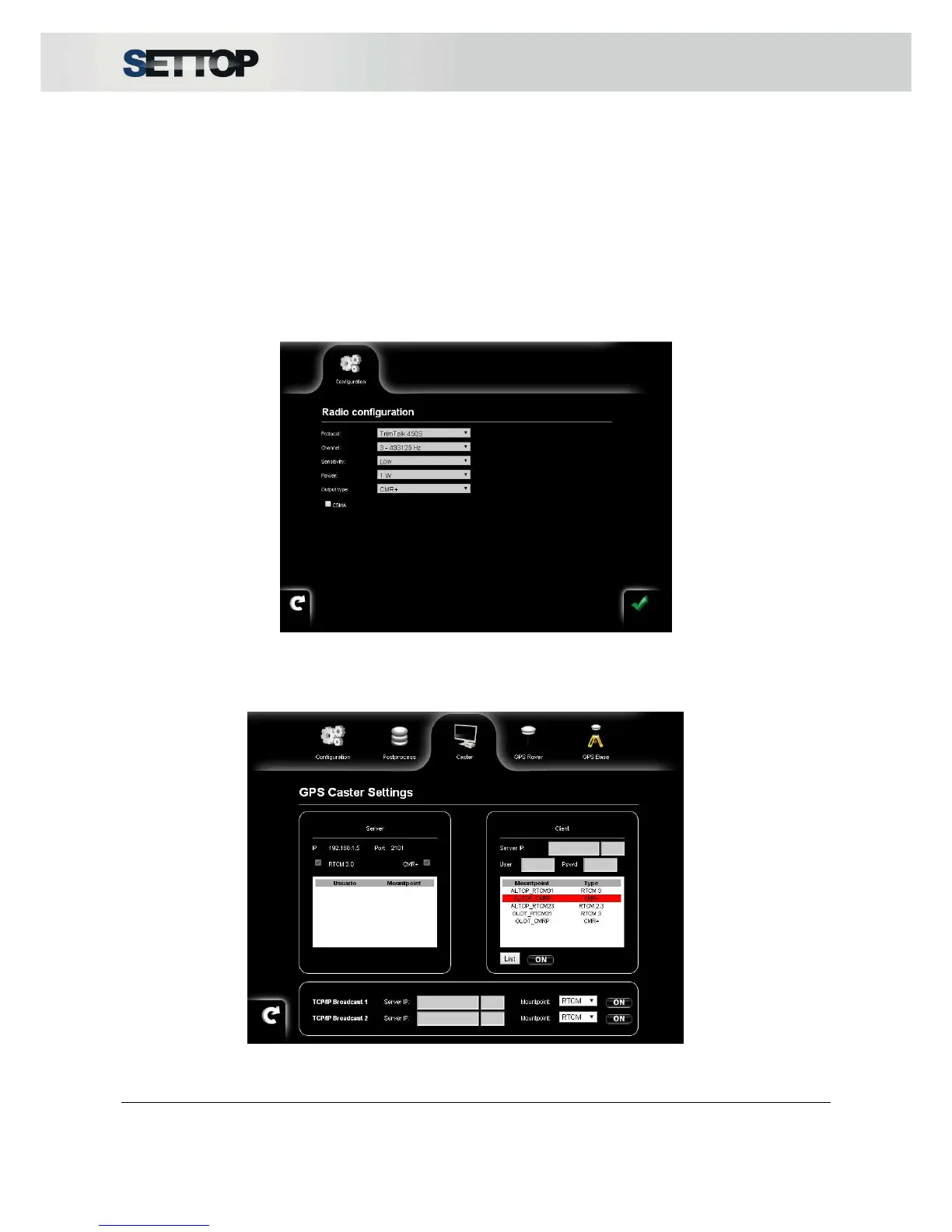
A very common radio setting to use in Simple Base mode is:
•
Protocol: TrimTalk 450S
•
Sensitivity: None or Low
The channel and power depend on the environment in which the Settop M1 is located.
Once the base set appears in the top bar of the current configuration, with the number of satellites currently
receiving. To take full advantage of a Reference Station as Settop M1, it is advisable that the machine's IP is
static.



 To Next Page