12
3. Prepare a coffee/espresso,
►“Preparing coffee/espresso” on page 11.
4. Wait until the appliance grinds the beans.
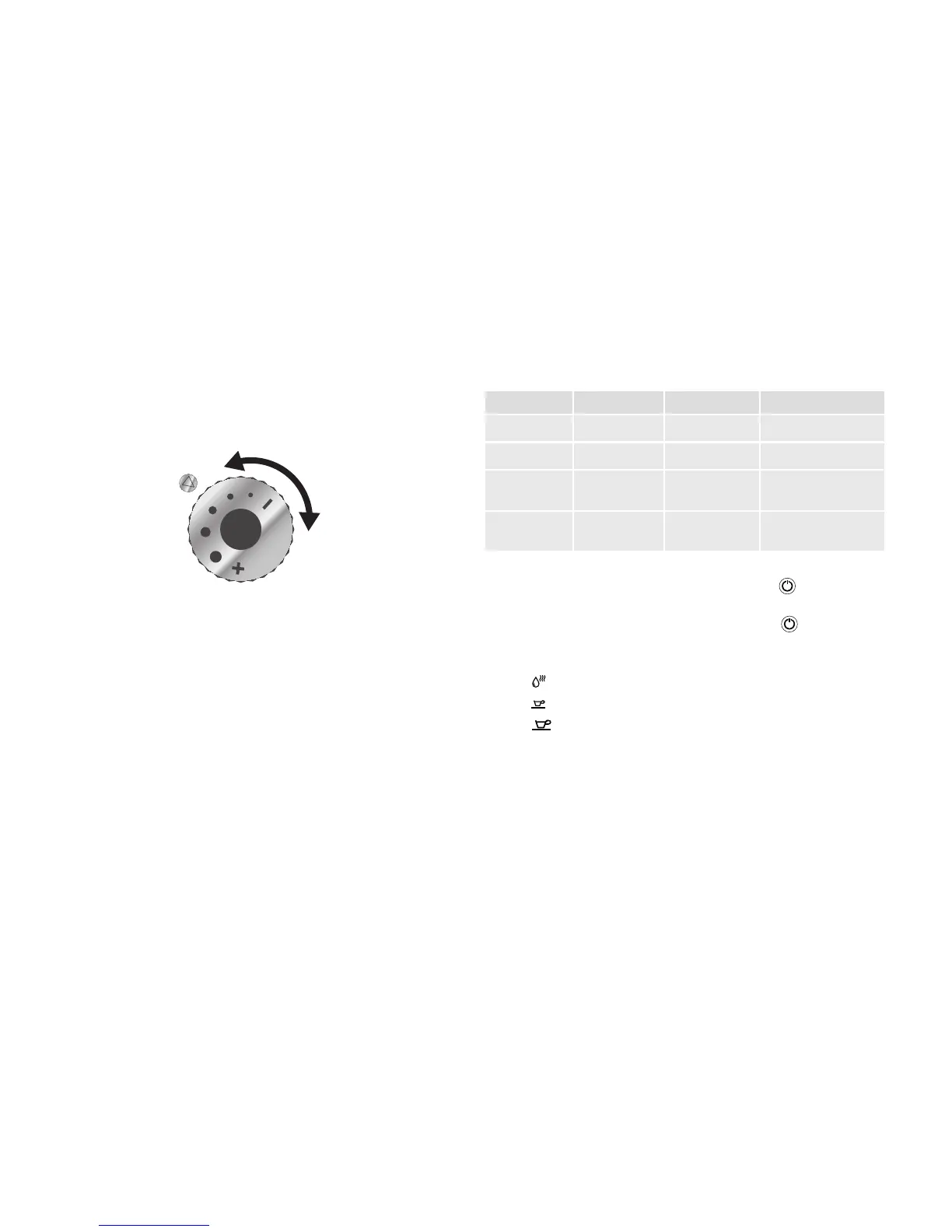
5. Set the regulator for the grind to the desired value. Turning the wheel
counter-clockwise in “-” direction grinds the coffee ner, clockwise in “+”
direction coarser.
Fig. 5: Adjusting the grind
6. Attach the cover of the bean container again.
5.5 Changing the mode
The appliance has 3 modes:
• ECO mode
• Speed mode
• Standard mode
Coffee preparation in speed mode is faster, whereas ECO mode aims to
enhance energy efciency. The following table compares the functions of the
modes:
Function ECO Speed Standard
Light
Pre-brewing
Fill level
storage
Automatic
off after
10 minutes 30 minutes 20 minutes
To change mode, proceed as follows:
1. With the appliance switched on, press on/off button
for
approx. 5 seconds.
 The appliance beeps 2 times. The on/off button
as well as
2 LEDs are ashing. The third continuously lit LED shows the active
mode:
•
: ECO mode
•
: Speed mode
•
: Standard mode
2. Press one of the 3 LED buttons to change the mode.


 To Next Page