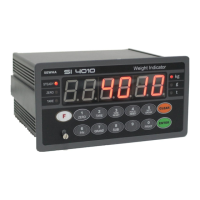
DIGITAL WEIGHING INDICATOR
SI 4010
SUB/GRAND Total Data Delete selection
Manual Delete Mode
SUN Total Delete : “Clear” key + “P/N” key
GRAND Total Delete : “Clear” key + “S/N” key
Automatic Delete Mode
After SUB/GRAND Total Print, Automatically Deleted.
Paper Withdraw Rate setting (After SUB/GRAND Total Print)
Whenever set value increased, 1line will be added.
Paper Withdraw Rate setting (After Continuous/Single Print)
Whenever set value increased, 1line will be added.
Printing Language Selection (If you install on Standard Serial Port)
Minus(-) symbol Print selection
Print minus(-) symbol, if the weight is minus(-).
Function / Clear key Activation display selection
Activation display not use
Communication Interval Setting
Fast Speed (The interval is short)
Low Speed (The interval is long)
Analogue Output Setting (4~20mA / Option)
Positive Output (Max. Capacity : 20mA output)
Negative Output (Max. Capacity : 4mA output)
Pass Word Using setting (F95 Change Password )
Protocol Frame Transit Setting
Using (When connecting protocol with an appliance which uses frame by frame.)
Caution : When setting Command frame, if F53(protocol frequency) is high the speed of system
can be slow. In this case, please set F53-01.
BCD INPUT Type Setting (Refer to Interface BCD INPUT)
Input the units digit & the tens digit one by one. (1,2,4,8)(1,2,4)


 To Next Page