page 36
9 - Using the connectors
9.1 - Pedal
A twin pedal can be connected to the appropriate connector on the rear. This remote control
allows operators to run through the scenes in a page, leaving their hands free for other work.
Intended particularly for groups or operators working in theatres who have to synchronise a
scene change with the beginning of a piece of music, this doesn’t require any further equipment.
Refer to page 6 for the connection diagram. The functions available are:
- UP without enabled registers - enables memory register 1. The page must be
selected manually.
- UP with a register enabled - steps up 1 position in the memory registers (e.g. from 1 to 2).
- DOWN with a register enabled - steps down 1 position in the memory registers (e.g. from 2
to 1).
- DOWN without registers enabled - enables memory register 12. The page must be selected
manually.
- UP and DOWN simultaneously with the registers enabled - switches the registers off.
This pedal can only change registers operating in the (overriding) AND mode.
9.2 - SMPTE socket
This socket is used to connect the console to a sync time code source, which can be used to
record a series of events which must take place at a precise moment. This signal is generally
used in broadcasting (television productions). It’s only an input, as Studio 12 Scan Control con-
soles don’t generate a signal for external use. The SMPTE signal is normally obtained using the
MIDI Time Code (from a sequencer, for example) and converting it with one of the numerous
devices available for this purpose.
9.3 - MIDI connectors
By means of these connectors, which use a standard recognized throughout the world, it’s possi-
ble to carry out various operations, the most important of which are:
- linking several Studio consoles to increase the units and programs available;
- connecting a Studio console for use as a ‘slave’ of a master keyboard or sequencer.
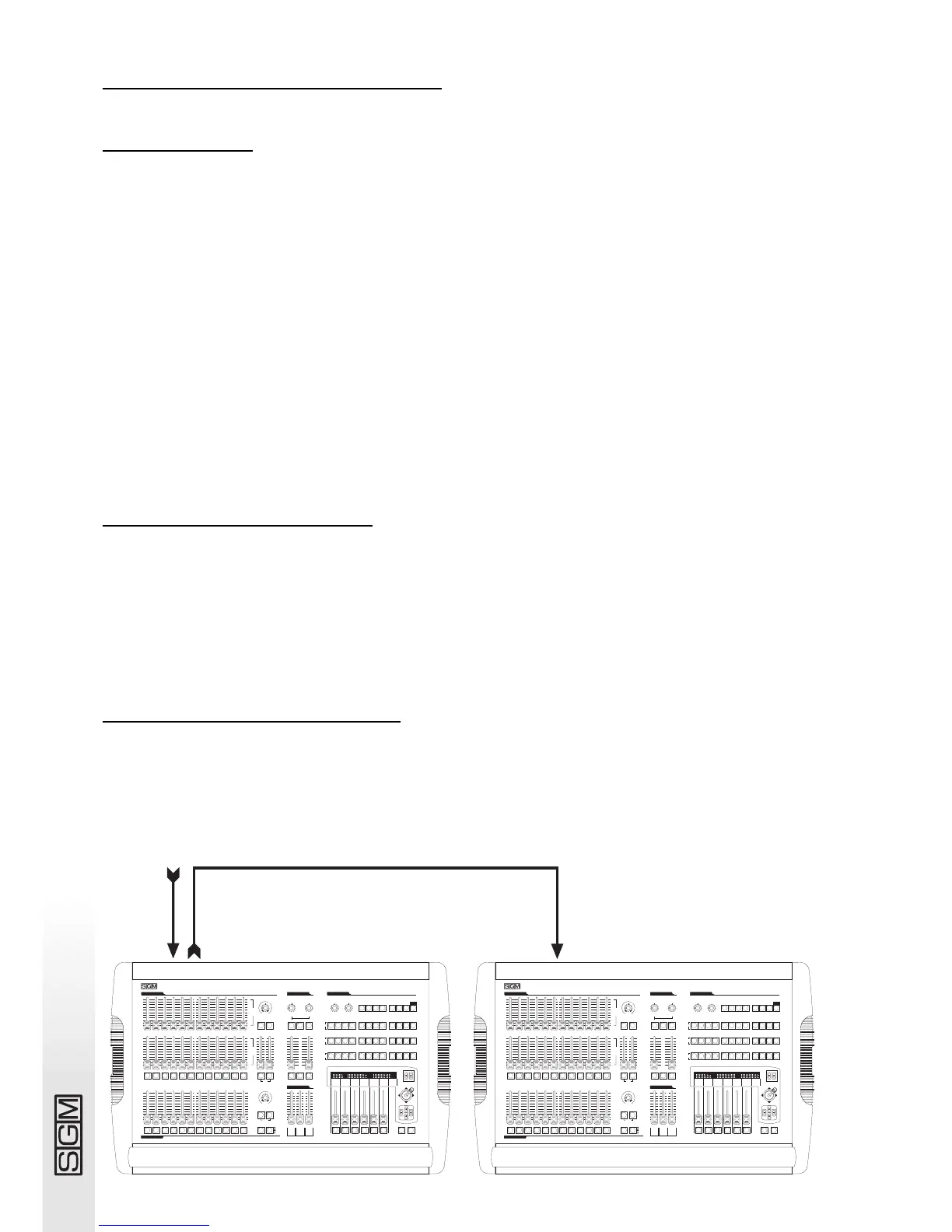
When several consoles are connected in a MIDI chain, the DMX signals aren’t summed: each con-
sole must be connected to the relative DMX chain.
midi out
midi in
pan tilt
1 2 3 4 5 6 7 8 9 10 11 12
1 2 3 4 5 6 7 8 9 10 11 12
1 2 3 4 5 6 7 8 9 10 11 12
0
1
2
3
4
5
6
7
8
9
10
0
1
2
3
4
5
6
7
8
9
10
0
1
2
3
4
5
6
7
8
9
10
registers cross time
smpte
record
page
mode
play
reg flash grand
2
3
4
5
6
7
8
9
2
3
4
5
6
7
8
9
10 10
0
1
0
1
9
8
7
6
5
4
3
2
1
10
0
reg chase direct
music step edit
rate slope
3
4
5
6
7
8
3
4
5
6
7
8
3
4
5
6
7
8
0
1
2
9
10
1
2
9
0
10
1or13 2or14 3or15 4or16
5
or17
6
or18 7or19 8or20 9or21 10or22 11or23 12or24
0
1
2
9
10
Aorpset
1
2
3
4
5
6
7
8
9
10
0
link solo
manual presets cross time
0
1
2
3
4
5
6
7
8
9
10
0
1
2
3
4
5
6
7
8
9
10
0
1
2
3
4
5
6
7
8
9
10
rate speed
music
bkward
pause store reg direct util
registers
masters
manual presets
B
go
dmx unit controls
professional light controller
1 2 3 4 5 6 7 8 9 10 11 12
Studio 12
SCAN CONTROLSCAN CONTROL
SCAN CONTROLSCAN CONTROL
1 2 3 4 5 6 7 8 9 10 11 12
setup
grab
light chase controls
prog
scene
unit
A
or
1÷12
B
or
12÷24
and
or
flash
s
e
c
o
n
d
s
m
i
n
u
t
e
s
1
2
4
8
16
32
1
2
4
8
off max
0
s
e
c
o
n
d
s
m
i
n
u
t
e
s
1
2
4
8
16
32
1
2
4
8
off max
0
1
2
3
4
5
6
7
8
9
10
min max
0
1
2
3
4
5
6
7
8
9
10
min max
0
1
2
3
4
5
6
7
8
9
10
min max
0
1
2
3
4
5
6
7
8
9
10
min max
0
pan tilt
1 2 3 4 5 6 7 8 9 10 11 12
1 2 3 4 5 6 7 8 9 10 11 12
1 2 3 4 5 6 7 8 9 10 11 12
0
1
2
3
4
5
6
7
8
9
10
0
1
2
3
4
5
6
7
8
9
10
0
1
2
3
4
5
6
7
8
9
10
registers cross time
smpte
record
page
mode
play
reg flash grand
2
3
4
5
6
7
8
9
2
3
4
5
6
7
8
9
10 10
0
1
0
1
9
8
7
6
5
4
3
2
1
10
0
reg chase direct
music step edit
rate slope
3
4
5
6
7
8
3
4
5
6
7
8
3
4
5
6
7
8
0
1
2
9
10
1
2
9
0
10
1or13 2or14 3or15 4or16
5
or17
6
or18 7or19 8or20 9or21 10or22 11or23 12or24
0
1
2
9
10
Aorpset
1
2
3
4
5
6
7
8
9
10
0
link solo
manual presets cross time
0
1
2
3
4
5
6
7
8
9
10
0
1
2
3
4
5
6
7
8
9
10
0
1
2
3
4
5
6
7
8
9
10
rate speed
music
bkward
pause store reg direct util
registers
masters
manual presets
B
go
dmx unit controls
professional light controller
1 2 3 4 5 6 7 8 9 10 11 12
Studio 12
SCAN CONTROLSCAN CONTROL
SCAN CONTROLSCAN CONTROL
1 2 3 4 5 6 7 8 9 10 11 12
setup
grab
light chase controls
prog
scene
unit
A
or
1÷12
B
or
12÷24
and
or
flash
s
e
c
o
n
d
s
m
i
n
u
t
e
s
1
2
4
8
16
32
1
2
4
8
off max
0
s
e
c
o
n
d
s
m
i
n
u
t
e
s
1
2
4
8
16
32
1
2
4
8
off max
0
1
2
3
4
5
6
7
8
9
10
min max
0
1
2
3
4
5
6
7
8
9
10
min max
0
1
2
3
4
5
6
7
8
9
10
min max
0
1
2
3
4
5
6
7
8
9
10
min max
0
midi in



 To Next Page