GB
appendice
page 37
I D F E
The dipswitch on the rear of the console allows to select the MIDI channel on which the signals
sent to the console are received (the MIDI channels have a range of 1 - 16). Commands are only
transmitted by the console on channel 1.
The Studio console’s software doesn’t take into consideration values not within the range required
for each function.
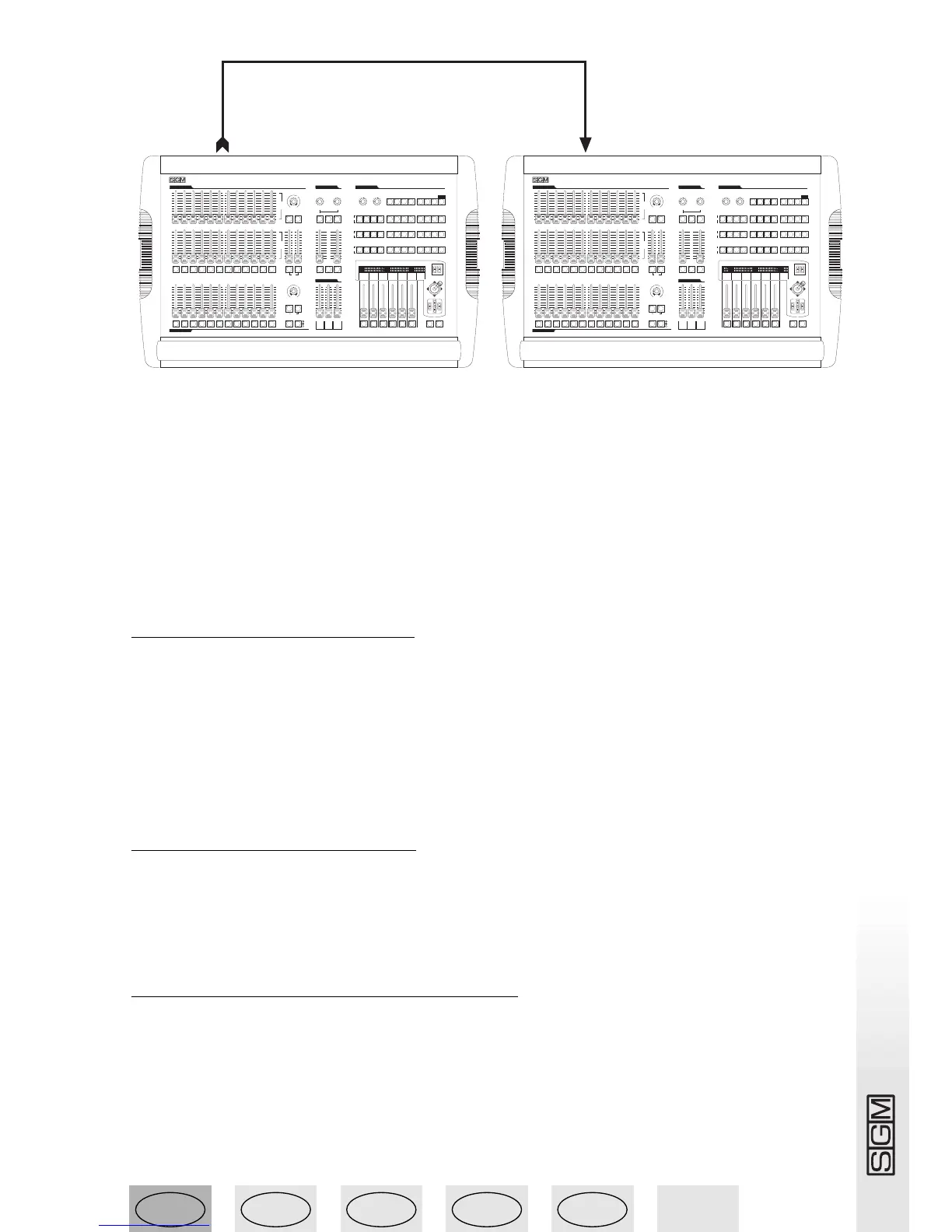
The possibility of transmitting MIDI data to other Studio consoles can be used to control other
devices using this ‘language’. If a sequencer or master keyboard (enabled to receive on channel
1) has to carry out actions co-ordinated with the lights, when a Memory register is enabled the
relative Program Change is also sent, so the two events take place simultaneously.
9.3.1 - Midi IN - Note On
This command is used to switch on one or more of the 12 dimmer channels (or 24, according to
operating mode) using the MIDI “Note On” command and treating the channel like a key on a
piano keyboard. It’s therefore virtually possible to “play” the light channels!
The range of values must be between 36 and 60. Values not included in this range are automati-
cally excluded. On a piano keyboard 36 corresponds to C3 (Do in the third octave).
If the device transmitting the MIDI signals is fitted with Velocity control, the channel is switched
on at the level indicated by Velocity, if not, it will simply be switched on.
9.3.2 - Midi IN - Note Off
This command allows to switch off one or more of the 12 dimmer channels (or 24, according to
the operating mode), using the MIDI “Note Off” command.
The range of values must be between 36 and 60. Values not included in this range are automati-
cally excluded.
9.3.3 - Midi IN - Program Change
This MIDI function allows to change the presets a unit is equipped with. On Studio 12 consoles,
transmitting this data allows to pass from one memory register to another. The range of parame-
ters must be between 0 and 11. This value allows to pass from register 1 to register 12. In MIDI
numeration, 0 stands for 1, so the correspondence is as follows: 0=1, 1=2, 2=3, 3=4, 4=5, 5=6,
6=7, 7=8, 8=9… 11=12.
The transmission of one of the above values switches the register on and transmitting the same
value again switches it off.
midi out
midi in
pan tilt
1 2 3 4 5 6 7 8 9 10 11 12
1 2 3 4 5 6 7 8 9 10 11 12
1 2 3 4 5 6 7 8 9 10 11 12
0
1
2
3
4
5
6
7
8
9
10
0
1
2
3
4
5
6
7
8
9
10
0
1
2
3
4
5
6
7
8
9
10
registers cross time
smpte
record
page
mode
play
reg flash grand
2
3
4
5
6
7
8
9
2
3
4
5
6
7
8
9
10 10
0
1
0
1
9
8
7
6
5
4
3
2
1
10
0
reg chase direct
music step edit
rate slope
3
4
5
6
7
8
3
4
5
6
7
8
3
4
5
6
7
8
0
1
2
9
10
1
2
9
0
10
1or13 2or14 3or15 4or16
5
or17
6
or18 7or19 8or20 9or21 10or22 11or23 12or24
0
1
2
9
10
Aorpset
1
2
3
4
5
6
7
8
9
10
0
link solo
manual presets cross time
0
1
2
3
4
5
6
7
8
9
10
0
1
2
3
4
5
6
7
8
9
10
0
1
2
3
4
5
6
7
8
9
10
rate speed
music
bkward
pause store reg direct util
registers
masters
manual presets
B
go
dmx unit controls
professional light controller
1 2 3 4 5 6 7 8 9 10 11 12
Studio 12
SCAN CONTROLSCAN CONTROL
SCAN CONTROLSCAN CONTROL
1 2 3 4 5 6 7 8 9 10 11 12
setup
grab
light chase controls
prog
scene
unit
A
or
1÷12
B
or
12÷24
and
or
flash
s
e
c
o
n
d
s
m
i
n
u
t
e
s
1
2
4
8
16
32
1
2
4
8
off max
0
s
e
c
o
n
d
s
m
i
n
u
t
e
s
1
2
4
8
16
32
1
2
4
8
off max
0
1
2
3
4
5
6
7
8
9
10
min max
0
1
2
3
4
5
6
7
8
9
10
min max
0
1
2
3
4
5
6
7
8
9
10
min max
0
1
2
3
4
5
6
7
8
9
10
min max
0
pan tilt
1 2 3 4 5 6 7 8 9 10 11 12
1 2 3 4 5 6 7 8 9 10 11 12
1 2 3 4 5 6 7 8 9 10 11 12
0
1
2
3
4
5
6
7
8
9
10
0
1
2
3
4
5
6
7
8
9
10
0
1
2
3
4
5
6
7
8
9
10
registers cross time
smpte
record
page
mode
play
reg flash grand
2
3
4
5
6
7
8
9
2
3
4
5
6
7
8
9
10 10
0
1
0
1
9
8
7
6
5
4
3
2
1
10
0
reg chase direct
music step edit
rate slope
3
4
5
6
7
8
3
4
5
6
7
8
3
4
5
6
7
8
0
1
2
9
10
1
2
9
0
10
1or13 2or14 3or15 4or16
5
or17
6
or18 7or19 8or20 9or21 10or22 11or23 12or24
0
1
2
9
10
Aorpset
1
2
3
4
5
6
7
8
9
10
0
link solo
manual presets cross time
0
1
2
3
4
5
6
7
8
9
10
0
1
2
3
4
5
6
7
8
9
10
0
1
2
3
4
5
6
7
8
9
10
rate speed
music
bkward
pause store reg direct util
registers
masters
manual presets
B
go
dmx unit controls
professional light controller
1 2 3 4 5 6 7 8 9 10 11 12
Studio 12
SCAN CONTROLSCAN CONTROL
SCAN CONTROLSCAN CONTROL
1 2 3 4 5 6 7 8 9 10 11 12
setup
grab
light chase controls
prog
scene
unit
A
or
1÷12
B
or
12÷24
and
or
flash
s
e
c
o
n
d
s
m
i
n
u
t
e
s
1
2
4
8
16
32
1
2
4
8
off max
0
s
e
c
o
n
d
s
m
i
n
u
t
e
s
1
2
4
8
16
32
1
2
4
8
off max
0
1
2
3
4
5
6
7
8
9
10
min max
0
1
2
3
4
5
6
7
8
9
10
min max
0
1
2
3
4
5
6
7
8
9
10
min max
0
1
2
3
4
5
6
7
8
9
10
min max
0



 To Next Page