PAGE 9
PAGE 8
BEFORE USE
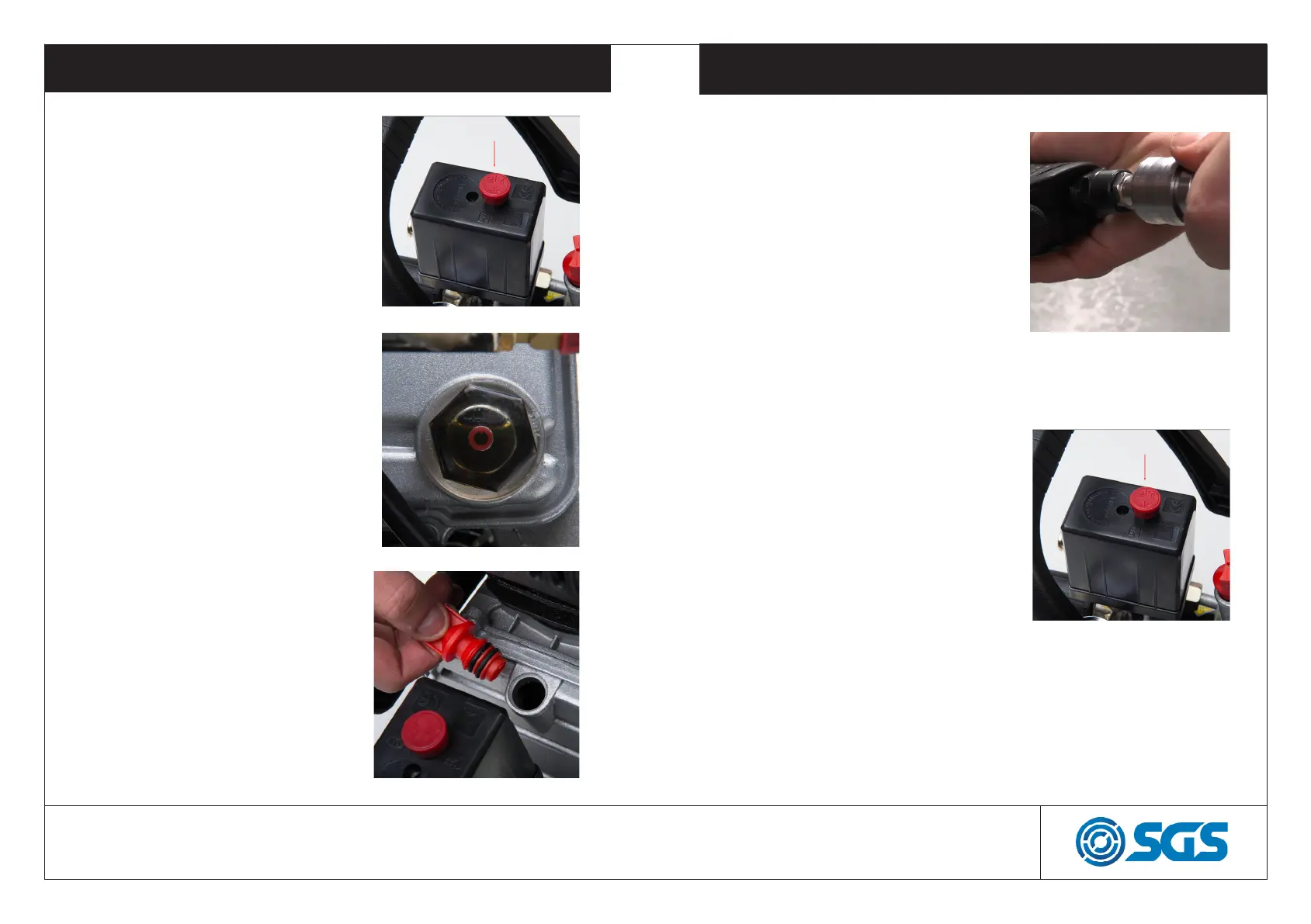
1. Set the ON/OFF switch to the-
OFF position (pushed down).
2. Make sure that the compressor
is on level ground and check that
the oil level is half way up the oil
sight glass
3. If not, remove the breather plug
and fill with compressor oil (our
part code SO2068)
OPERATION
1. Attach a hose to the quick re-
lease coupler on the compres-
sor and to an air tool.
2. Turn the compressor on by
lifting the on/off button. The
compressor will operate until
the tank is fully pressurised
before switching off. The com-
pressor will start again when
the tank pressure drops.
WWW.SGS-ENGINEERING.COM


 To Next Page