8 TOLL FREE: 1-800-798-7398
PROBLEM POSSIBLE REASONS & SOLUTIONS
Vacuum will not run.
Check to see if the vacuum is plugged in properly.
Check the circuit breaker/fuse.
Check the On/Off button.
Vacuum is not
picking up dirt.
Check the dust cup. It may need to be emptied.
Filter may need cleaning.
Check hose and accessories for blockages; clear blockages if required.
Airflow is restricted. No
suction or light suction.
Check hose and accessories for blockages; clear blockages if required.
Check the dust cup. It may need to be emptied.
Troubleshooting
WARNING:
to reduce the risk of electric shock, the power cord must be disconnected before
performing maintenance/troubleshooting checks.
Please call customer service if any servicing needs to be performed on the appliance at 1-800-798-7398.
Ordering Replacement Parts
To order additional parts and
accessories, go to
www.sharkclean.com
or call 1-800-798-7398.
PART PART NO.
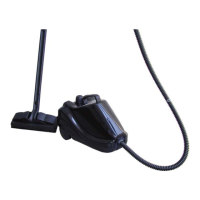
Floor Brush 104FWI
Combo Crevice/Dusting Tool 105FPW
Turbo Brush 106FWI
Bag & Filter Kit XSB780C
Replacement Parts
EP780C_42_IB_ENG_FRE_110418_1.indd 8 11-04-19 9:15 AM



 To Next Page