5www.sharkclean.com
English
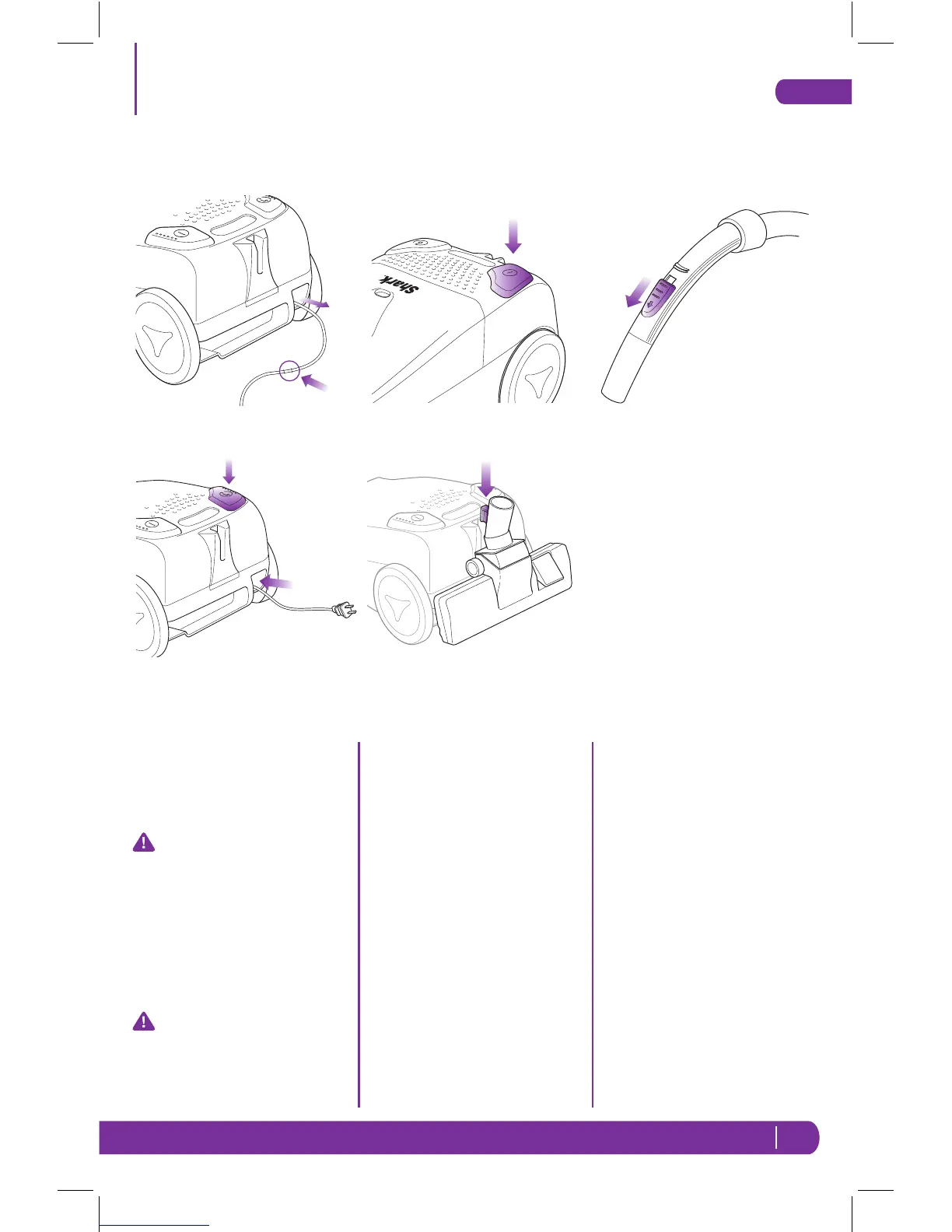
1 To extend the power cord, pull
it from the rear of the vacuum
to the desired length. (Fig. 2) A
yellow mark on the power cord
shows the ideal cable length.
CAUTION: Do not pull the
power cord beyond the red
mark on the power cord as this
will damage the cord.
2 To retract the power cord, press
the cord rewind button. (Fig. 3)
If the cord does not fully retract,
pull it out a little and then press
the rewind button again.
WARNING: Always hold the
plug and DO NOT allow to
whip when rewinding
3 Plug the vacuum into an
electrical wall outlet.
4 Press the On/Off Button to the
“On” position to begin.
(Fig. 4)
5 Press the On/Off Button to the
“Off” position when finished
using the vacuum.
6 To store the canister vacuum,
insert the clip that is on the
back of the floor brush into the
slot on the back of the vacuum.
(Fig. 5)
Manual Suction Control
The Shark
®
Quick Clean Canister
vacuum includes a manual variable
suction control on the handle of
the hose. The suction power can
be adjusted by moving the slide
regulator to the desired position.
(Fig. 6) By opening the slide
regulator, the suction will be
reduced for vacuuming upholstery
and draperies. With the slide
regulator closed, you get maximum
suction for vacuuming carpets.
Using the Vacuum
Fig. 2
Fig. 3
Fig. 4
Fig. 5
Fig. 6
EP780C_42_IB_ENG_FRE_110418_1.indd 5 11-04-19 9:15 AM



 To Next Page