EasyManua.ls Logo

Shark MATRIX 2400WS Series - User Manual

Shark MATRIX 2400WS Series
7 pages
Print Icon
To Next Page IconTo Next Page
Loading...
2400WS Series WARNINGS
AND WARRANTIES
WARNING
To reduce the risk of fire, electric shock, injury, or property damage:
IMPORTANT SAFETY INSTRUCTIONS
PLEASE READ CAREFULLY BEFORE USE • FOR HOUSEHOLD USE ONLY
If the charging cable plug does not fit fully into the outlet, reverse the plug. If it still does not fit,
contact a qualified electrician. DO NOT force into outlet or try to modify to fit.
GENERAL WARNINGS
When using an electrical appliance, basic
precautions should always be followed,
including the following:
1. This appliance consists of a Robot Floor
Cleaner and charging dock with power
supply. These components contain
electrical connections, electrical wiring,
and moving parts that potentially present
risk to the user.
2. Before each use, carefully inspect all
parts for any damage. If a part is damaged,
discontinue use.
3. Use only identical replacement parts
found on sharkclean.com
4. This Robot Floor Cleaner contains no
serviceable parts.
5. Use only as described in the Owner's
Guide provided on sharkclean.com.
DO NOT use Robot Floor Cleaner for any
purpose other than those described in the
Owner's Guide.
6. With exception of the filters, dust bin,
fluid reservoir, and pads, DO NOT expose
any parts of the Robot Floor Cleaner to
water or other liquids.
USE WARNINGS
7. This appliance can be used by persons
with reduced physical, sensory, or mental
capabilities or lack of experience and
knowledge if they have been given
supervision or instruction concerning
use of the appliance in a safe way and
understand the hazards involved.
a) Children shall not play with the
appliance.
b) Cleaning and user maintenance shall
not be made by children without
supervision.
8. Always turn o the Robot Floor Cleaner
before inserting or removing the filter, dust
bin, or side brushes.
9. DO NOT handle plug, charging dock,
charging cable, or Robot Floor Cleaner
with wet hands. Cleaning and user
maintenance shall not be made by
children without supervision.
10. DO NOT use the Robot Floor Cleaner
without the dust bin, filter, brushroll, and
side brush in place.
11. DO NOT damage the charging cord:
a) DO NOT pull or carry charging dock
by the cord or use the cord as a
handle.
b) DO NOT unplug by pulling on cord.
Grasp the plug, not the cord.
c) DO NOT close a door on the cord,
pull the cord around sharp corners, or
leave the cord near heated surfaces.
12. DO NOT put any objects into nozzle or
accessory openings. DO NOT use with
any opening blocked; keep free of dust,
lint, hair, and anything that may reduce
airow.
13. DO NOT use Robot Floor Cleaner if
airflow is restricted. If the air paths
become blocked, turn the vacuum
cleaner o and remove all obstructions
before turning on the unit again.
TM
MOP
VACUUM
2 1
-IN-
Question and Answer IconNeed help?

Do you have a question about the Shark MATRIX 2400WS Series and is the answer not in the manual?

Overview

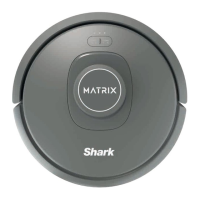
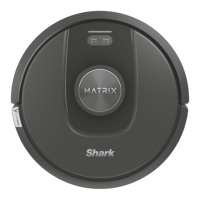
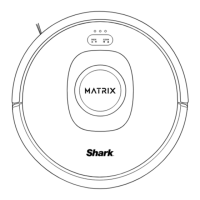
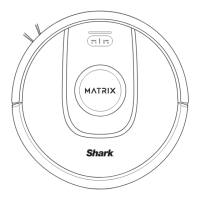
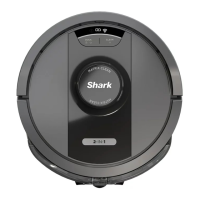
The Shark MATRIX™ 2-in-1 Robot is a versatile cleaning device designed to provide comprehensive home cleaning. It functions as both a mop and a vacuum, offering a dual cleaning capability that addresses various floor types and messes. The device is part of the 2400WS Series, indicating its model lineage and specific features.

Function Description:

The Shark MATRIX™ 2-in-1 Robot is engineered to automate floor cleaning tasks. As a vacuum, it effectively picks up dirt, dust, pet hair, and debris from hard floors and carpets. Its mopping function allows it to clean hard floors, tackling spills and grime. The "2-in-1" designation highlights its ability to perform both functions, either simultaneously or in sequence, depending on the cleaning mode selected. The robot is designed for hands-free operation, navigating autonomously to clean designated areas. It can be controlled via a mobile application, allowing users to schedule cleanings, select cleaning modes, and monitor its progress remotely. The device is also compatible with voice assistants like Google Assistant and Amazon Alexa, enabling voice-activated commands for added convenience.

Important Technical Specifications:

While specific technical specifications like battery capacity in mAh, motor power in watts, or dustbin volume in liters are not explicitly detailed in the provided excerpts, several operational and design features can be inferred. The robot is equipped with a rechargeable battery, as indicated by the charging instructions and the mention of a "pre-installed rechargeable battery." The charging time is stated to be between 6 to 10 hours for a full charge, and the expected runtime is approximately 60 minutes. This suggests a battery designed for moderate cleaning sessions. The device includes a "Self-Empty Dust Bin," which automatically empties the robot's dustbin into a larger base station, reducing the frequency of manual emptying. This feature is a significant convenience, allowing for extended periods of autonomous cleaning. The robot utilizes Wi-Fi connectivity for app control and smart home integration. It also features a "Side Brush" for edge cleaning, ensuring that dirt and debris along walls and in corners are effectively captured. The robot's design includes sensors for navigation, obstacle avoidance, and cliff detection, which are crucial for its autonomous operation and to prevent falls or collisions. The charging dock is designed to be placed in a permanent location, requiring specific clearance from walls and other objects for optimal performance.

Usage Features:

The Shark MATRIX™ 2-in-1 Robot offers several usage features aimed at enhancing user experience and cleaning effectiveness:

  • App Control and Smart Home Integration: Users can control the robot through a dedicated mobile application, allowing for remote scheduling, mode selection, and monitoring. Compatibility with Google Assistant and Amazon Alexa enables voice commands for starting, stopping, or pausing cleaning cycles.
  • Dual Cleaning Modes: The robot can vacuum and mop, providing comprehensive cleaning for various floor types. The ability to switch between or combine these modes offers flexibility in addressing different cleaning needs.
  • Self-Emptying Dust Bin: After a cleaning cycle, the robot automatically returns to its dock and empties its dustbin into a larger container within the charging station. This minimizes manual intervention and allows for longer periods of unattended cleaning.
  • Scheduled Cleaning: Users can program the robot to clean at specific times and days, ensuring that floors are consistently maintained without manual initiation.
  • Obstacle Avoidance and Navigation: The robot is equipped with sensors to navigate around furniture and other obstacles, preventing collisions and ensuring thorough coverage of the cleaning area. It also has cliff sensors to prevent it from falling down stairs.
  • Edge Cleaning: The side brush is specifically designed to sweep dirt and debris from edges and corners into the robot's cleaning path, ensuring a more complete clean.
  • Easy Maintenance: The manual provides instructions for installing the side brush and maintaining the device, including cleaning the dust filter, dirt, and brush rolls.

Maintenance Features:

Regular maintenance is crucial for the optimal performance and longevity of the Shark MATRIX™ 2-in-1 Robot. The manual outlines several key maintenance tasks:

  • Emptying the Dust Bin: While the robot features a self-emptying dust bin, the larger container in the charging dock will eventually need to be emptied. The manual provides instructions for this process.
  • Cleaning the Dust Filter: The dust filter should be regularly cleaned to maintain suction power and prevent clogging. The manual specifies how to remove and clean the filter.
  • Cleaning the Brush Rolls: Hair and debris can get tangled in the brush rolls, reducing cleaning effectiveness. The manual provides instructions for removing and cleaning the brush rolls.
  • Cleaning the Side Brushes: The side brushes can accumulate hair and debris, impacting their ability to sweep effectively. Regular cleaning or replacement of the side brushes is recommended.
  • Cleaning Sensors: The robot's sensors, crucial for navigation and obstacle avoidance, should be kept clean to ensure accurate operation. The manual likely provides guidance on how to wipe down these sensors.
  • Checking for Blockages: The manual advises users to check for and clear any blockages in the robot's airways, suction path, or brush rolls to prevent damage and maintain performance.
  • Battery Care: While the battery is rechargeable, proper care, such as avoiding extreme temperatures and following charging guidelines, is important for its lifespan. The manual mentions that the battery is a "rechargeable lithium-ion battery" and provides information on its disposal.
  • Software Updates: The device may receive software updates to improve performance and add new features. The manual implies that users should ensure their device software is up to date.

The Shark MATRIX™ 2-in-1 Robot is designed to be a user-friendly and efficient cleaning solution, combining the power of a vacuum with the effectiveness of a mop, all within an autonomous and smart-enabled package.

Shark MATRIX 2400WS Series Specifications

General IconGeneral
BrandShark
ModelMATRIX 2400WS Series
CategoryVacuum Cleaner
LanguageEnglish

Related product manuals