sharkclean.comsharkclean.com
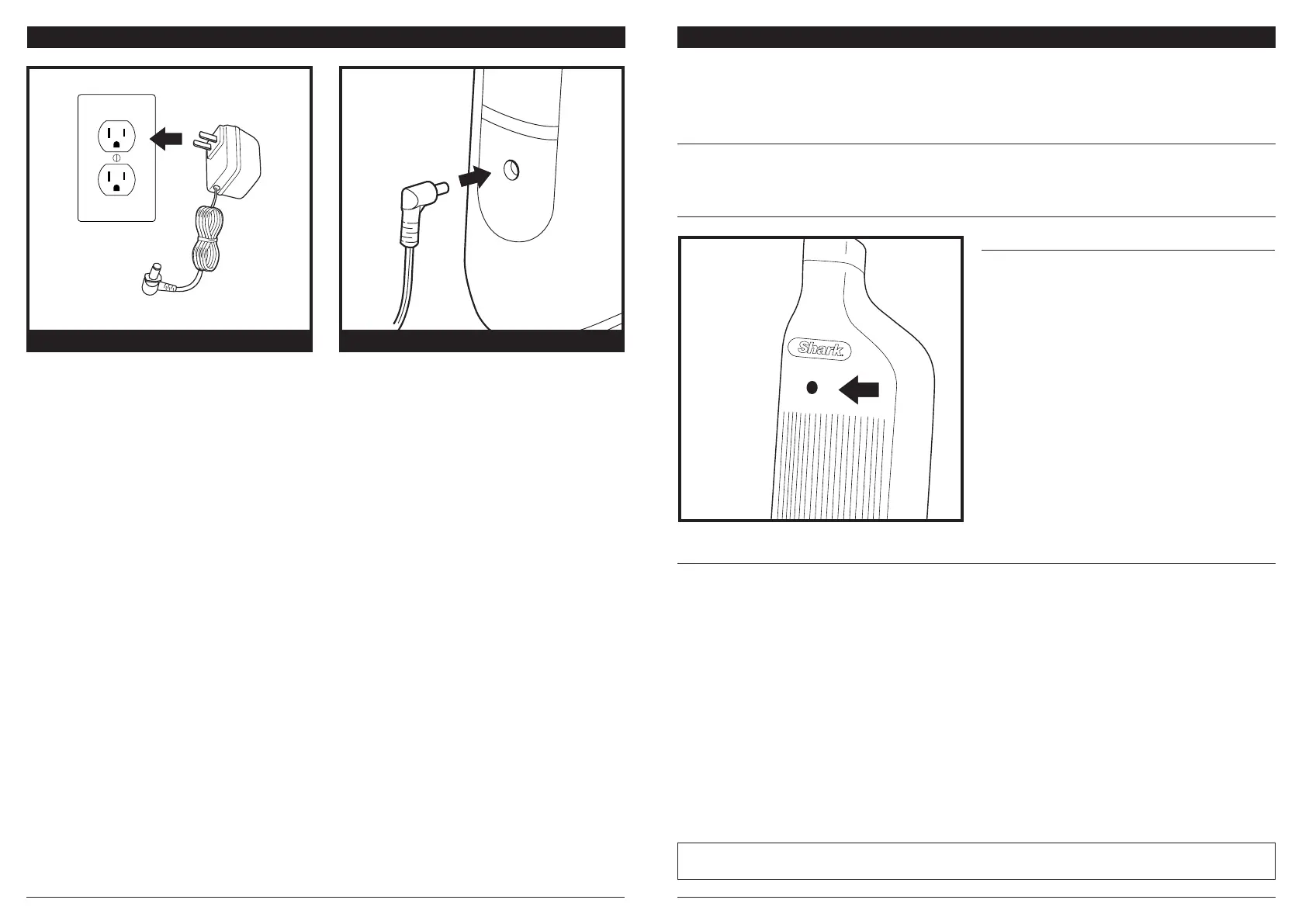
CHARGING THE LI-ION BATTERY
Plug the charger into the port on the back of the
main body.
Plug charger into an electrical outlet.
STANDARD CHARGING CONNECTORSTANDARD CHARGER
LI-ION BATTERY
Prior to first use, charge completely. A full charge takes approximately 3.5 hours.
Visit sharkclean.com/support online.
When the Shark® Li-Ion battery needs to be replaced, dispose of it or recycle it in accordance with local
ordinances or regulations. In some areas, it is illegal to place spent lithium-ion batteries in the trash or in a
municipal solid waste stream. Return spent batteries to an authorized recycling center or to the retailer for
recycling. Contact your local recycling center for information on where to drop o the spentbattery.
RECYCLING THE LI-ION BATTERY
LED BATTERY POWER AND CHARGING INDICATOR
NOTE: The Shark battery, like all lithium-ion batteries, will naturally decrease in capacity over time from the 100% capacity of
a new battery.
BATTERY RUNTIME
Indicator LED
IN USE:
Normal Operation - Solid green
Low Battery - Blinking green
Very Low Battery - Blinking red
Out of battery - Rapid blinking red
CHARGING:
Battery Charging - Pulsing green
Full Charge - Solid Green
(will turn o after 5 minutes)





 To Next Page