28
VOL
—
VOL
+
CH
CH
→
1 2 3
4 5 6
7 8 9
0
100
ENTER
MP AA
TV GUIDELINES
AD : OFFDO
W
NLO
STATUS :ON
– – –
–
NIPUT SECRET No.
2 3 4
1
NIPUT SECRET No.
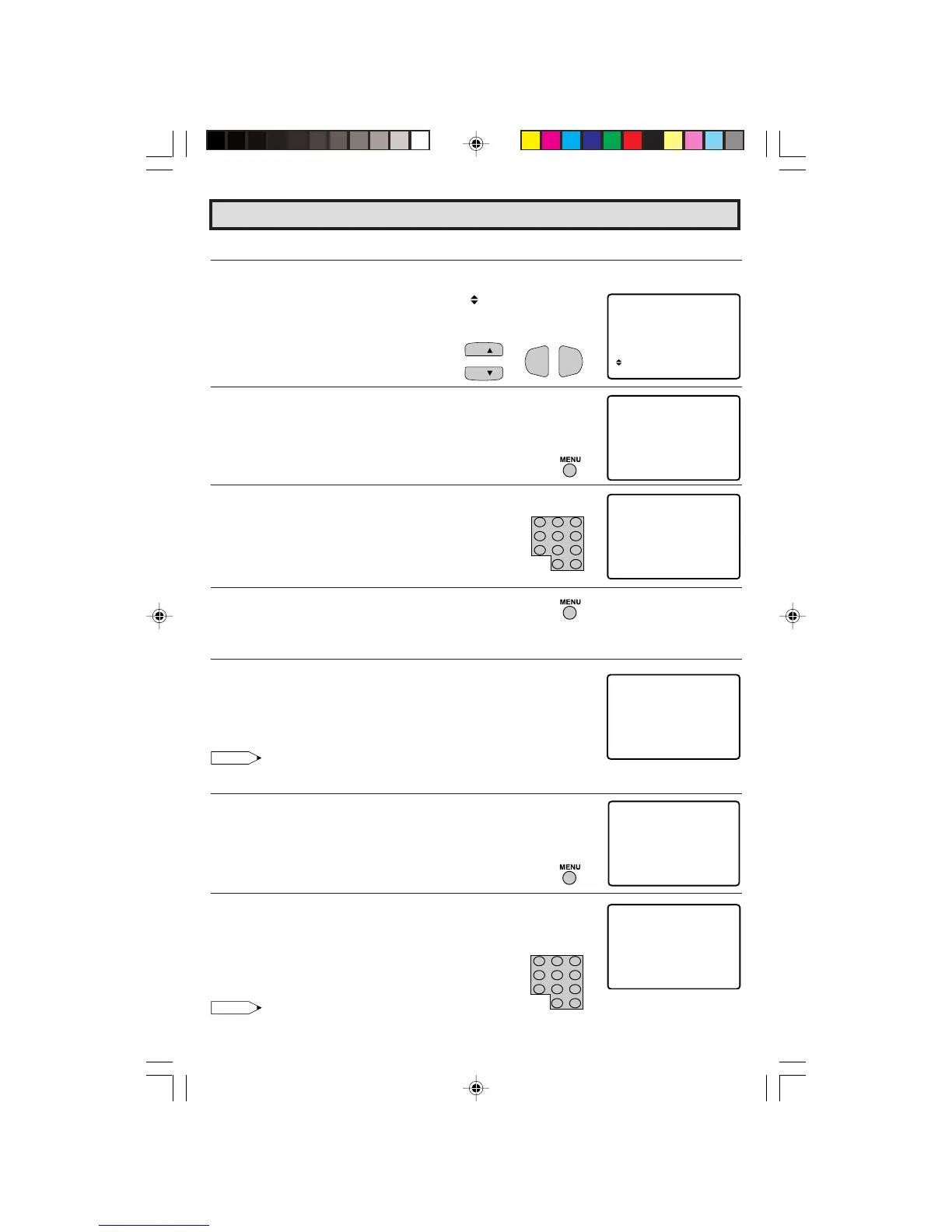
L Turning On (Activating) the V-CHIP Blocks
1 Repeat steps 1 to 3 of [1] MPAA RATING.
2 Press
CH UP (
8
)
or
DOWN (
9
)
to move the “ ” mark to “STATUS”,
then press
VOL (+)
or
(–)
to activate the V-CHIP BLOCK. (If STATUS
is OFF, V-CHIP BLOCK will not operate.)
3 Press
MENU
, then “INPUT SECRET No.” will be displayed.
4 Enter a 4-digit SECRET No. using the
REMOTE KEYPAD
.
5 Press
MENU
and the SECRET No. will be registered.
L To cancel the V-CHIP BLOCK screen while V-CHIP BLOCK has been activated.
1 “V-CHIP HAS BEEN ACTIVATED” will be displayed if you view a
program containing Program Rating data as same as you
configured.
Note:
•“V-CHIP HAS BEEN ACTIVATED” will not be displayed if STATUS is not configured to “ON”.
2 Press
MENU
, then “INPUT SECRET No.” will be displayed.
3 Enter the 4-digit SECRET No. using the
REMOTE KEYPAD
, then
V-CHIP BLOCK temporarily will be canceled. If the wrong SECRET
No. is chosen, “SECRET No. IS INCORRECT” will be displayed.
Input the SECRET No. again in this case.
Note:
• If you turn the power OFF, the V-CHIP BLOCK will automatically reset to ON again.
Parent Control (V-CHIP Operation Continued)
1 2 3
4 5 6
7 8 9
0
100
ENTER
AC I VATEDT
V – CH HIP AS BEEN
23
TV– Y7
FV


 To Next Page