Contents
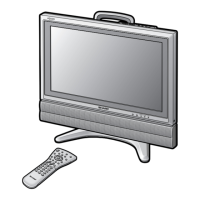
LC-22AD1E
LCD COLOUR TELEVISION
ENGLISH
OPERATION MANUAL
ENGLISH
Dear SHARP customer .................................................... 2
Important Safety Precautions ........................................ 2
Supplied accessories ...................................................... 4
Trademarks ...................................................................... 4
Preparation ....................................................................... 5
Inserting the batteries ................................................ 5
Using remote control .................................................. 5
Power connection ....................................................... 6
Antenna connection ................................................... 6
First installation ........................................................... 7
Virgin mode................................................................. 8
Part names – Main unit ................................................... 9
How to fix the cables ................................................ 10
Part names – Remote control unit .............................. 11
Basic operation .............................................................. 13
Turning the main power on and off.......................... 13
STANDBY/ON ........................................................... 13
Switching the TV/VIDEO
(TV/DTV/AV1/AV2/AV3) mode ........................... 13
Listening with headphones ...................................... 13
Sound volume ........................................................... 14
Changing channels .................................................. 14
Digital TV features ......................................................... 15
Selecting digital menu items .................................... 15
Selecting DTV mode ................................................. 15
About colour buttons ................................................. 15
Time Zone ................................................................. 16
Search ....................................................................... 16
Found TV services..................................................... 17
Found radio services................................................. 17
Store .......................................................................... 18
Discard ...................................................................... 18
Banner duration......................................................... 19
Info banner ................................................................ 19
Audio ......................................................................... 20
Subtitle ...................................................................... 20
Teletext ...................................................................... 21
Reinstall all services .................................................. 22
Access restrictions .................................................... 22
Maturity rating ........................................................... 22
TV services ................................................................ 23
Radio services........................................................... 23
Selecting programme................................................ 24
Using EPG (Electronic Programme Guide) ............... 24
Setting the theme ...................................................... 25
Mode ......................................................................... 25
Audio language ......................................................... 26
Subtitle language ...................................................... 26
Service list type ......................................................... 27
Rearrange TV services .............................................. 28
Rearrange radio services .......................................... 28
New TV services........................................................ 29
New radio services.................................................... 29
Installed TV services ................................................. 30
Installed radio services ............................................. 30
Uninstalled TV services ............................................. 30
Uninstalled radio services ......................................... 30
Country ...................................................................... 31
System software ........................................................ 31
Icons.......................................................................... 32
Common Interface .................................................... 32
Useful features ............................................................... 33
Selecting menu items ............................................... 33
Picture ....................................................................... 35
Sound ........................................................................ 36
Dolby Virtual ............................................................. 37
Programmes ............................................................. 38
Wide mode ................................................................ 42
Features .................................................................... 43
Cool climate .............................................................. 44
V.Position .................................................................. 44
Selecting speakers ................................................... 45
Connecting external speakers ................................. 45
Rotate ........................................................................ 46
On-screen display .................................................... 46
Child lock (for TV/DTV) ............................................. 47
AV connections ......................................................... 50
Timer functions ......................................................... 52
Sleep timer ................................................................ 52
NICAM broadcast selection ..................................... 53
A2 stereo broadcasts ............................................... 54
Teletext ........................................................................... 55
Teletext function ....................................................... 55
How to use p (DISPLAY/INFO) button (for TV/DTV) .... 57
Connecting external devices ....................................... 58
Examples of external devices that can be
connected .......................................................... 58
Connecting a VCR or decoder
through the 21-pin Euro-SCART
(AV-IN 1/RGB) (AV-IN 2/AV) .............................. 59
Connecting a camcorder or a home video game
system (AV-IN 3) ................................................ 60
Outputting audio (AUDIO OUT) ............................... 60
Troubleshooting ............................................................ 61
Specifications ................................................................ 62
Dimensional drawings .................................................. 63
The factory preset PIN is “1234”.
lc22ad1e_en_p01_12 04.2.2, 11:05 AM1










 To Next Page