INSTALLING THE SOFTWARE
43
5
Using the machine as a shared printer
If the machine will be used as a shared printer on a network, follow these steps to
install the printer driver in the client computer.
1
Perform steps 2 through 6 in "INSTALLING THE SOFTWARE"
(p.38).
2
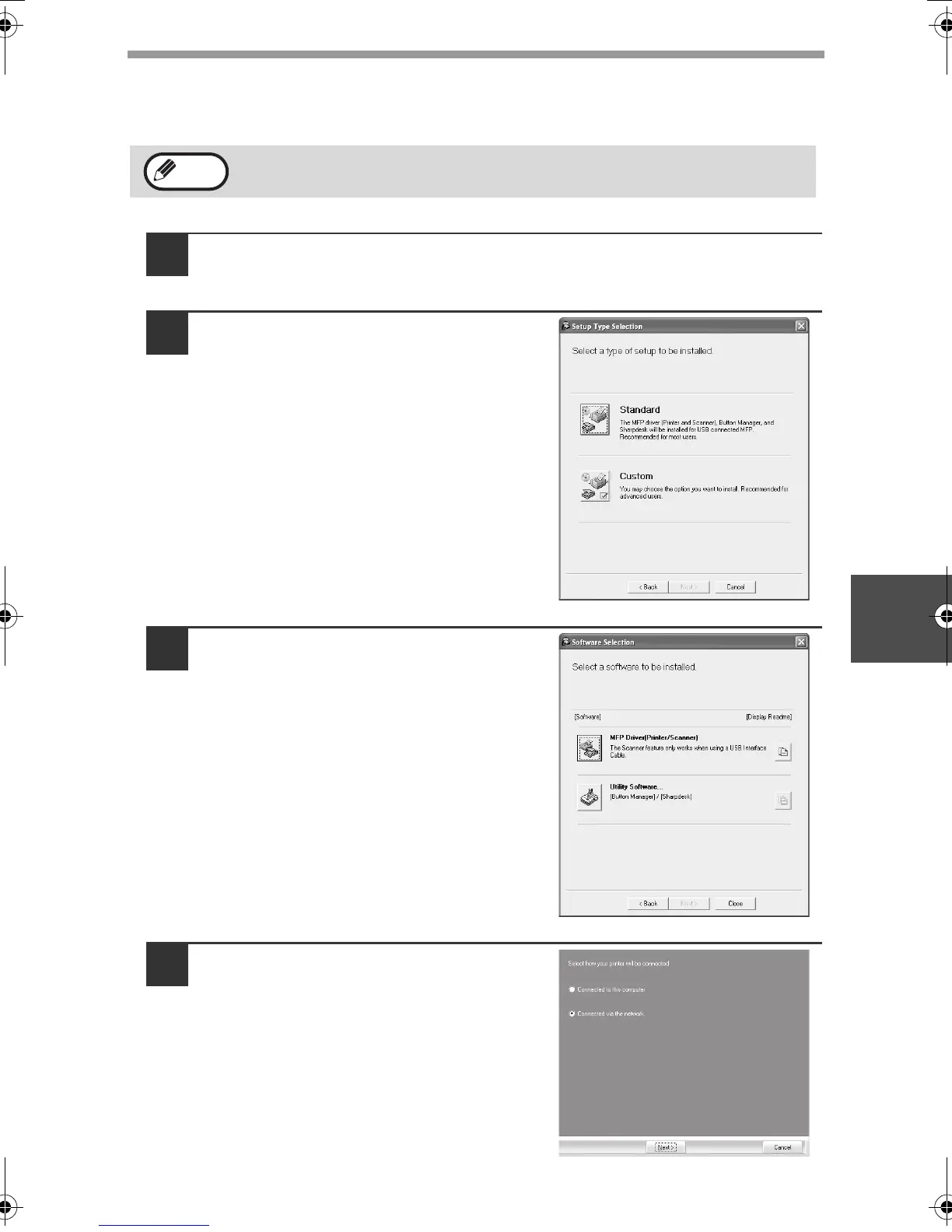
Click the "Custom" button.
3
Click the "MFP Driver" button.
Click the "Display Readme" button to
show information on packages that are
selected.
4
Select "Connected via the
network" and click the "Next"
button.
To configure the appropriate settings in the print server, see the
operation manual or help file of your operating system.
Note
!AR-M201.book 43 ページ 2008年5月22日 木曜日 午後1時41分



 To Next Page