GB-9
ENGLISH
The air conditioner works at the maximum
power to makes the room cool or warm
rapidly.
1
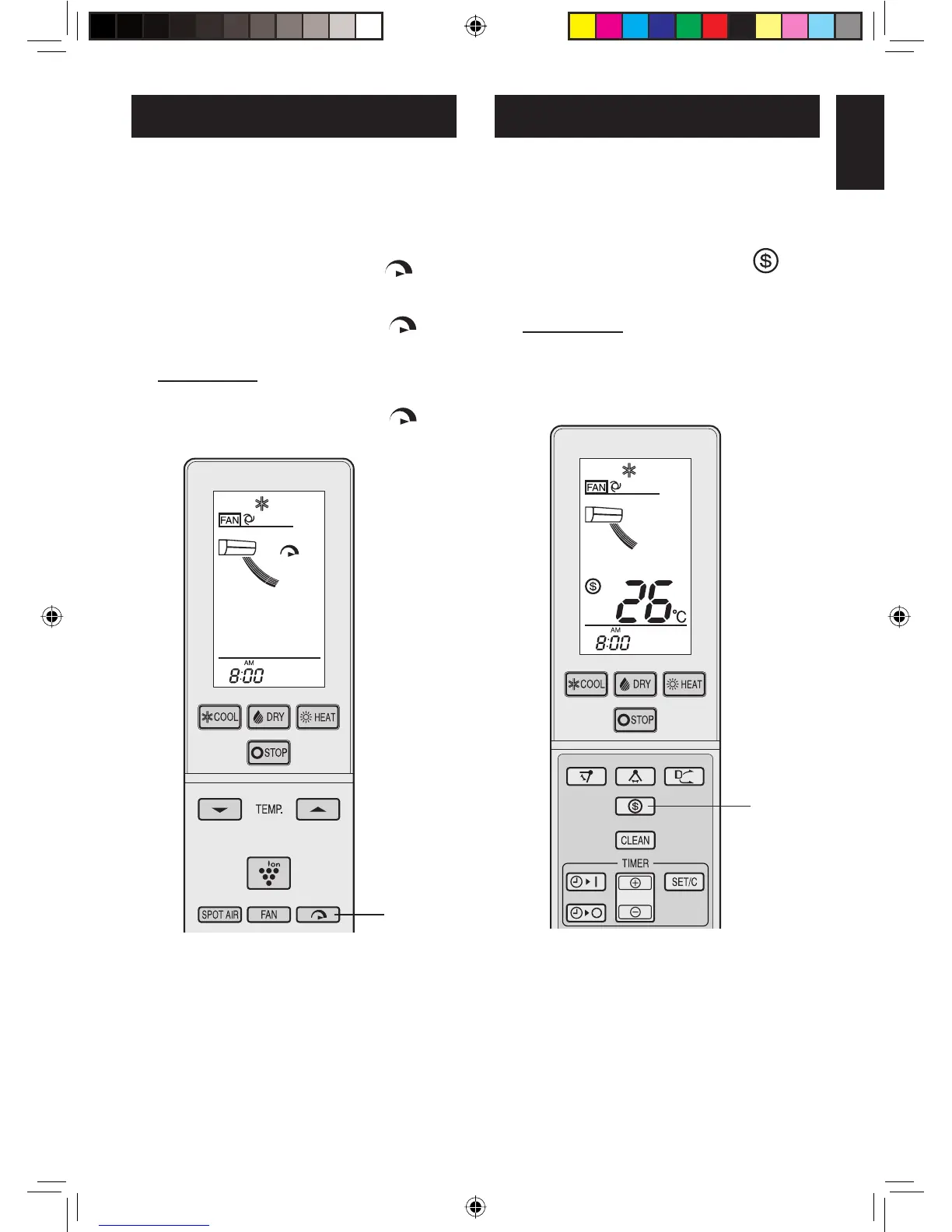
During operation, press the FULL
POWER button.
• The remote control will display “ ” and
AIR FLOW symbol will get longer.
• The temperature display will go off.
• The green FULL POWER lamp (
) will
light up.
TO CANCEL
Press the FULL POWER button again.
• The green FULL POWER lamp ( ) will
turn off.
NOTE:
• The air conditioner will operate at “Extra
HIGH” fan speed for 5 minutes, and then shift
to “HIGH” fan speed.
• You can not set the temperature or fan speed
during the FULL POWER operation.
• The ENERGY SAVING operation and the
FULL POWER operation can not be used to-
gether.
1
FULL POWER OPERATION
The temperature set point is automatically
controlled to save energy.
1
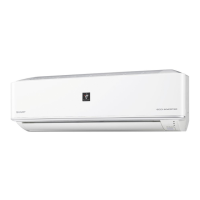
During operation, press the ENER-
GY SAVE button.
• The remote control will display “ ”.
• The fan speed will be set to AUTO.
TO CANCEL
Press the ENERGY SAVE button
again.
NOTE:
• In HEAT mode, the temperature set point will
be automatically fl uctuated between 0 - 2 °C
lower than the original temperature setting.
In COOL or DRY mode, the temperature set
point will be automatically fl uctuated between
0 - 1 °C higher than the original temperature
setting.
• The ENERGY SAVING operation and the
FULL POWER operation can not be used to-
gether.
ENERGY SAVING OPERATION
1
AY-XPC18LR_OM_ENG.indd 9AY-XPC18LR_OM_ENG.indd 9 2010-03-18 16:45:472010-03-18 16:45:47



 To Next Page