ES-11
ESPAÑOL
ESPA
Ñ
OL
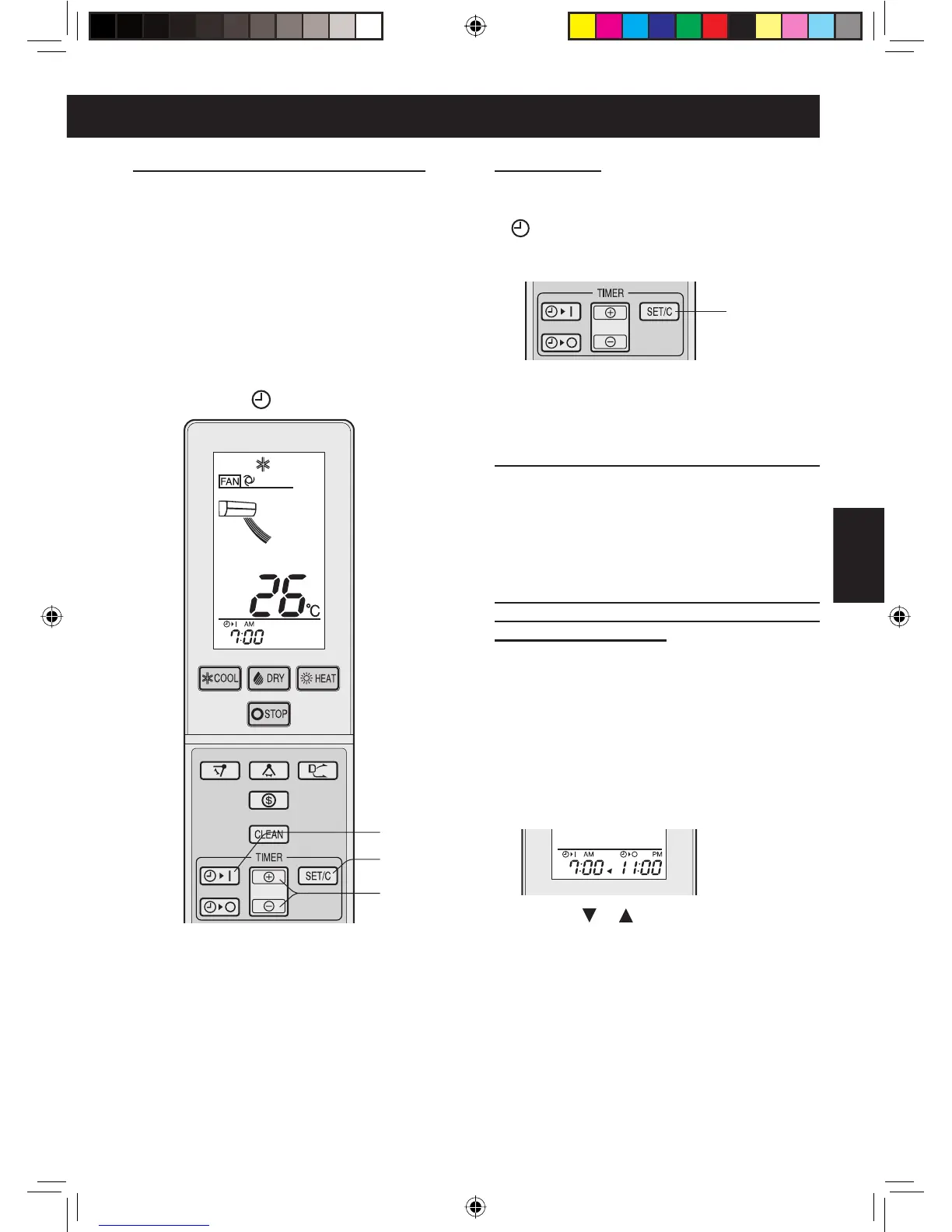
CANCELAR
Pulse la tecla SET/C.
• La lámpara anaranjada de TEMPORIZADOR
( ) se apagará.
•
En el mando a distancia se visualizará la hora actual.
TEMPORIZADOR DE CONEXIÓN
1
Pulse la tecla TEMPORIZADOR
DE CONEXIÓN.
• El indicador TEMPORIZADOR DE
CONEXIÓN parpadeará.
2
Pulse las teclas de AVANCE o
RETROCESO DE HORAS para ajus-
tar la hora actual.
• El tiempo puede regularse en incre-
mentos de 10 minutos.
3
Pulse la tecla SET/C.
• La lámpara anaranjada de TEMPO-
RIZADOR ( ) se iluminará.
CANCELAR
PARA MODIFICAR EL AJUSTE DE LA HORA
Cancelar primero la función TEMPORI-
ZADOR y ajustarla de nuevo.
COMBINAR EL TEMPORIZADOR DE
CONEXIÓN Y EL TEMPORIZADOR
DE DESCONEXIÓN
Ajuste el TEMPORIZADOR DE CO-
NEXIÓN y el TEMPORIZADOR DE DES-
CONEXIÓN.
Ejemplo
(
hora actual: 9:00 p.m.)
TEMPORIZADOR DE DESCONEXIÓN a
las 11:00 p.m.
TEMPORIZADOR DE CONEXIÓN a las
7:00 a.m.
• La fl echa ( o ) entre los indicadores del
TEMPORIZADOR DE CONEXIÓN y del TEM-
PORIZADOR DE DESCONEXIÓN señala qué
TEMPORIZAOR se activará en primer lugar.
NOTA:
• No es posible programar el TEMPORIZADOR
DE CONEXIÓN y el TEMPORIZADOR DE
DESCONEXIÓN para utilizar la unidad a tem-
peraturas diferentes o con otros ajustes.
•
Es posible programar cualquiera de los tempo-
rizadores para que se active antes que el otro.
NOTA:
• La unidad se encenderá antes del tiempo
ajustado para alcanzar la temperatura desea-
da en la habitación. (Función de reloj desper-
tador)
1
3
2
AY-XPC18LR_OM_ES.indd 11AY-XPC18LR_OM_ES.indd 11 2010-03-18 16:39:102010-03-18 16:39:10


 To Next Page
 Loading...