Connecting to the S-video or Video Jack
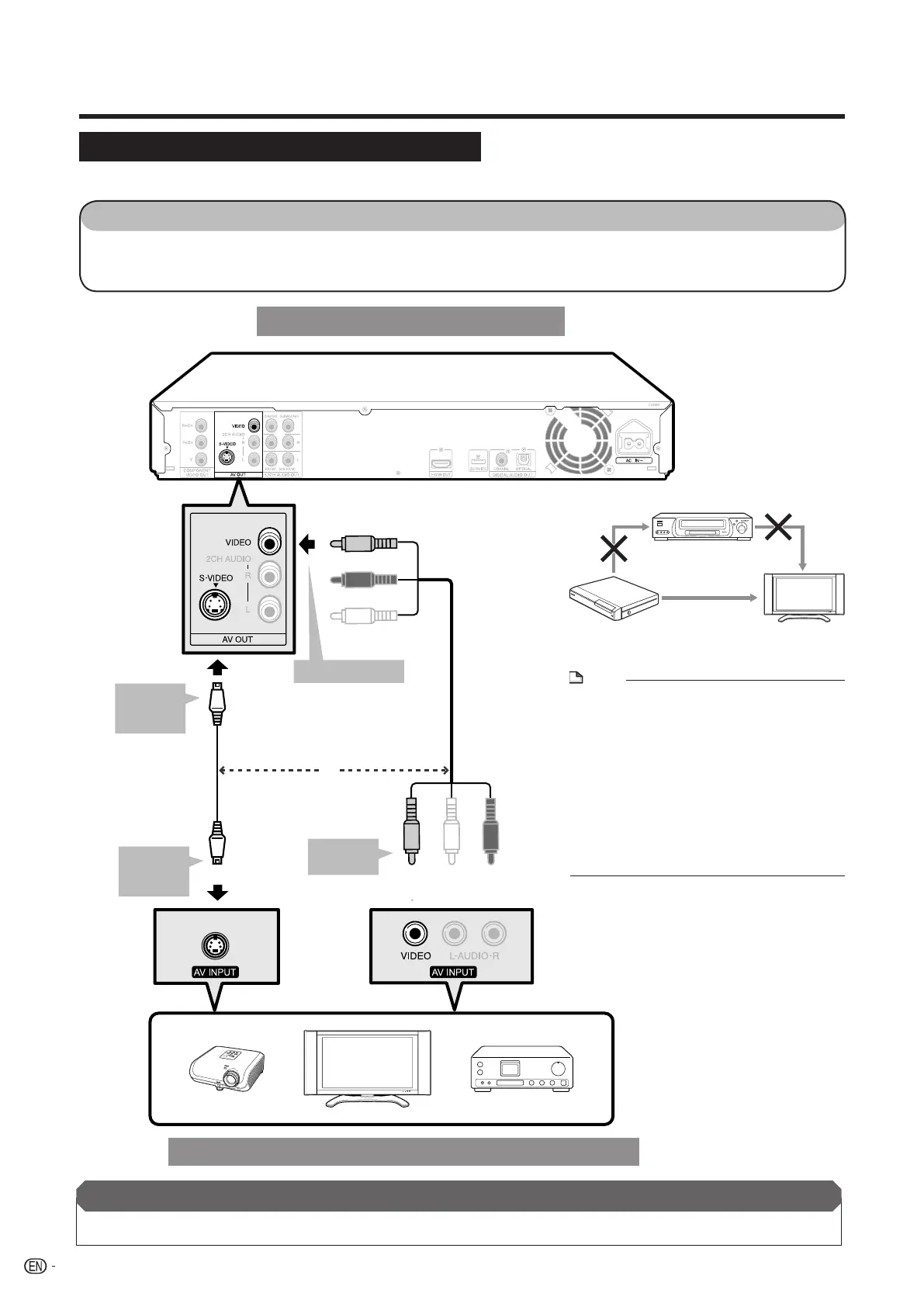
You will enjoy the images through the S-video or video jack.
S-VIDEO
STEPS
1: Be sure to turn off this Player and the equipment before making any connections.
2: Firmly connect an S-video cable (commercially available) or AV cable (supplied) to the S-video or video
jacks (1 and 2, or 3 and 4).
To VIDEO jack
AV cable (supplied)
To
S-VIDEO
jack
To
S-video
input jack
S-video cable
(commercially available)
or
TV
Projector
AV receiver
Video equipment with an S-video or video jack
This Player
1
3
2
4
After connecting
• Connect audio equipment or the audio terminals of the TV. (Pages 17-19)
(Yellow)
To video
input jack
(Yellow)
VCR
Blu-ray Disc
Player
LCD TV
Connect directly
NOTE
• Connect the Blu-ray disc player to LCD TV
directly. If you playback the image via VCR, the
image may deteriorate due to the copy guard
function.
• When you record the program where copyright
is protected, the copy guard function is activated
automatically; the program can not be recorded
correctly. Also, the playback image via VCR may
deteriorate due to this function. However, this is
not a malfunction. When you watch the program
where copyright is protected, we recommend
that the Blu-ray disc player be connected to LCD
TV directly.
16
Video Connections
BD-HP20U_en_c.indd 16BD-HP20U_en_c.indd 16 2007/08/06 10:19:252007/08/06 10:19:25


 To Next Page