27 | P a g e
1. Set the decimal selector as specified in each example. The
rounding selector should be in the “5/4” position unless
otherwise specified.
2. The grand total/rate setting mode selector should be in the
“•” position (off) unless otherwise specified.
3. The print / item count mode selector should be in the “P”
position unless otherwise specified.
4. Press twice prior to beginning any calculation.
5. If an error is made while entering a number, press or
and enter the correct number.
6. After entering a value, press , or to activate
the Cost/Sell/Margin Calculation mode. In case of performing
different calculation tasks, key must be pressed twice
first to cancel the Cost/Sell/Margin mode.
7. Example procedures are listed in following manner unless
otherwise specified.
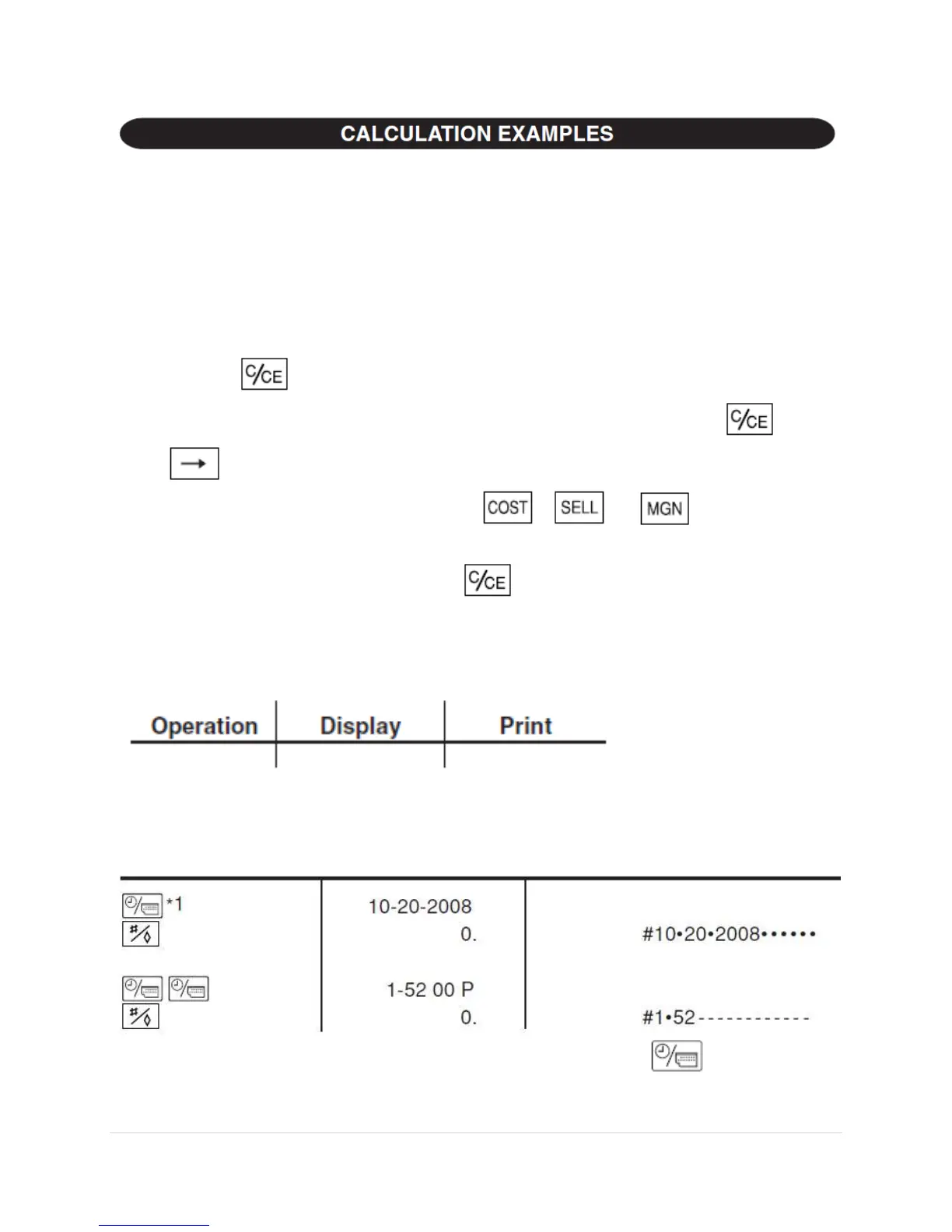
PRINTING DATE AND TIME
EXAMPLE: When on October 20, 2008, 1:52:00 p.m.
*1: If the date is not shown on the display, press to show the
date.


 To Next Page