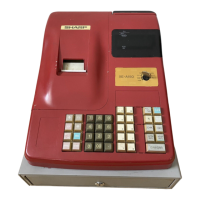
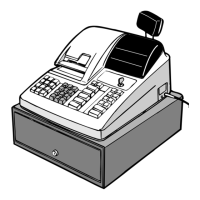
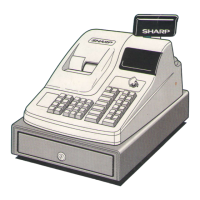
The Sharp ER-A160 and ER-A180 are electronic cash registers designed for retail environments, offering a range of functions for sales entry, programming, and maintenance.
Function Description:
These cash registers are primarily used for recording sales transactions, calculating VAT/tax, and managing various payment types. They support basic sales entries, including single item, repeat, and multiplication entries, as well as specialized functions like single item cash sales (SICS). The devices can handle auxiliary entries such as percentage calculations (premium or discount), discount entries, refund entries, and non-add code numbers. Payment treatment includes currency exchange, received on account, paid out, and no sale (exchange) transactions.
The registers feature a correction system for rectifying errors, including direct void for the last entry, indirect void for previous entries within a transaction, and subtotal void for an entire transaction. Corrections after finalizing a transaction are also possible through a void mode.
For reporting, the ER-A160 and ER-A180 offer reading (X) and resetting (Z) of sales totals. This includes flash reports (display only), general reports, individual cashier reports, full cashier reports, PLU sales reports, and hourly sales reports. X reports provide sales information without clearing memory, while Z reports clear memory after printing.
Programming capabilities are extensive, allowing users to set VAT/tax rates, program departments (including tax status, entry digit limits, and SICS/Normal mode), and program Price Look-Up (PLU) items with associated unit prices and departments. Miscellaneous keys can also be programmed for functions like percentage calculations, discount amounts, and rate limitations. The registers support setting an entry digit limit for various keys (CH, CR, RA, PO) and offer various system settings such as register number, consecutive number, and optional feature programming (e.g., paid-out, received-on account, refund, no-sale, void in REG-mode, and fractional quantity entry). Print formats for journal and receipt paper can be customized, including date, consecutive number, and zero skip options. Subtotal printing can also be configured.
A significant feature is the "Programming for EURO" function, which allows the register to adapt to the introduction of the Euro currency across different periods, handling currency exchange rates and display formats automatically or with manual adjustments.
Important Technical Specifications:
- Models: ER-A160 / ER-A180
- Dimensions:
- ER-A160: 330 (W) x 364 (D) x 238 (H) mm
- ER-A180: 355 (W) x 424 (D) x 252 (H) mm
- Weight:
- ER-A160: 8.7 kg
- ER-A180: 10.7 kg
- Power Source: Official (nominal) voltage and frequency
- Power Consumption: Stand-by 8W, Operating 17W (max.)
- Working Temperature: 0 °C to 40 °C
- Electronics: LSI (CPU) etc.
- Display:
- Operator display: 7-segment display (10 positions)
- Customer display: 7-segment display (7 positions)
- Printer:
- Type: One-station print wheel selective type
- Printing Speed: Approx. 3.2 lines/second
- Printing Capacity: 12 digits
- Other functions: Receipt (ON-OFF) function
- Paper Roll:
- Width: 57.5 ± 0.5 mm
- Max. diameter: 70 mm
- Weight: 52.3 to 64 g/m² (Superior quality paper)
- Thickness: 0.06 to 0.085 mm
- Ink Ribbon: Width: 13 mm, Length: 4 m, Colour: Purple (single colour)
- Cash Drawer:
- ER-A160: 3 slots for bills and 7 for coin denominations
- ER-A180: 5 slots for bills and 8 for coin denominations
- Accessories: Manager key (2), Operator key (2), Drawer lock key (2), Paper roll (1), Take-up spool (1), Ink ribbon (1, mounted on printer), Battery caution label (1), Fixing angle bracket (1), Instruction manual (1 copy), Bill separator (1, ER-A160 only, set in drawer), Logo stamp (1, ER-A180 only, mounted on printer).
- Noise Level:
- ER-A160: 56 dB (A) (70 dB (A) peak when drawer opens)
- ER-A180: 57 dB (A) (67 dB (A) peak when drawer opens)
Usage Features:
- Mode Switch: The register operates in various modes (REG, PGM, MGR, OP X/Z, X1/Z1, X2/Z2) controlled by a manager (MA) or operator (OP) key.
- Keyboard Layout: Standard keyboard layouts are provided for both ER-A160 and ER-A180 models, with numeric keys, function keys (e.g., PLU, AMT, EX, RF, ESC, CR, CH, #/TM/ST, TL/NS), and optional keys (VAT, SHIFT). The number of departments can be changed (10 or 15 for ER-A160; 5, 15, 20, or 30 for ER-A180).
- Operator Display: Shows current entries, subtotals, error symbols, and change due.
- Customer Display: A pop-up type display for customer viewing.
- Receipt ON/OFF Function: Allows disabling receipt printing in REG mode to save paper, though reports will still print.
- Cashier Assignment: Cashiers must enter their codes for transactions, with codes 1-6 for ER-A160 and 1-8 for ER-A180.
- Automatic Sequencing Key (AUTO key): Allows programming frequently performed transactions or report sequences for quick execution.
- Error Warning: The register provides an error state with a warning beep and "E" symbol on the display for issues like over-digit entries or incorrect key operations. An error escape function voids transactions.
- VAT/Tax Systems: Supports various VAT/tax systems, including automatic and manual VAT 1-3, and automatic tax 1-3, with up to 6 tax systems and 3 rates.
- EURO System: Features for automatic modification of the register system for Euro introduction, including currency conversion, symbol changes, and rounding functions.
Maintenance Features:
- Battery Replacement: Instructions are provided for replacing the internal batteries (R6 or LR6), which are crucial for retaining programmed data during power outages. A low battery symbol "L" indicates when replacement is needed.
- Paper Roll Replacement: Detailed steps for replacing the receipt paper roll, including proper insertion into the printer and take-up spool. The manual specifies paper roll dimensions.
- Ink Ribbon Replacement: Instructions for replacing the ink ribbon, ensuring correct installation and routing through the printer mechanism.
- Ink Refill (ER-A180 only): Specific procedure for refilling the logo ink when the logo print becomes too light, emphasizing the use of SHARP-specified ink.
- Drawer Handling: Information on locking and unlocking the cash drawer, as well as manually opening it in case of power failure or malfunction.
- Fixing Angle Bracket Installation: Steps for installing a supplied bracket to secure the register to a platform, preventing movement when the drawer opens.
- Troubleshooting: A "Before calling for service" section provides a fault table with common issues (e.g., display problems, printing issues, paper jams) and corresponding checking points to help users resolve minor problems.
- Program Resetting: Instructions for resetting the register to its initial state, clearing sales data and user-programmed settings.

 Need help?
 General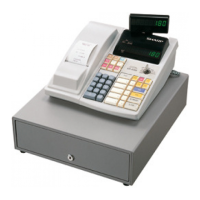

 To Next Page