Operations
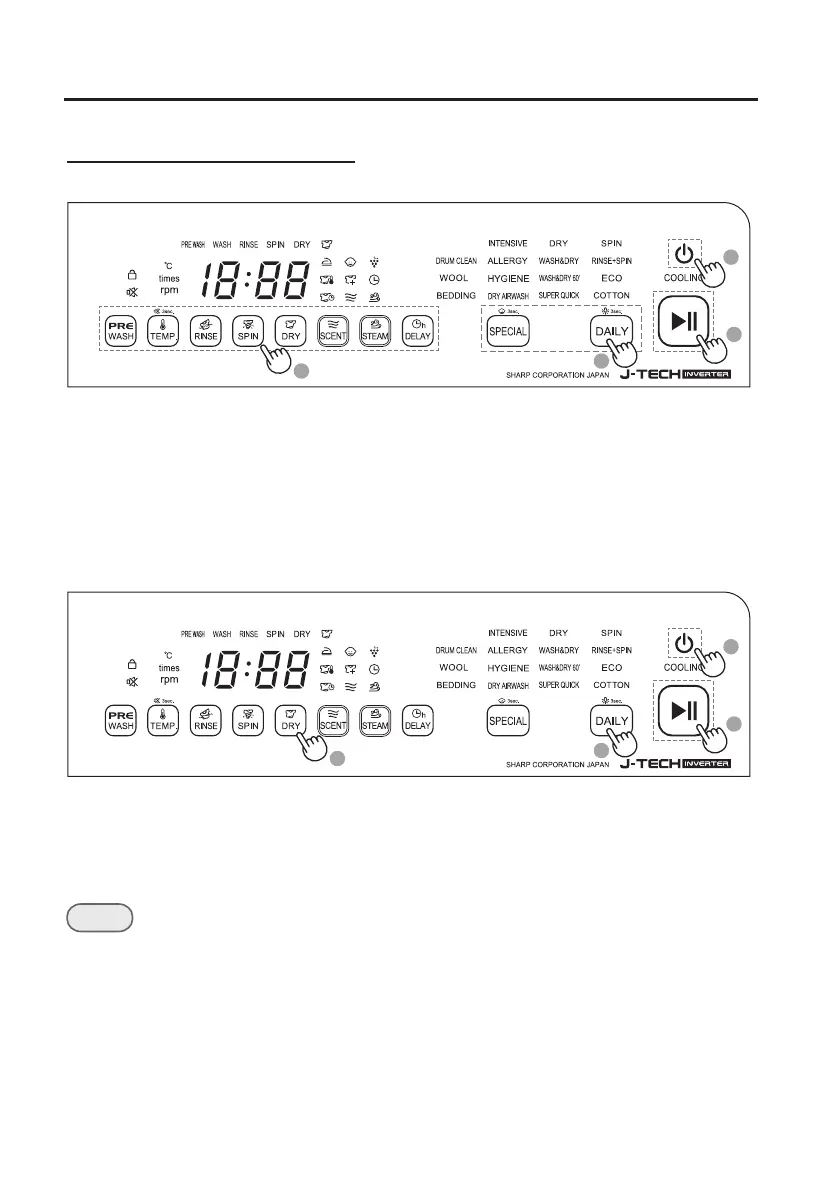
Simple steps to start
Washing, Washing and Drying
1. Press Power to turn on the washing machine.
2. Press DAILY (see page 21) or SPECIAL (see page 22) to select program.
3. Set options (DRY, TEMP., etc.) as necessary. Available options differ depending
on the selected program.
4. Press Start/Pause.
1
3
2
4
Follow these steps to dry damp laundry.
Drying only
1. Press Power to turn on the washing machine.
2. Press DAILY repeatedly to select DRY .
3. Set options (DRY or DELAY) as necessary.
4. Press Start/Pause.
• Program operation can be paused or resumed with Start/Pause.
• Manual Settings can be changed when program is paused.
NOTE
1
3
2
4
19





 To Next Page