FO-4450U/FO-CS1
2 – 9
3. How to make soft switch setting
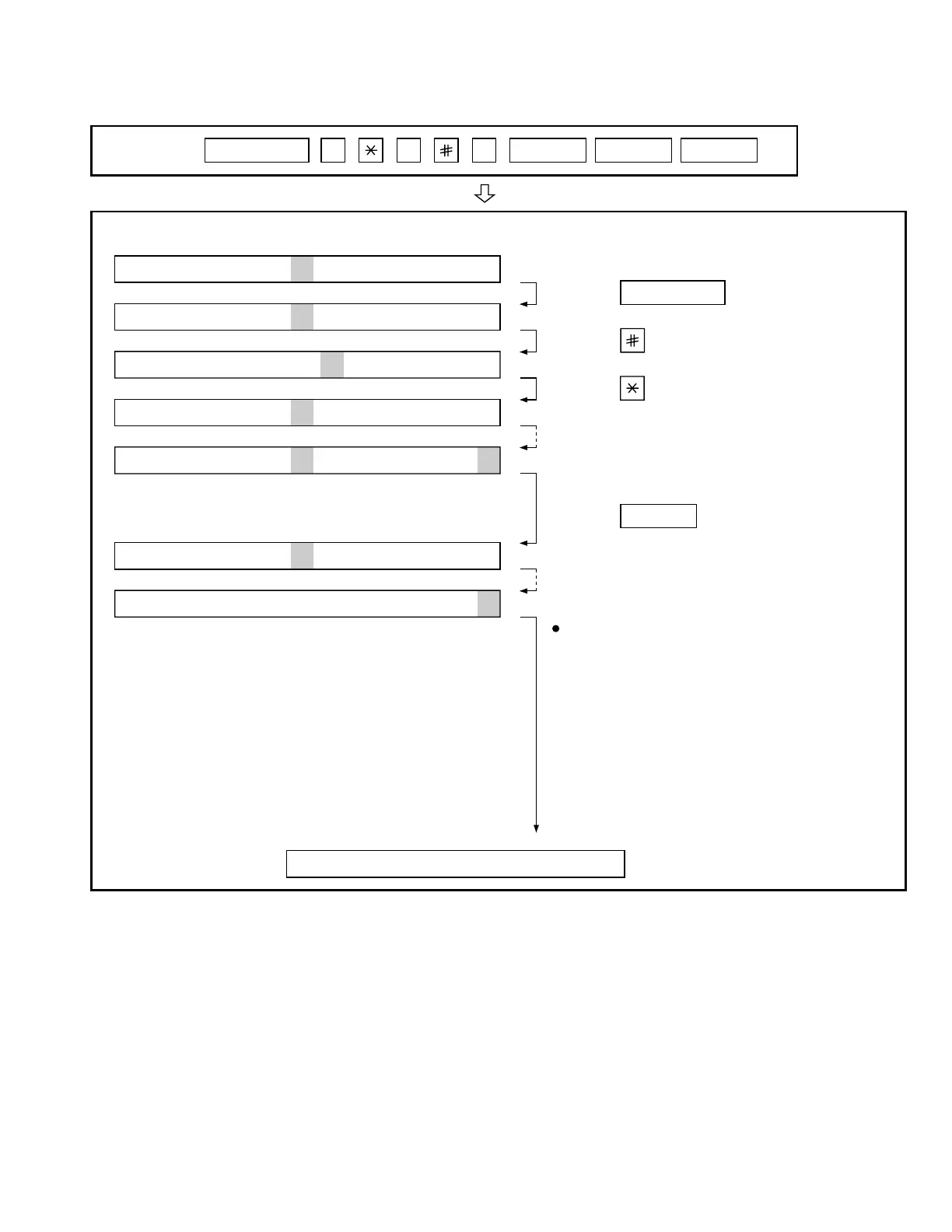
To enter the soft switch mode, make the following key entries in sequence.
Press
MENU
9 8 7 START ASTART
Press MENU key.
Press key.
Press key.
Bit1 - 8 are set.
Soft SW2 - 99 are set.
S F T S W 1 = 1 0 0 0 0 0 0 0
S F T S W 1 = 1 0 0 0 0 0 0 0
S F T S W 1 = 1 0 0 0 0 0 0 0
S F T S W 1 = 1 0 0 0 0 0 0 0
S F T S W 2 = 0 0 0 0 0 0 0 0
S F T S W 99 = 0 0 0 0 0 0 0 0
Press key during setting.
To finish the settings halfway between
SW1 and SW99, press the STOP key.
In this case, the setting being done to
the SW No. on display will be nullified
while settings done to the preceding
SW No. remain in effect.
The soft switch mode is terminated.
S F T S W 1 = 0 0 0 0 0 0 0 0
START



 To Next Page