E-9
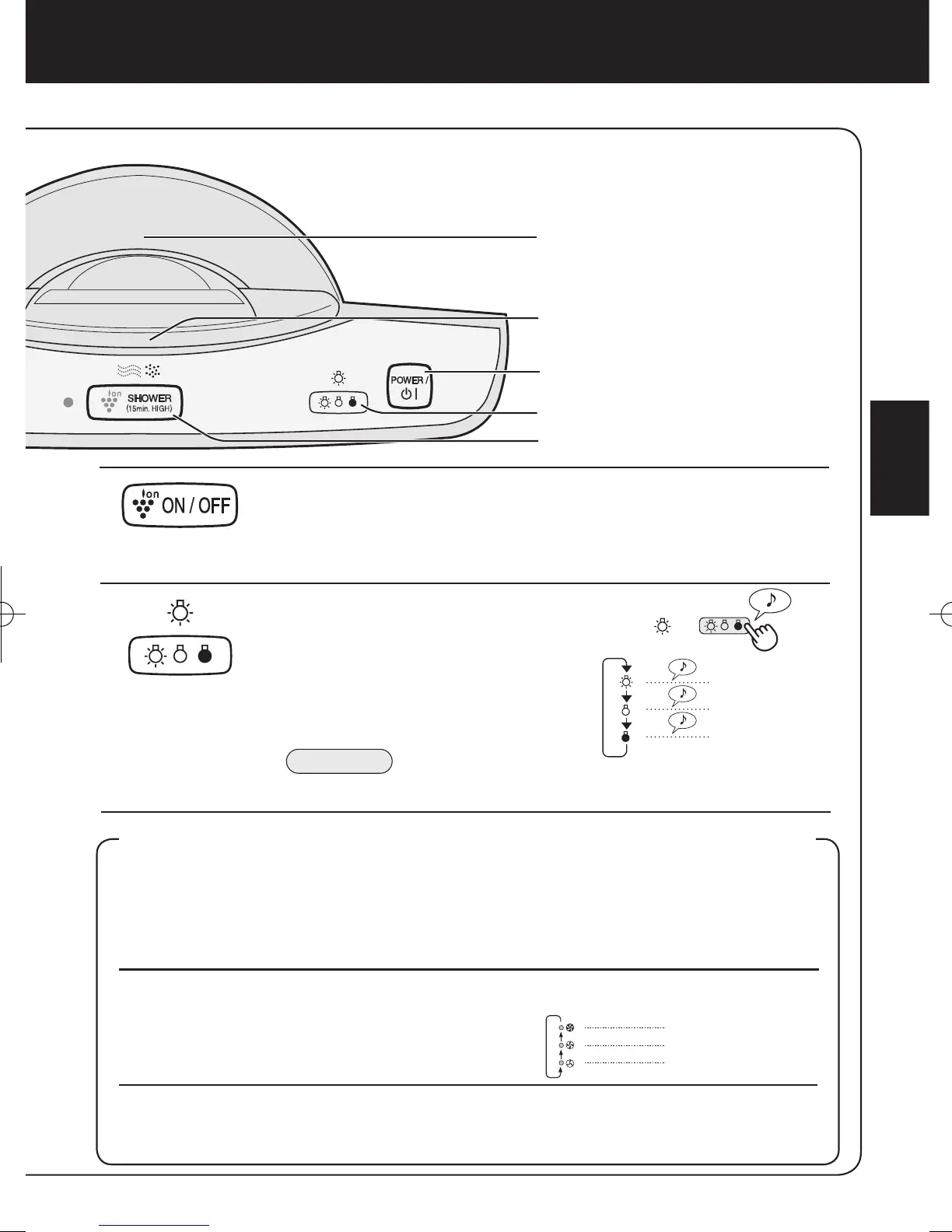
Plasmacluster ON/OFF Button
Press the Plasmacluster ON/OFF Button to turn Plasmacluster Ion
Mode ON and OFF.
When Plasmacluster is ON, both the Indicator Light and Plasmaclus-
ter Indicator will turn on.
LIGHTS CONTROL Button
Use when the the Plasmacluster
Indicator Light and CLEAN-SIGN Light
are too bright.
Refer to the diagram on the right to
select the desired brightness of the
Plas m acluste r Indi c ator L i ght an d
CLEAN-SIGN Light.
ADJUSTMENT OF SENSOR DETECTION SENSITIVITY
Set to “low” if CLEAN-SIGN Light is constantly red to reduce sensitivity, and set to
“high” if CLEAN-SIGN Light is constantly green to increase sensitivity.
1
With the unit OFF, press the Fan Speed Button for 3 seconds.
The Fan Speed Indicator Lights will display the currently set sensor sensitivity level. The
factory setting is Standard, indicated by the MED light.
2
3
Press the Fan Speed Button to set
the desired sensor sensitivity.
Refer to the diagram on the right to select the
desired sensor sensitivity level.
Press the Power ON/OFF Button.
Note that if the Power ON/OFF Button is not pushed within 8 seconds of adjusting sensor sensitivity, the set-
ting will be saved automatically. The sensor sensitivity setting will be saved even if the unit is unplugged
.
Sensor Detection
sensitivity
Fan Speed
Indicator Light
High
Standard
Low



 To Next Page