EasyManua.ls Logo

Sharp HP-BC50 - User Manual

Sharp HP-BC50
20 pages
Print Icon
To Next Page IconTo Next Page
Loading...
OPERATION MANUAL
MODEL
HP-BC50
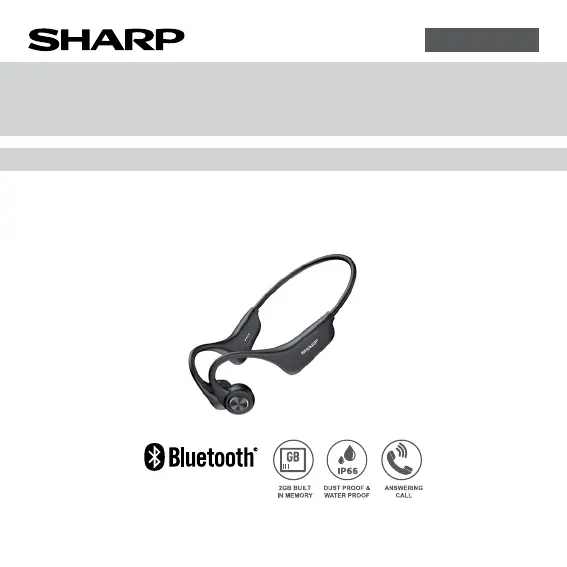
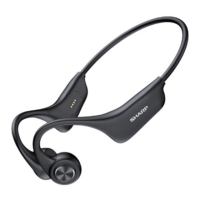
WIRELESS BONE CONDUCTION HEADPHONES
ENGLISH
Thank you for purchasing this SHARP product. To obtain the best performance from
this product, please read this manual carefully. It will guide you in operating your
SHARP product.

Questions and Answers

  • A
    Aaron PriceAug 5, 2025
    How to turn on Sharp HP-BC50 Headphone?
    • S
      Sarah CookAug 5, 2025
      If your Sharp Headphone won't power on, it could be due to two reasons: either the unit is out of power, in which case you should charge it; or the RIGHT button was not pressed and held long enough. Ensure you press and hold the RIGHT button for more than 3 seconds.
  • A
    amythomasAug 15, 2025
    What to do if Sharp HP-BC50 Headphone cannot be searched or pairing fails?
    • M
      Melissa ReynoldsAug 15, 2025
      If your Sharp Headphone cannot be found or paired, it might be because the unit didn't enter pairing mode. To resolve this, press the LEFT and RIGHT buttons simultaneously for 5 seconds while the unit is powering on to enter pairing mode. Alternatively, the Bluetooth application on your smartphone may be malfunctioning. Try turning off your smartphone and restarting it before attempting to pair with the unit again.
  • R
    Ronald JonesAug 25, 2025
    Why Sharp HP-BC50 cannot be charged?
    • R
      robertlopezAug 26, 2025
      If your Sharp Headphone isn't charging, the metal contacts on the unit may not be properly connected to the charging cable head. Clean the unit’s metal contacts and ensure they are well connected to the charging case pins.

Summary

Special Notes

Getting started

Information on initial setup, including radio frequency exposure and battery handling.

Avoiding hearing damage

Guidance on safe listening volumes to prevent permanent hearing loss.

Precautions

Overview

Bluetooth Wireless Technology

Explanation of how Bluetooth connectivity works, its range, and potential interference.

Product features and functions

Controls and indicators

General control

Power Management

Covers power on, power off, and auto power-off procedures and indicators.

Volume control

Instructions for increasing and decreasing volume using the right and left buttons.

Wearing instruction

Guidance on correctly positioning the headphones behind the neck and on the cheekbones.

Bluetooth connection

Bluetooth pairing

Detailed steps for pairing the headphones with a Bluetooth-enabled device.

Internal memory

Playing music from the internal memory

How to switch to and play music stored on the device's internal memory.

Adding songs to the internal memory

Instructions for transferring MP3 files from a PC to the device's internal storage.

Music mode

Various music functions

A table detailing playback controls like play/pause, skip, and voice assistant activation.

Phone call mode

Various phone call functions

A table outlining how to answer, reject, or end calls using the headphones.

Charging operation

Charging the unit

Steps for connecting the charging cable and indicators for charging status.

Troubleshooting chart

Factory reset, clearing all memory

Procedure to reset the unit to factory defaults and clear all stored data.

Specification

General Specifications

Technical specifications including input voltage, output power, frequency response, and dimensions.

Bluetooth Specifications

Details on Bluetooth version, frequency bands, maximum power, and compatible profiles.

Sharp HP-BC50 Specifications

General IconGeneral
ConnectivityWired
Frequency Response20 Hz - 20 kHz
Impedance32 Ohms
Cable Length1.2 m
Connector3.5mm
StereoYes
TypeClosed-back

Related product manuals