EasyManua.ls Logo

Sharp KC-G50E - User Manual

Sharp KC-G50E
18 pages
Print Icon
To Next Page IconTo Next Page
Loading...
prahS fo kramedart a si kram siht fo eciveD
Corporation.
Plasmacluster and “Device of a cluster of
prahS fo skramedart deretsiger era separg
Corporation in Japan, Philippines and elsewhere.
KC-G60E
KC-G50E
KC-G40E
KC-G60L
KC-G50L
KC-G40L
KC-G60M
KC-G40M
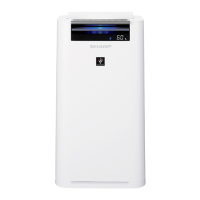
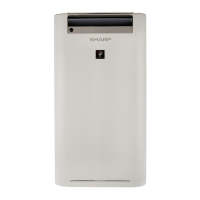
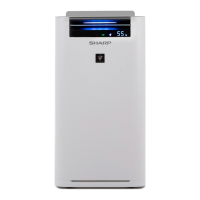
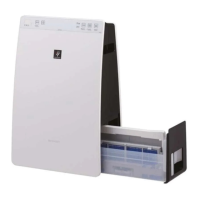
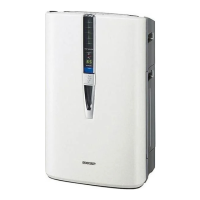
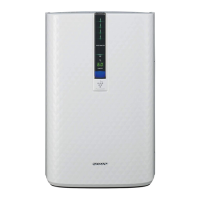
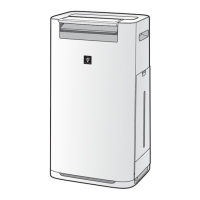
AIR PURIFIER
with Humidifying Function
OPERATION MANUAL
Free standing type
* The number in this technology mark indicates an
approximate number of ions supplied into air of 1 cm
3
,
which is measured around the center of a room with the
close to a wall at the MED mode setting.

Questions and Answers

  • E
    Eric BrownAug 21, 2025
    How to reset the filter on my Sharp KC-G50E Air Cleaner?
    • M
      Melissa SullivanAug 22, 2025
      If the FILTER RESET indicator light is illuminated on your Sharp Air Cleaner, connect the power cord to an outlet, and then press the Filter Reset Button after performing maintenance or replacing the filters.
  • J
    justinallenSep 4, 2025
    Why doesn't the Humidify Light turn on when the tank is empty on my Sharp KC-G50E Air Cleaner?
    • T
      Tracy WhiteSep 4, 2025
      If the Humidify Light on your Sharp Air Cleaner's display doesn't light up when the tank is empty, check the styrofoam float for impurities, clean the Humidifying Tray, and ensure the unit is on a level surface.
  • A
    Ana WilliamsSep 2, 2025
    What to do if my Sharp Air Cleaner does not react to cigarette smoke?
    • M
      Madeline GarciaSep 2, 2025
      If the Sharp Air Cleaner does not operate when cigarette smoke is in the air, ensure that the unit is installed in a location where the sensors can effectively detect cigarette smoke.
  • T
    Timothy HuertaSep 1, 2025
    Why does my Sharp Air Cleaner have an odor?
    • F
      fschmidtSep 1, 2025
      To address odor from your Sharp Air Cleaner, use only fresh tap water. Other water sources may encourage the growth of mold, fungi, or bacteria.
  • K
    Kelly SpencerAug 30, 2025
    Why doesn't the HAZE / PM2.5 Light on my Sharp KC-G50E Air Cleaner match local PM2.5 data?
    • F
      fordpaulAug 30, 2025
      If your Sharp Air Cleaner's HAZE / PM2.5 Light doesn't match the weather report, note that outdoor and indoor conditions, as well as nearby traffic, can cause readings different from local PM2.5 data.
  • E
    efreemanAug 29, 2025
    Why does my Sharp Air Cleaner make a clicking sound?
    • J
      Joshua HaysAug 29, 2025
      The unit may make clicking or ticking sounds when it is generating ions.
  • J
    james04Aug 27, 2025
    How to eliminate persistent odor and smoke from my Sharp KC-G50E?
    • W
      wongrobertAug 27, 2025
      If odor and smoke persist when using your Sharp Air Cleaner, check the filters. If they appear extremely dirty, clean or replace them.
  • C
    Cody CrossAug 27, 2025
    Why does my Sharp Air Cleaner smell?
    • A
      angela03Aug 27, 2025
      If the air discharged from your Sharp Air Cleaner has an odor, check if the filters are extremely dirty and clean or replace them. Also, ensure you are using fresh tap water. Using other water sources can lead to the growth of mold, fungi, or bacteria.
  • C
    Christopher LeeAug 25, 2025
    What to do if the Cleanliness Monitor on my Sharp KC-G50E Air Cleaner is always blue?
    • K
      Keith BoyerAug 25, 2025
      If the Cleanliness Monitor on your Sharp Air Cleaner is showing blue even when the air is not clean, unplug the unit, wait one minute, and then plug it back in.
  • C
    Christina CarterAug 23, 2025
    How to turn on the display light on Sharp KC-G50E?
    • D
      Devin GordonAug 23, 2025
      If your Sharp Air Cleaner's front display is turned off, adjust the Light control to the 'Darker' setting if you prefer the light to be on.

Summary

Features Overview

Intelligent Mode Operation

Explains the 6 sensors and 7 factors for automatic operation.

Safety and Guidelines

Important Safety Instructions

Always follow basic safety precautions when using electrical appliances.

Operation and Controls

Operation Panel and Display

Explains the control panel buttons and front display indicators.

Basic Operation Modes

Covers Start/Stop, Haze, Intelligent, and Auto modes.

Care and Maintenance

Troubleshooting

Common Issues and Solutions

Addresses common symptoms and their remedies for unit malfunctions.

Error Display Codes

Explains digital error indications and their resolution.

Sharp KC-G50E Specifications

General IconGeneral
TypeAir Purifier with Humidifier
Recommended Room Size/Coverage AreaUp to 38 m²
Humidification Capacity500 ml/h
Water Tank Capacity2.5 L
TechnologyPlasmacluster Ion Technology
Dust SensorYes
Odor SensorYes
Filter TypeHEPA Filter

Related product manuals