LC32D44E/S/RU-BK/GY (1st Eddition)
4 – 13
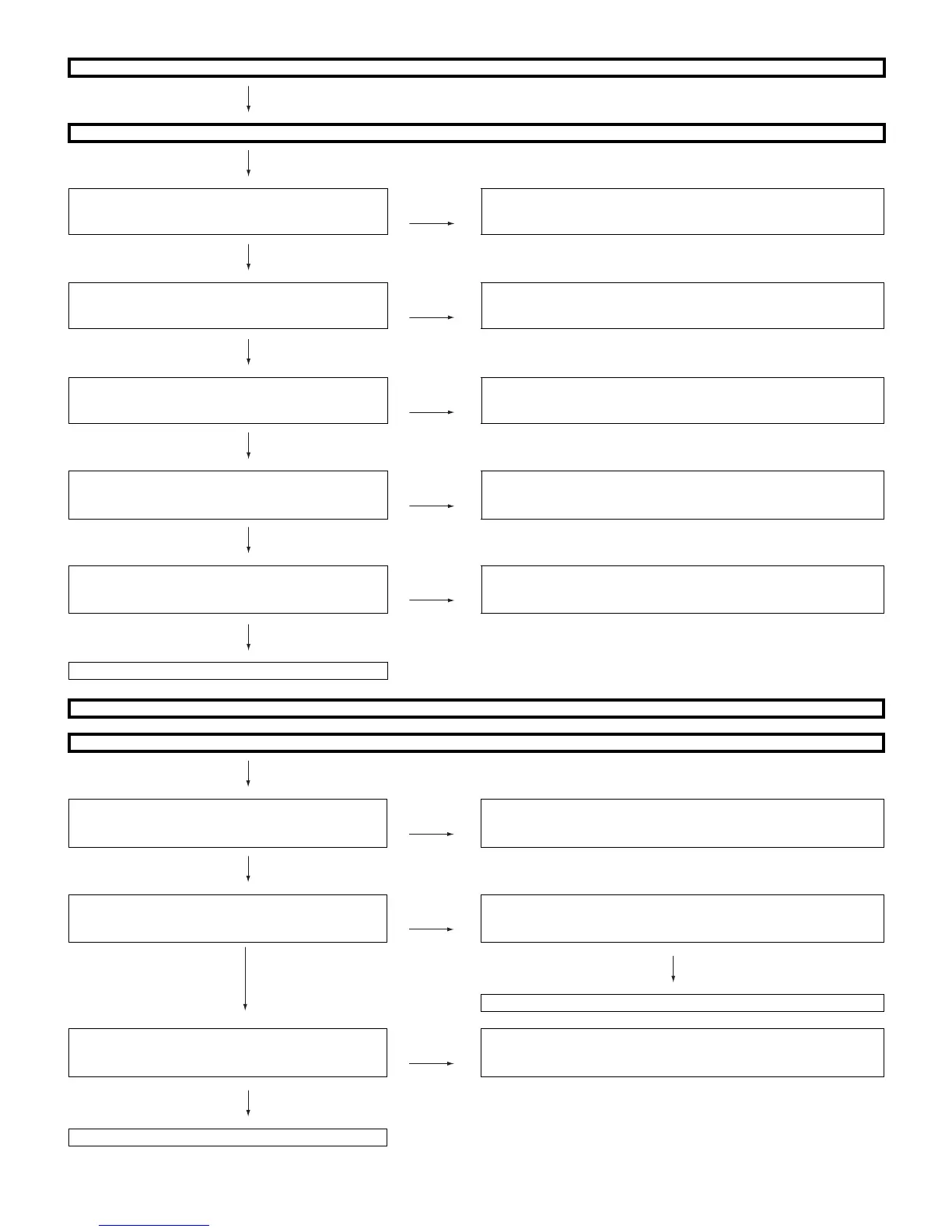
<When EXT3 is used for external input> No picture on the display (8)
Does not the picture of the Y/C video signal input to EXT3 go out?
Is Y/C signal input into pin(14), (12) of connector
SC1001 from pin(3)/Y, (4)/C of J1001?
NO Check the line between J1001 and SC1001.
YES
Is Y/C signal output from pin(14)/Y,(12)/C of connector
P1001 ?
NO Check the connector SC1001/P1001.
YES
Is the Y/C video signal detection function SV1JSW sig-
nal from pin (6) of the input terminal J1001 normal?
NO Check J1001 or peripheral circuits.
YES
Is the SV1JSW signal input to pin(2) of IC1001
(VIDEO_SELECTOR) and pin(27) of IC2302
(SUB_MICON)?
NO Check the between SV1JSW_LINE J1001 and IC1001/IC2302. (Con-
nector SC1001/P1001, etc.)
YES
Is Y/C signal sent to pins (184), (183) of
IC3001(MAIN_MICON)?
NO Check the line between P1001 and IC3001.
(IC1001, EXT_DTV_LINE etc.)
YES
Refer to “The picture doesn't appear in all modes.”
<When EXT4 is used for external input> No picture on the display (9)
Does not the picture of the DVI(ANALOG) video signal input to EXT4(15pin-D-SUB terminal) go out?
YES
Are the video signal and the synchronized signal input
from pin(1, 2, 3)/(R, G, B), (13 and 14)/(V, H) of input
terminal D-SUB (SC1201)?
NO Check the connection and setup with the external DVI devices.
YES
Is EDID data pin (6)/SCL, pin(5)/SDA of IC1201
(EEPROM) accessed, and is it read from pin (15),(12)
of a DVI terminal(SC1201)?
NO Is access possible in the re-writing or exchange of EDID data of
IC1201?
YES
NO
Check the circumference circuit of SC1201, IC1201.
Are the video signal and the synchronized signal input
from pin(174, 173, 172)/(R, G, B), pin(171, 47)/(H, V) of
IC3001(MAIN_MICON)?
NO Check the line between SC1201 and IC3001.
(IC1941,etc)
YES
Refer to “The picture doesn't appear in all modes.”






 To Next Page