31
LC-26GA5E
LC-32GA5E
LC-26P55E
LC-32P55E
LC-37P55E
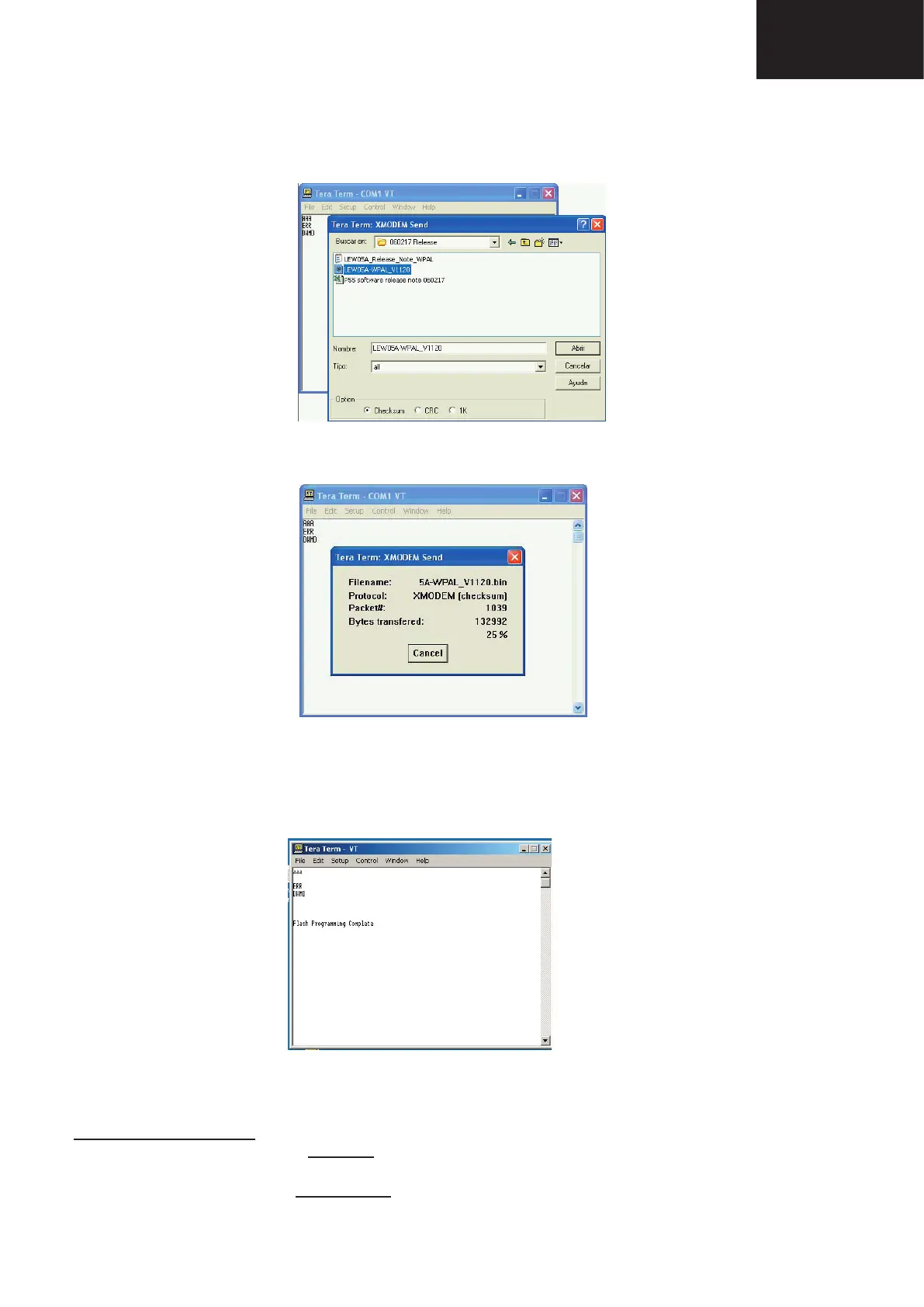
9. After select “Open” the upgrade process starts as follows:
VERY IMPORTANT NOTE:
During the updating time, please don’t use the PC for other purposes, in order to abolish communication prob-
lems between TV set and PC. If TV set was not updated properly, the TV won’t have the software to startup
again, and you must follow the “I2C method” to update another time the TV set.
8. Choose the fi le for upgrade and click “Open”.










 To Next Page