35
LC-26GA5E
LC-32GA5E
LC-32GD8E/RU
LC-32BT8E/RU
LC-37GD8E/RU
LC-37BT8E/RU
LC-32/37GD8E/RU
LC-32/37BT8E/RU
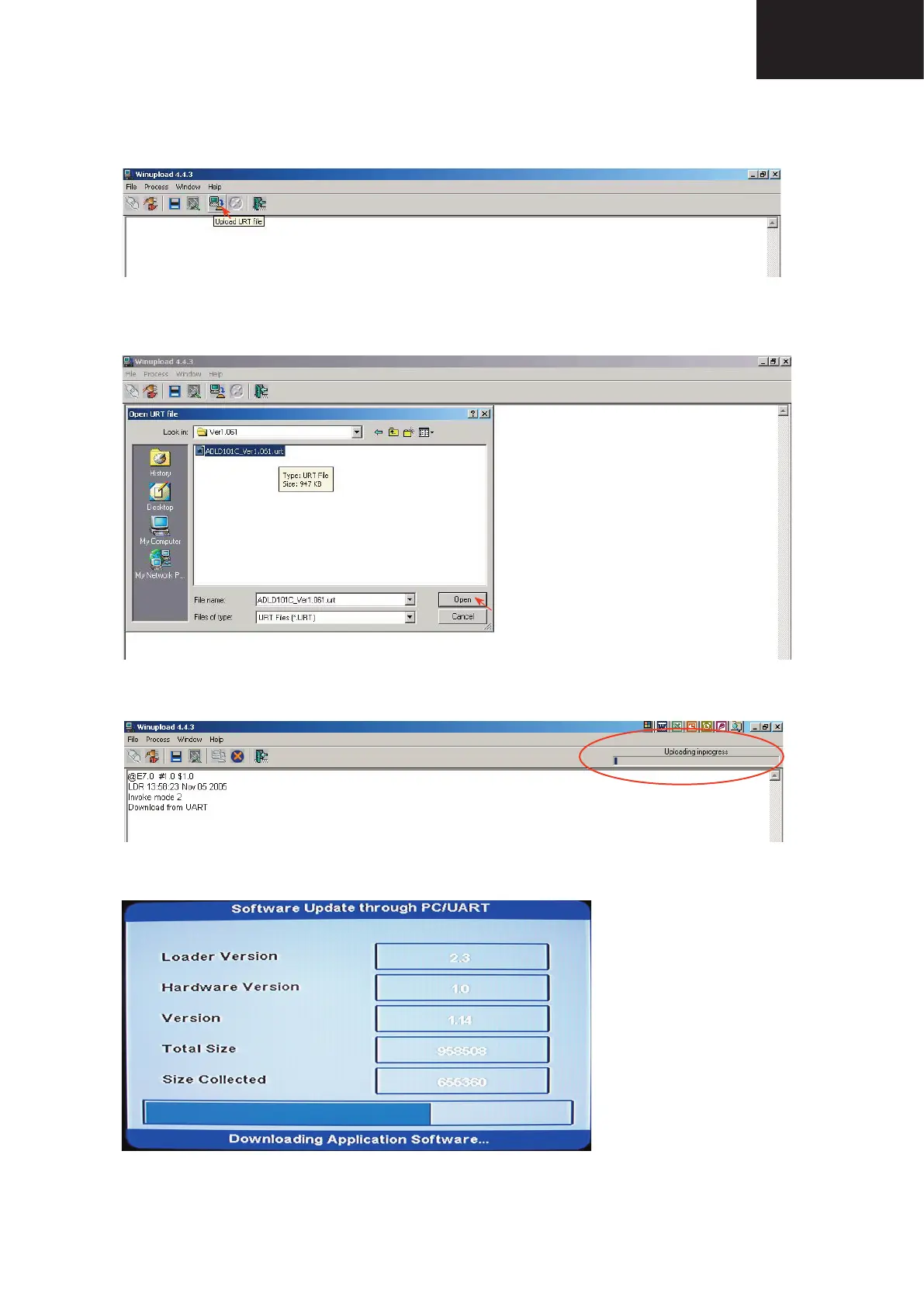
4. Select “Upload URT fi le”
5. Select and open the “.urt” data fi le from data directory
Note: Consider the version shown below just an example, may be is not the latest one, and could be
different depending on the TV set destination (market/Country) or model.
6. Switch On the TV Set (previously in DTV Mode). The Uploading Process starts automatically.
While the TV set is uploading the software, the following information is shown on the TV set screen.
Digital Board Software Updating , Jig RS-232 (continued)










 To Next Page