34
LC-26GA5E
LC-32GA5E
LC-32/37GD8E/RU
LC-32/37BT8E/RU
Digital Board Software Updating , Jig RS-232 (continued)
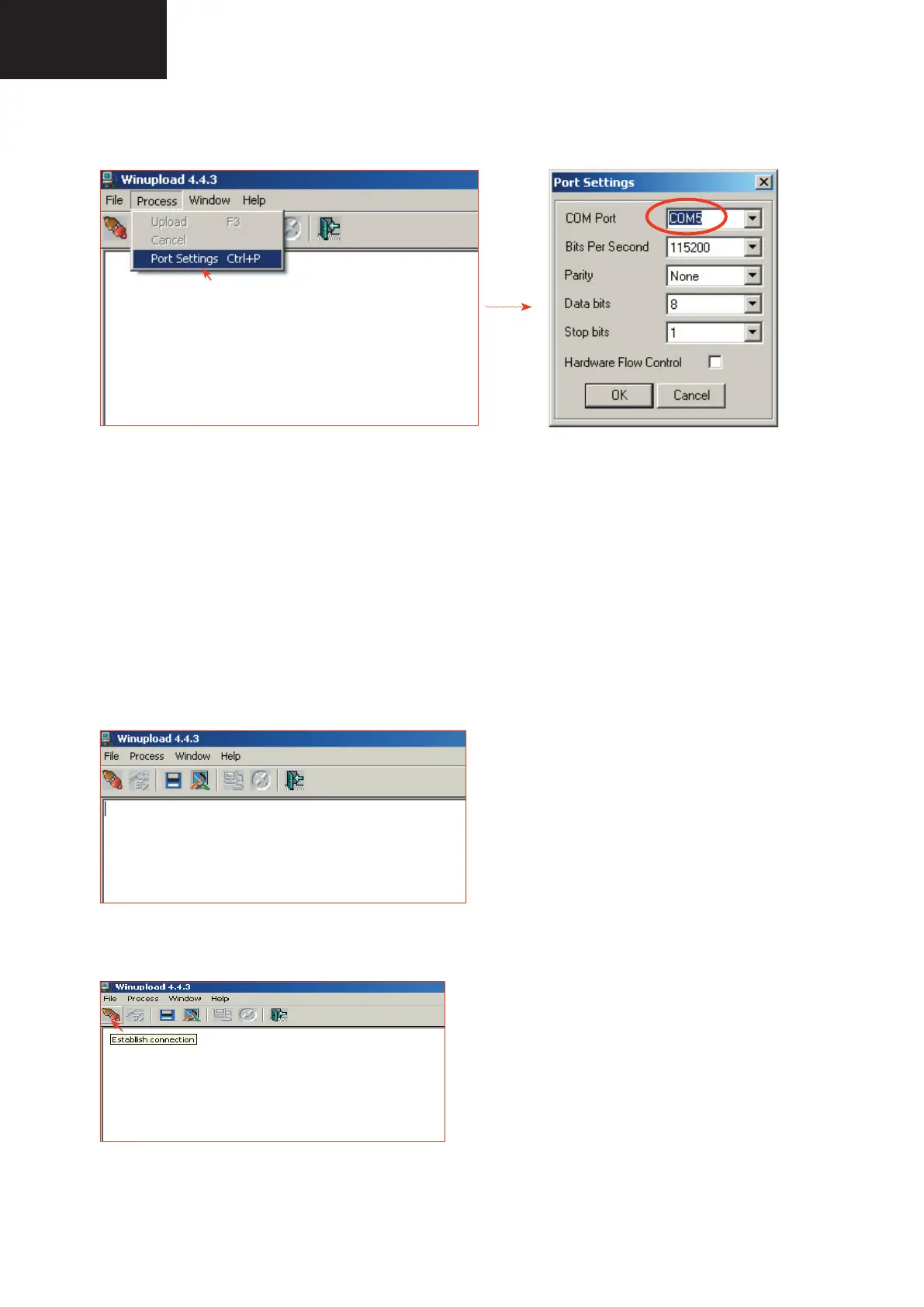
2. Select the most suitable RS232 Serial Port from “Port Setting” - “Process” Menu.
3. Select the following settings from “Port Settings” Menu.
Bits Per Second: 115200
Parity: None
Data bits: 8
Stop bits: 1
Hardware Flow Control: OFF
• Procedure for updating the TV set.
1. Switch off the TV set to be updated, in DTV mode.
2. Start “Winupload”. It will appear the following picture on PC.
3. Establish connection on Winupload Software.










 To Next Page