LC-32LE40E-LC-42LE40E
38
3. FactoryCommand.ini Enter factory mode command
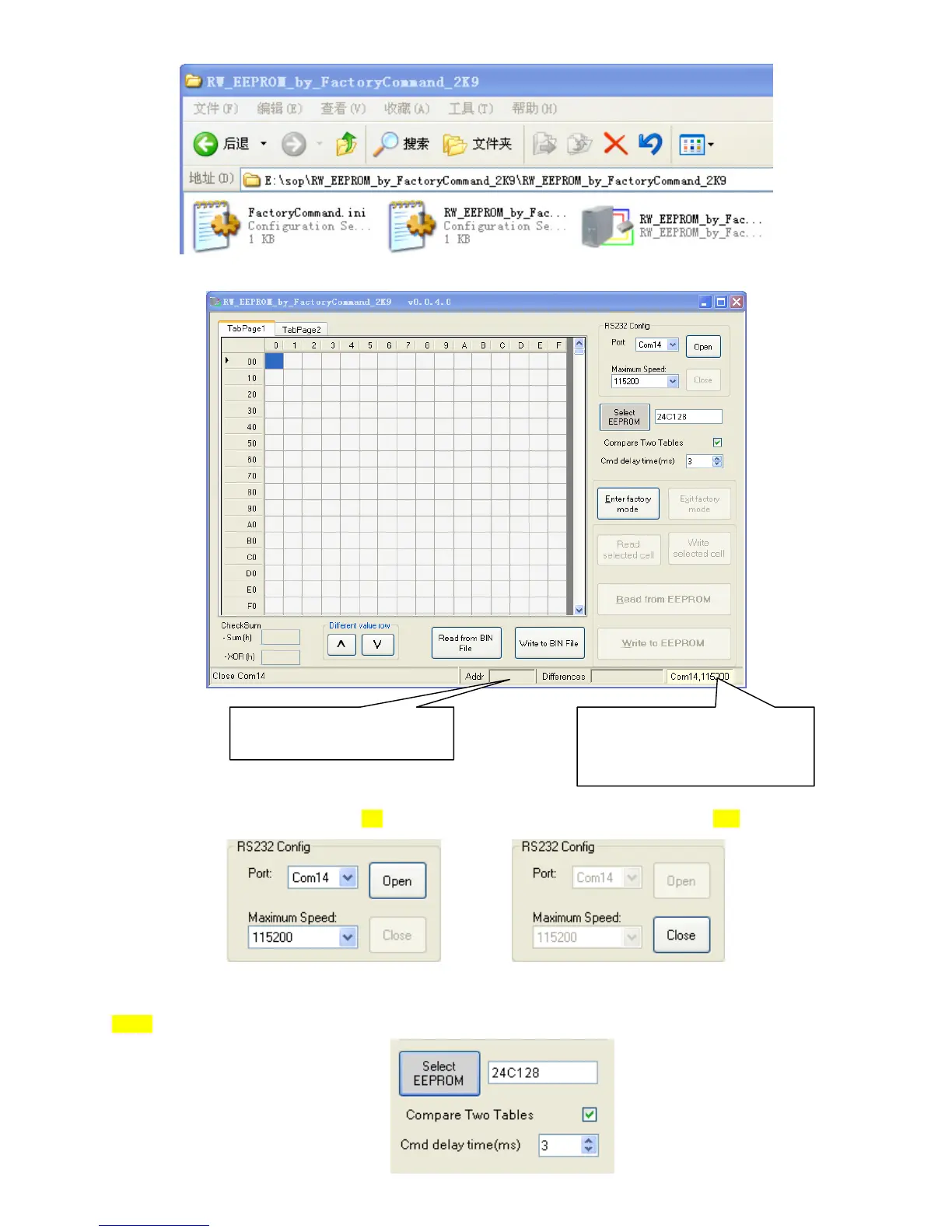
2. After run the program, RW_EEPROM_by_FactoryCommand, it will show below:
3. Select COM port:
Select COM port number in combobox, you can press “Port” button to test whether Com port is available or not.Then press open.
4. Select EEPROM.
Select 24C128.
Com port and baud rate
Yellow color means port is close
Green color means port open
When read or write data , it’s current
processing address















 To Next Page