LC-60LE635E/636E/638E (1st Edition)
4 – 3
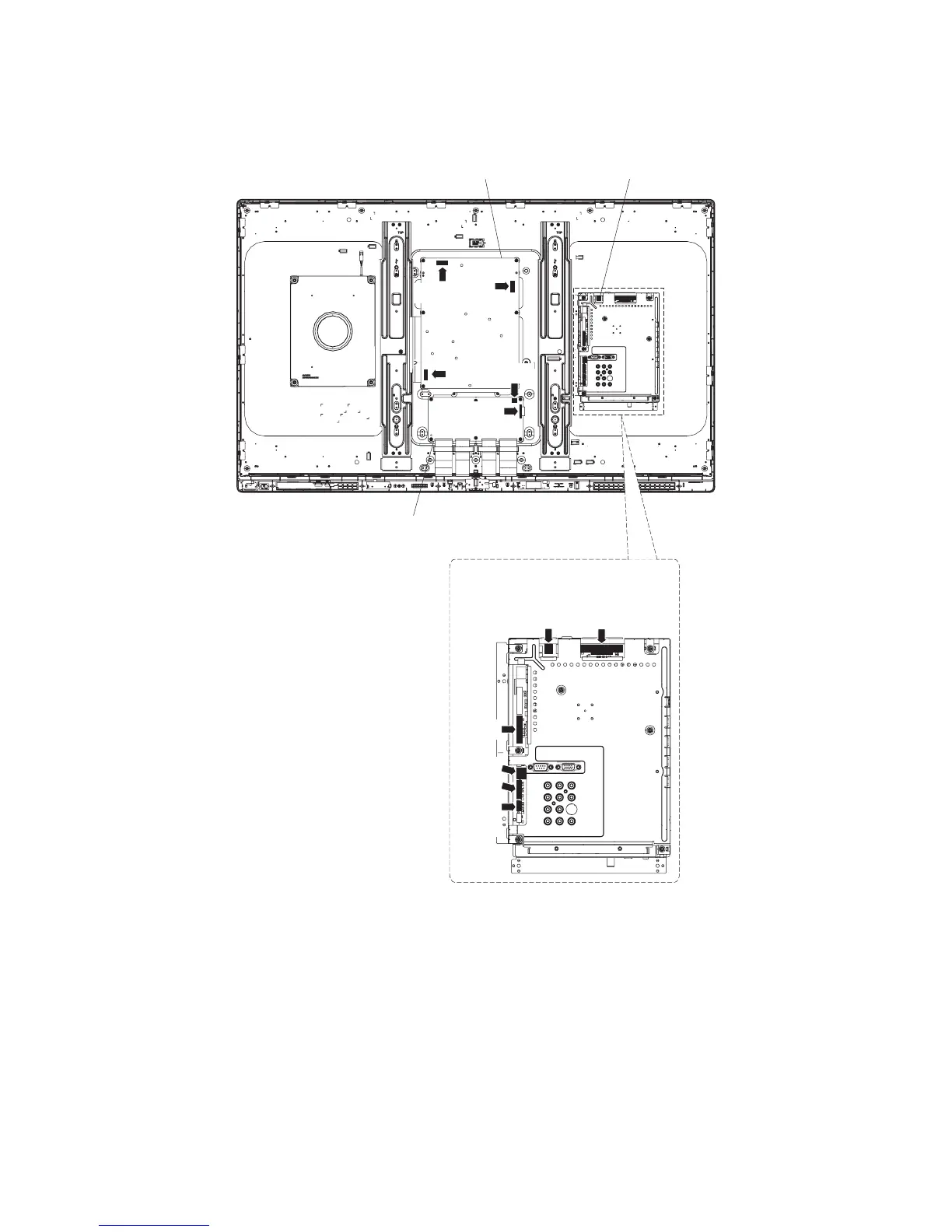
3. Removing of Connectors.
1. Disconnect the following connectors from the MAIN Unit. (SB, PD, LW, PL, RC, CI)
2. Disconnect the following connectors from the POWER SUPPLY Unit. (PD, L1, AS)
3. Disconnect the following connectors from the LCD Control Unit. (LW, PL)
MAIN UnitPOWER SUPPLY Unit
[PD]
[L1]
[PL]
[LW]
LCD Control Unit
MAIN Unit
[SB]
[PD]
[CI]
[RC]
[PL]
[LW]
[AS]





 To Next Page