9
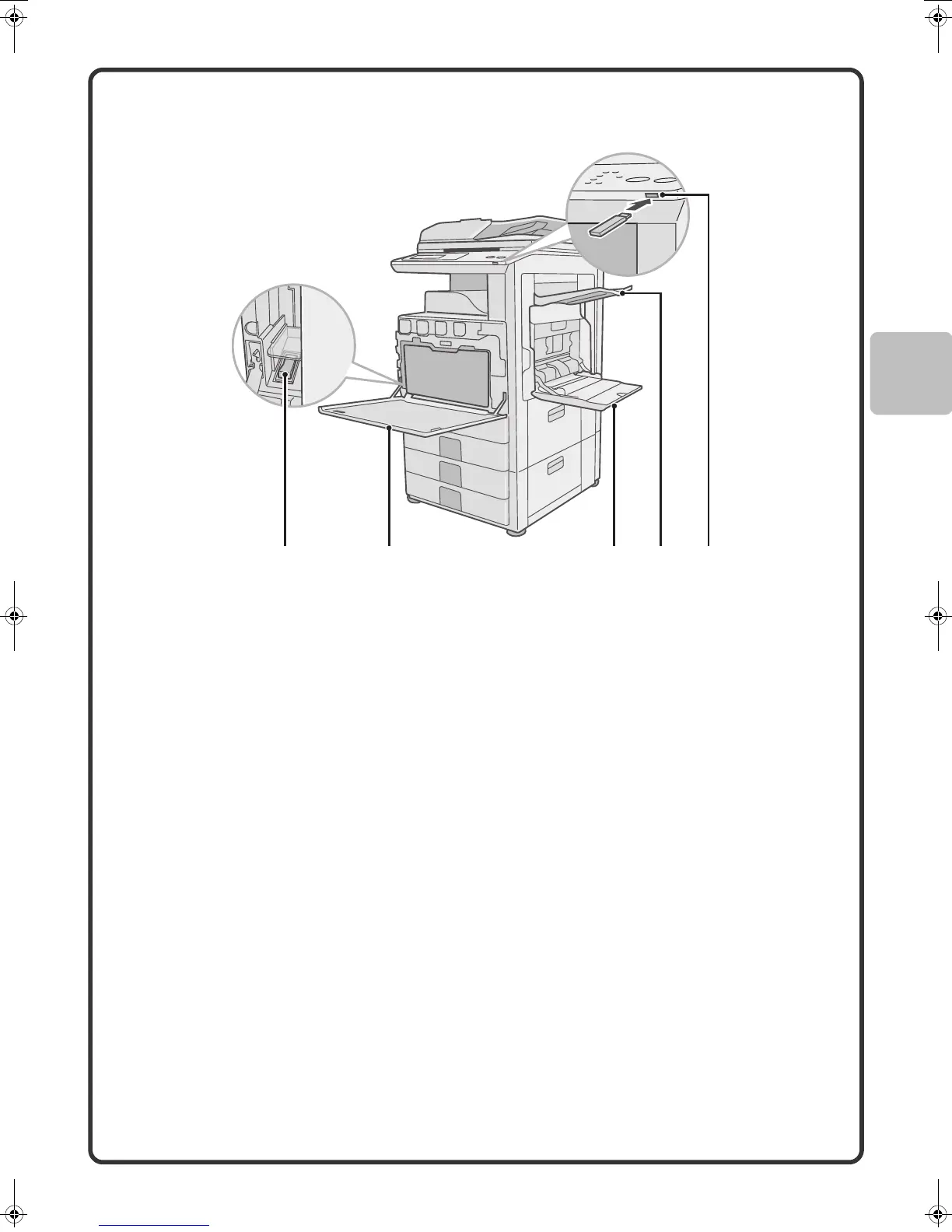
(10) Main power switch
This is used to power on the machine.
When using the fax or Internet fax functions, keep this
switch in the "on" position.
(11) Front cover
Open to replace a toner cartridge.
(12) Bypass tray
Special types of paper can be fed from the bypass
tray.
(13) Exit tray unit (right tray)*
When installed, output can be delivered to this tray.
(14) USB connector (type A)
This is used to connect a USB memory or other USB
device to the machine.
* Peripheral device. For more information, see "PERIPHERAL DEVICES" in "1. BEFORE USING THE
MACHINE" in the Operation Guide.
Some options may not be available in some countries and regions.
mx2301_ex_qck.book 9 ページ 2009年8月7日 金曜日 午後4時6分



 To Next Page