81
The items in the above step must be entered. For details on items entered, see "7. SYSTEM SETTINGS" in the
Operation Guide.
When sending the same document or image to multiple destinations, it is convenient to store a destination group.
For details on storing groups, see "7. SYSTEM SETTINGS" in the Operation Guide.
Store the Scan to E-mail destination
in the touch panel. (Continued)
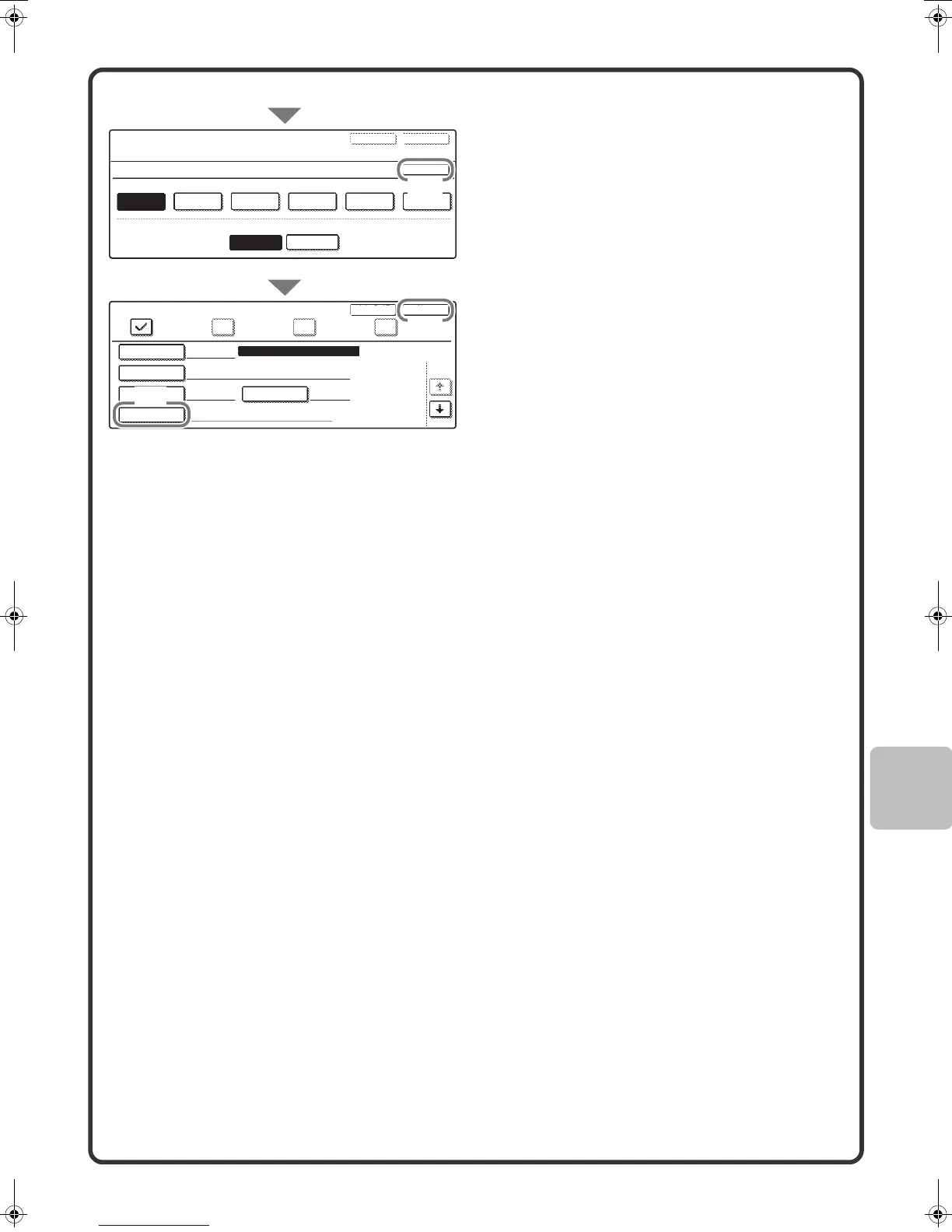
(8) Touch the [OK] key.
(9) Touch the [Address] key.
A text entry screen appears. Enter the
E-mail address that you want to store.
(10) Touch the [Exit] key.
E-mail FaxInternet Fax
Direct Address / Individual
Search Number
001
AAA AAA
xxx@xx.xxx.com
A
User 1
Registration is completed.
Name
Address
Initial
Index
ExitNext
1/2
Direct Address / Individual
Index
No.001
Select the custom index where you register this address.
Do you register this address at the [Frequent Use], too?
User 6User 5User 4User 3User 2User 1
OK
ExitNext
Yes
No
Direct SMTP
(9)
(8)
(10)
mx2301_ex_qck.book 81 ページ 2009年8月7日 金曜日 午後4時6分



 To Next Page