33
Retrieving a stored original size
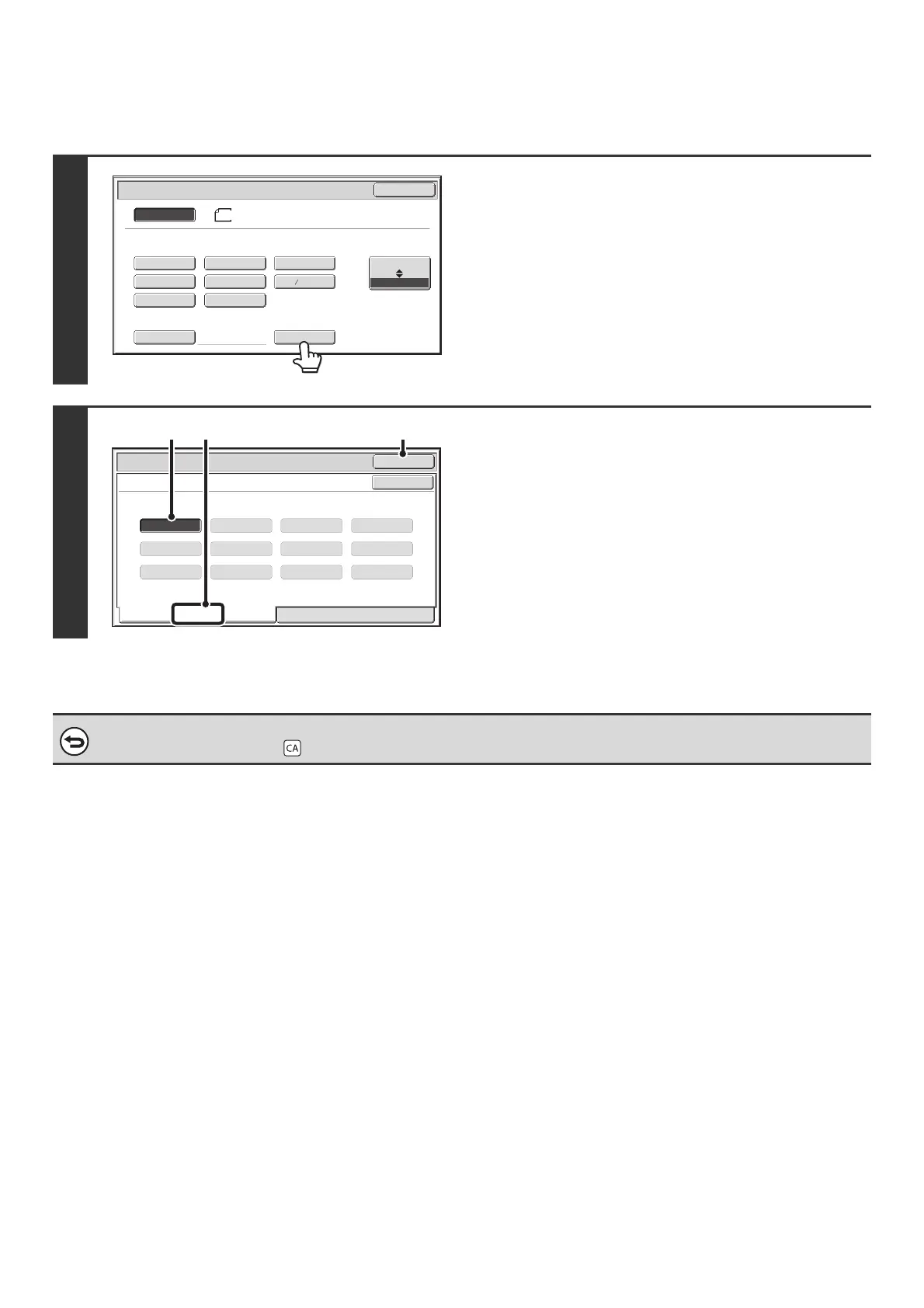
To retrieve a stored original size, touch the [Original] key in the base screen of copy mode and perform the steps below.
1
Touch the [Custom Size] key.
2
Retrieve the desired stored original size.
(1) Touch the [Recall] tab.
(2) Touch the key of the original size that you
wish to retrieve.
(3) Touch the [OK] key.
To cancel the operation...
Press the [CLEAR ALL] key ( ).
5½x8½
5½x8½R
8½x11
8½x14
8½x13(216x330)
8½x11R 11x17
Custom Size
Original
OK
Size Input
Inch
AB
8½x14
Auto
Manual
8½x13 (216x340)
2
5
X15½ Y 8½
Custom Size
Original
OK
OK
Recall
Store/Delete
(3)(1)(2)



 To Next Page