EasyManua.ls Logo

Sharp PA-3000 - Page 14

Sharp PA-3000
28 pages
Print Icon
To Next Page IconTo Next Page
To Previous Page IconTo Previous Page
Loading...
SELECTING
THE
LINE
SPACING
Your
typewriter
offers
three
Line
Spacing
selections:
1(six lines
per
inch),
1-1/2
(four
lines
per
inch)
and
2
(three
lines
per
inch).
When
the
power
is
turned
on,
the
typewriter
assumes
single
line
spacing.
To
Select
the
Line
Spacing:
LINE
SPACE
$
"%
1
¢
CODE
4
5
s
+
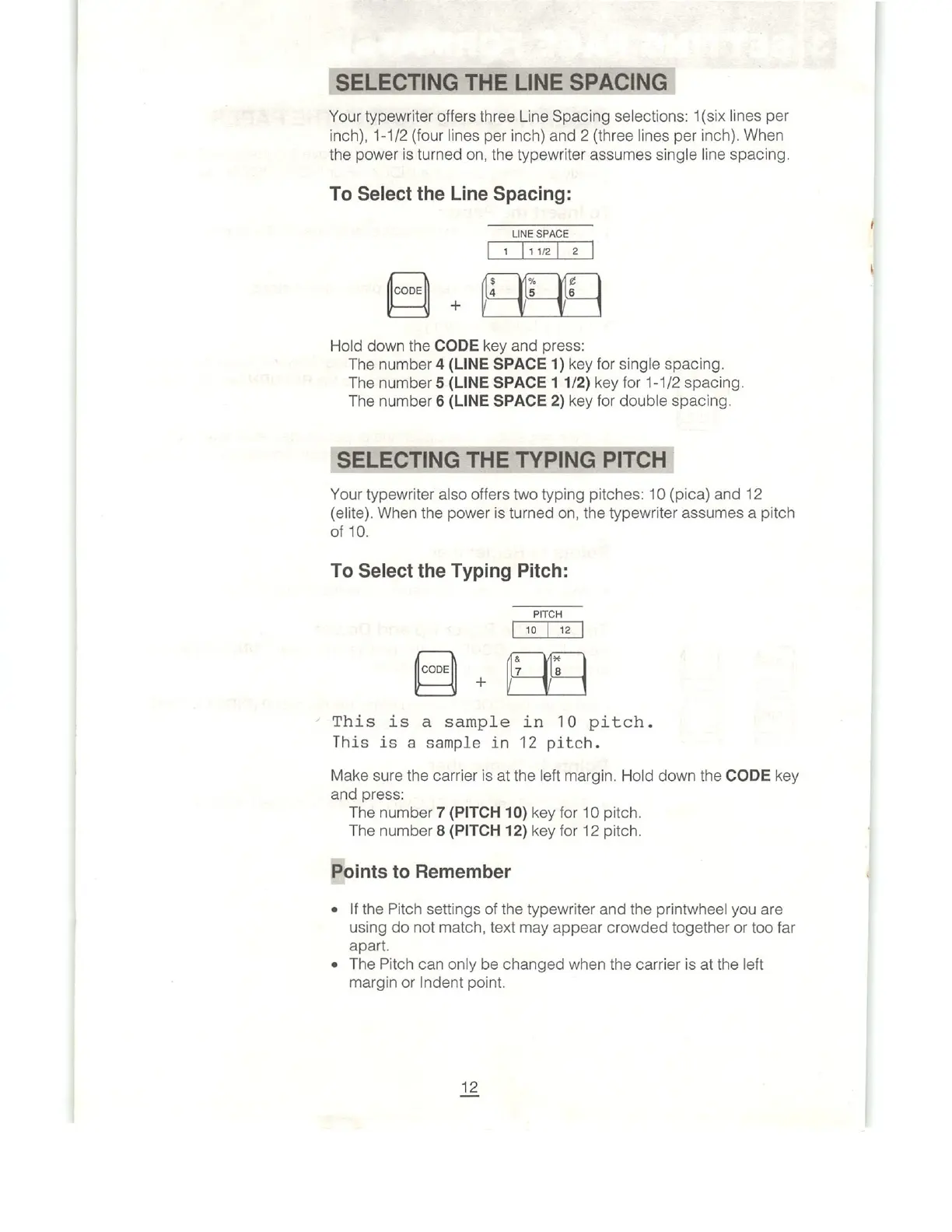
Hold
down
the
CODE
key
and
press:
The
number
4
(LINE
SPACE
1)
key
for
single
spacing.
The
number
5
(LINE
SPACE
1
1/2)
key
for
1-1/2
spacing.
The
number
6
(LINE
SPACE
2)
key
for
double
spacing.
SELECTING
THE
TYPING
PITCH
Your
typewriter
also
offers
two
typing
pitches:
10
(pica)
and
12
(elite).
When
the
power
is
turned
on,
the
typewriter
assumes
a
pitch
of
10.
To
Select
the
Typing
Pitch:
PITCH
&
¥
CODE
W
7
8
.I...
This
is
a
sample
in
10
pitch.
This
is
a
sample
in
12
pitch.
Make
sure
the
carrier
is
at
the
left
margin.
Hold
down
the
CODE
key
and
press:
The
number
7
(PITCH
10)
key
for
10
pitch.
The
number
8
(PITCH
12)
key
for
12
pitch.
Points
to
Remember
=
|f
the
Pitch
settings
of
the
typewriter
and
the
printwheel
you
are
using
do
not
match,
text
may
appear
crowded
together
or
too
far
apart.
e
The
Pitch
can
only
be
changed
when
the
carrier
is
at
the
left
margin
or
Indent
point.

Related product manuals