EasyManua.ls Logo

Sharp PA-3000 - Ribbon Cartridge

Sharp PA-3000
28 pages
Print Icon
To Next Page IconTo Next Page
To Previous Page IconTo Previous Page
Loading...
RIBBON
CARTRIDGE
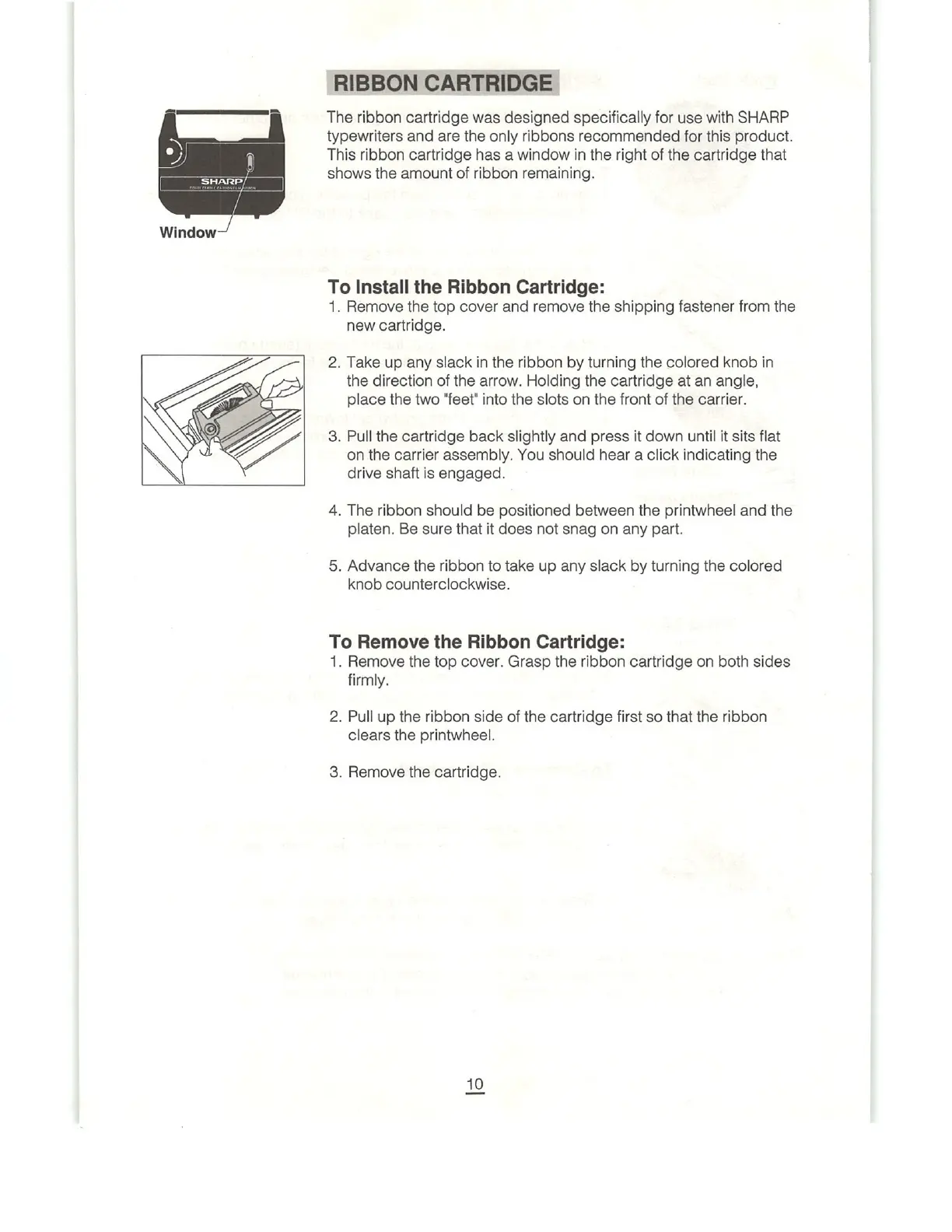
The
ribbon
cartridge
was
designed
specifically
for
use
with
SHARP
typewriters
and
are the
only
ribbons
recommended
for
this
product.
This
ribbon
cartridge
has
a
window
in
the
right
of
the
cartridge
that
shows
the
amount
of
ribbon
remaining.
To
Install
the
Ribbon
Cartridge:
1.
Remove
the
top
cover
and
remove
the
shipping
fastener
from
the
new
cartridge.
2.
Take
up
any
slack
in
the
ribbon
by
turning
the
colored
knob
in
the
direction
of
the
arrow.
Holding
the
cartridge
at
an
angle,
place
the
two
"feet"
into
the
slots
on
the
front
of
the carrier.
3.
Pull
the
cartridge
back
slightly
and
press
it
down
until
it
sits
flat
on the
carrier
assembly.
You
should
hear
a
click
indicating
the
drive
shaft
is
engaged.
4.
The
ribbon
should
be
positioned
between
the
printwheel
and
the
platen.
Be
sure
that
it
does
not
snag
on
any
part.
5.
Advance
the
ribbon
to
take
up
any
slack
by
turning
the
colored
knob
counterclockwise.
To
Remove
the
Ribbon
Cartridge:
1.
Remove
the
top
cover.
Grasp
the
ribbon
cartridge
on
both
sides
firmly.
2.
Pull
up
the
ribbon
side
of
the
cartridge
first
so
that
the
ribbon
clears
the
printwheel.
3.
Remove
the
cartridge.

Related product manuals