EasyManua.ls Logo

Sharp PA-3000 - Page 21

Sharp PA-3000
28 pages
Print Icon
To Next Page IconTo Next Page
To Previous Page IconTo Previous Page
Loading...
H
PROBLEM
SOLVING
|
CODE
SHIFT
.
ot
O
SRR
LTI
i
R
R
R
T
R
'CLEANING
AND
MAINTENANCE
To
Clean
the
Typewriter:
The
case
and
keyboard
are
made
of
very
strong,
resilient
plastic
components.
These
surfaces
should
only
be
cleaned
with
a
soft,
dry
cloth.
Service
Maintenance:
Normal
cleaning
is
the
only
service
your
typewriter
is
likely
to
need.
Please
contact
your
authorized
SHARP
Dealer
for
adjustments,
repair,
and
lubrication.
'DIAGNOSTIC
TEST
If
you
feel
that
your
typewriter
needs
repair
or
adjustment,
first
check
by
performing
this
simple
test.
Your
typewriter
has
built-in
Diagnostic
Test
function
to
show
that
each
character
types
correctly
and
that
the
carrier
and
printwheel
operate
correctly.
If
the
test
reveals
problems,
contact
your
authorized
SHARP
Dealer.
To
Test
the
Character
Set:
1.
Make
sure
that
the
typewriter
is
not
in
the
Automatic
Carrier
Return
mode,
and
the
carrier
is
at
the
left
margin.
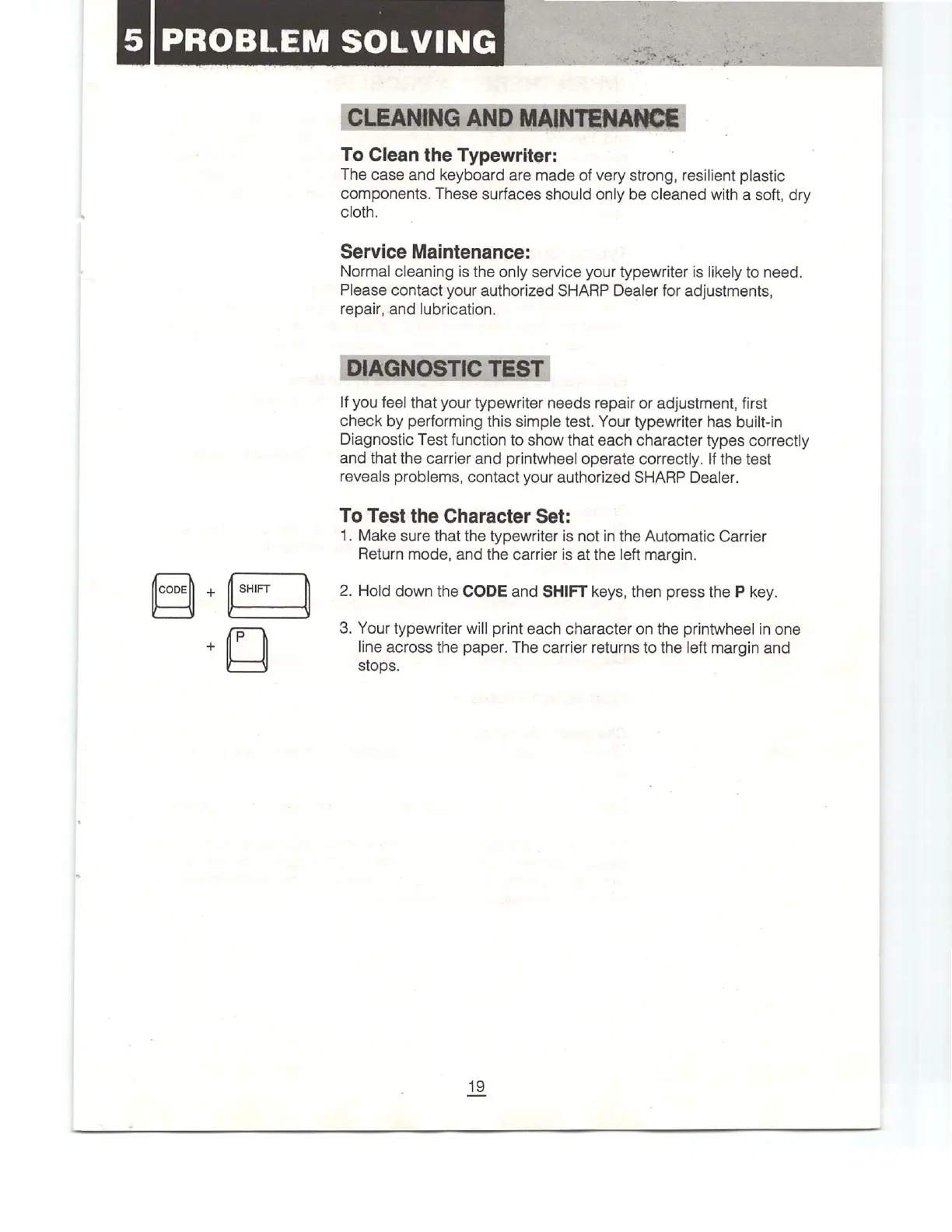
2.
Hold
down
the
CODE
and
SHIFT
keys,
then
press
the
P
key.
3.
Your
typewriter
will
print
each
character
on
the
printwheel
in
one
line
across
the
paper.
The
carrier
returns
to
the
left
margin
and
stops.

Related product manuals