EasyManua.ls Logo

Sharp PG-LW2000 - User Manual

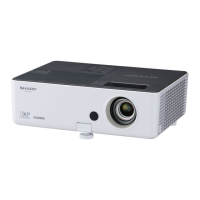
Sharp PG-LW2000
75 pages
Print Icon
To Next Page IconTo Next Page
Loading...
Introduction Easy Start Setup
Connections
Basic
Operation
Useful
Features
Appendix
OPERATION MANUAL
DATA PROJECTOR
MODEL
PG-LW2000

Table of Contents

Questions and Answers

  • P
    Perry RiveraSep 2, 2025
    Why does the color on my Sharp PG-LW2000 look faded or poor?
    • D
      Derek ReevesSep 2, 2025
      If the color on your Sharp Projector appears faded or poor, consider these solutions: * Ensure image adjustments are correctly set. * Adjust “Color” and “Tint” in “Picture Mode” and lower the “BrilliantColorTM” value. * For video input, verify the video input system is correctly set. For COMPUTER/COMPONENT input, check that the input signal type (RGB/Component) is correctly set.
  • A
    Andrea WrightAug 31, 2025
    Why is my Sharp PG-LW2000 Projector image dark or bluish?
    • C
      Christopher PatrickAug 31, 2025
      If your Sharp Projector displays a dark or bluish image, check that the “Wall Color” setting is configured correctly.
  • V
    Victor PotterAug 29, 2025
    Why is the picture on my Sharp Projector blurred and noisy?
    • O
      Oscar EvansAug 29, 2025
      If the image from your Sharp Projector appears blurred or noisy, try the following: * Adjust the focus. * Ensure the projection distance is within the focus range. * If there is fog on the lens, set up the projector at least one hour before use, or remove the power cord and wait for it to clear. * If using computer input, perform “SIG-ADJ” adjustments (“Clock” and “Phase” Adjustment).
  • A
    Angel StantonAug 28, 2025
    Why is the cooling fan on my Sharp Projector so noisy?
    • C
      Courtney HendersonAug 28, 2025
      If the cooling fan in your Sharp Projector is running loudly, this is because the temperature inside the projector has increased, causing the cooling fan to run faster.
  • J
    Joseph NewtonAug 26, 2025
    Why is my Sharp Projector remote control not working?
    • A
      allen85Aug 27, 2025
      If your Sharp Projector's remote control isn't working, try these steps: * Point the remote control directly at the projector's remote control sensor. * Ensure you are within a reasonable distance from the projector. * Shield the projector's remote control sensor from direct sunlight or strong fluorescent light. * Check the batteries in the remote control to ensure they are correctly inserted and not depleted. Replace them if necessary.
  • G
    gwendolyn34Aug 25, 2025
    What to do if my Sharp PG-LW2000 Projector has sound but no picture?
    • C
      Charles BrewerAug 25, 2025
      If your Sharp Projector is producing sound but no picture (or a dark picture), consider these points: * Ensure all cables are correctly connected to the projector. * Check that the “Bright” setting is not at its minimum position. * If you are using a computer, you may need to switch the signal output setting to the external output. Refer to your computer's operation manual for instructions on how to do this.
  • G
    greenjenniferAug 22, 2025
    Why does my Sharp Projector have picture but no sound?
    • T
      thomas28Aug 22, 2025
      If you see a picture but hear no sound from your Sharp Projector, check the following: * Ensure all cables are correctly connected to the projector. * Make sure the volume isn't set to the minimum. * Verify that the “Speaker” setting is not set to “Off.”

Summary

Easy Start

Setup and Projection

Explains projector and computer connection and setup using one example.

Setup

Connections

Connecting Equipment

Instructions for connecting various external devices like computers and video equipment.

Basic Operation

Powering and Initial Image Setup

Covers turning the projector on/off and initial image projection adjustments.

Useful Features

Remote Control Operations

Explains use of pointer, spot, Eco+Quiet, and other remote functions.

Appendix

Maintenance and Lamp Care

Covers cleaning, maintenance indicators, and lamp replacement procedures.

Sharp PG-LW2000 Specifications

General IconGeneral
Brightness2000 ANSI Lumens
Contrast Ratio2000:1
Weight2.5 kg
Aspect Ratio16:10
Display TypeDLP
Projection Size30 to 300 inches
Output PortsAudio Out
Resolution1280 x 800
Input PortsComposite Video, S-Video

Related product manuals