AC
MAINS
VOLTAGE
The unit is designed to operate from 1
IOV,
220V
or
240V
A.C. mains.
Check the AC voltage level setting at rear of unit before
plugging
In
supply lead. If necessary, adjust selector to cor-
respond to the AC supply voltage of your area.
If the AC
supply
lead is already plugged into an AC supply
outlet, unplug it before checking the voltage.
Selector adjustment:
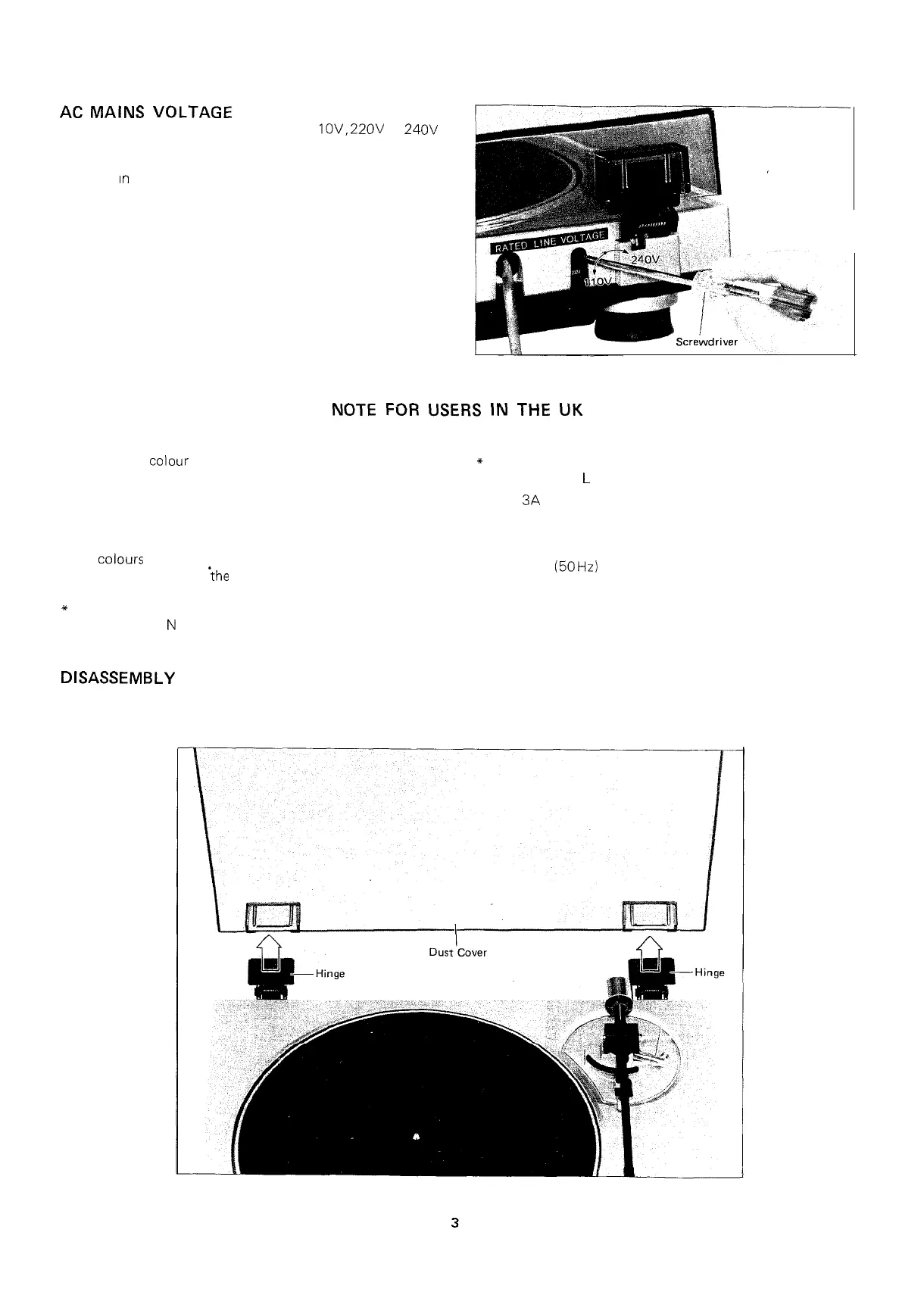
The voltage selector is on the rear of the unit. Turn the
selector with a screwdriver in either direction until the correct
voltage can be read in the window next to the adjustment
screw.
Figure 3-l
NOTE FOR USERS IN THE UK
IMPORTANT:
The following
colour
code is used for the wires in the mains
lead of this apparatus:
BLUE:
“NEUTRAL”
BROWN: “LIVE”
* Connect the wire coloured BROWN to the terminal marked
with the letter
L
or coloured RED.
Use a
3A
fuse in the mains plug or distribution board to
protect this apparatus.
CONNECTING PLUG TO MAINS LEAD:
If the
colours
of the wires in the mains lead of this apparatus
do not correspond with
‘the
coloured markings identifying the
terminals in the plug, proceed as follows:
*
Connect the wire coloured BLUE to the terminal marked
with the letter
N
or coloured BLACK.
Please note that this apparatus has been adjusted in the factory
for 240 Volt
(50
Hz) mains supply.
DISASSEMBLY
n
DUST COVER REMOVAL
Open the dust cover and pull it.
Figure 3-2


 To Next Page