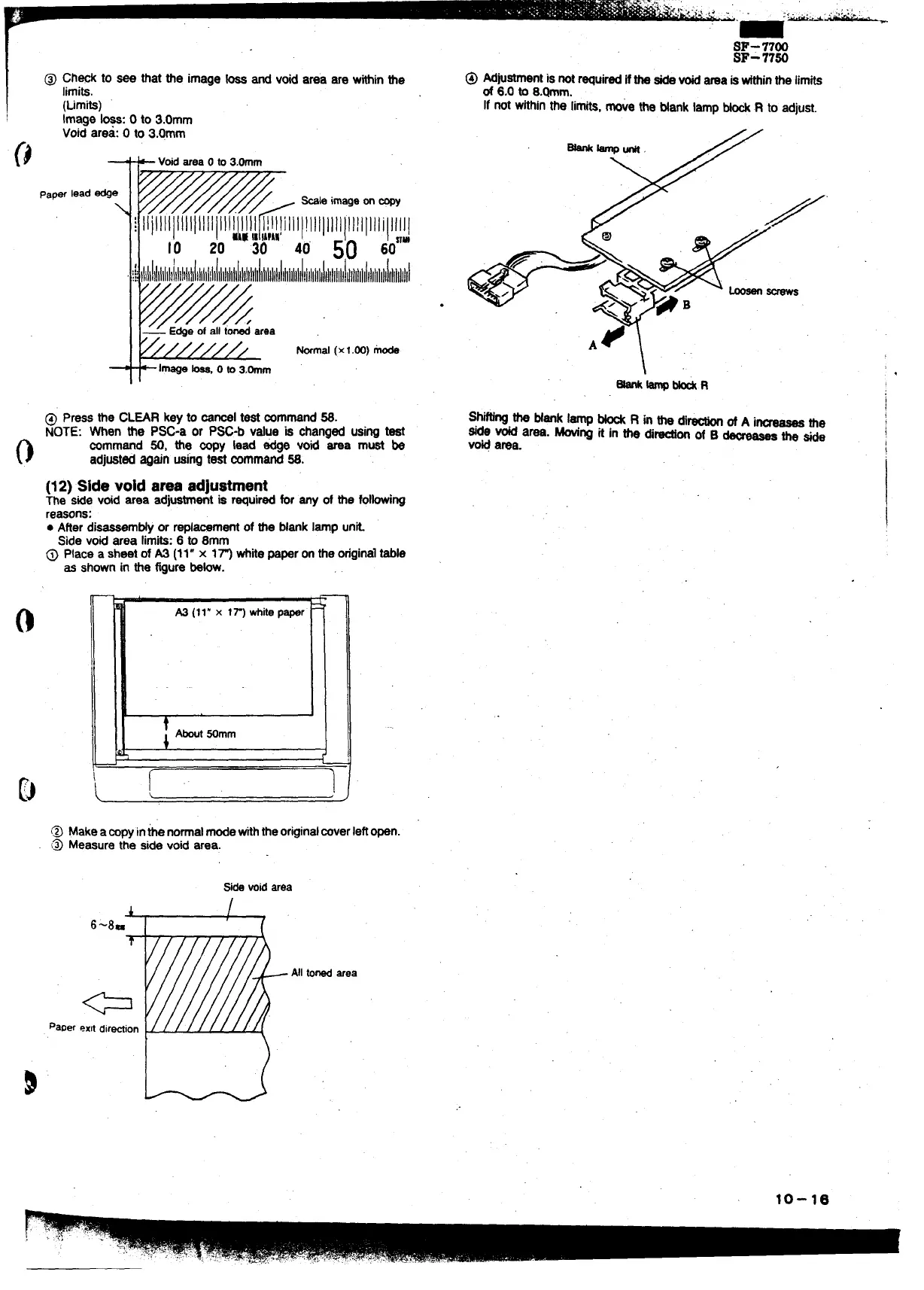
@ Ch@k to see that tie image w and void ama are withinthe
limits.
(Limits)
Image loss: Oto 3.Omm
Void area: Oto 3.Omm
A
L
I
Void areaOto3.Omm
pa~ lead
;
@e
%k imageonWY
ll!lll]llll\llil]llllll’111/
40 50 60””
I
~~
Ilillllllllllllliillillllllllillllllllillltlllll
I [~ E@-eofall-ted area
/
///////
Wmal (xl.00) mode
-
-
~im~ -, 0 to3,0mm
@ Press the CL~R key to m-l test @remand 6S.
NOTE: When the PSC-a or PW-b value is oharfgedusing test
mmmand W, the oopy bad edge void area must be
adjustedagain usingtest mmmand W.
(12)Side void area adjustment
The Sidevoid area adjustmentia ~uired for arty of the folhing
reasons:
● ARerdisassemtiy or rapla~ment of the blank lamp unk
Side void area limits:6 to amm
@ Place a sheet of A3 (11” x In whitepaperonthe originalMe
as shown in the figure be~.
@ Make ampyinkenormalmode withtheorigindmverleft open,
~ Measure the side void area.
Sidevoidarea
r
paperexitdirwion
Alltonedarea
u .
.
SF-7700
SF-77M
@ Adjustmentis not~uired ifthe sidevoidarea isMthinthe limits
of 6.0 to 8.@m.
If not withinthe limits,move the Nank lamp ~ R to adjust.
10-16



 To Next Page