EasyManua.ls Logo

Sharp SX66NF8 - User Manual

Sharp SX66NF8
44 pages
Print Icon
To Next Page IconTo Next Page
Loading...
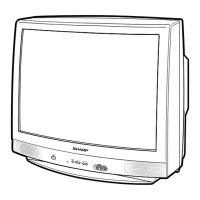
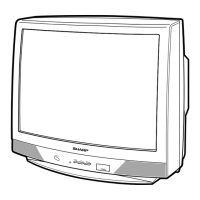
OPERATION MANUAL
COLOUR TELEVISION
MODEL
SX66NF8
SX76NF8
Please read this operation manual
carefully before using the colour
television.
ONTIMER
ONTIMER
(SX76NF8)(SX66NF8)
SX66/76NF8(Front) 02.10.22, 4:16 PM1

Questions and Answers

  • G
    Gregory MarshallAug 12, 2025
    What to do if my Sharp SX66NF8 TV has no picture or sound?
    • W
      William SimmonsAug 12, 2025
      If your Sharp TV shows no picture or sound, first, ensure the TV is properly plugged into a working outlet and that the outlet power is turned on. Next, check that the main power switch on the TV is switched on. Finally, verify the antenna is securely connected to the terminal on the back of the TV.
  • C
    Catherine MeadowsAug 18, 2025
    What to do if Sharp SX66NF8 TV picture rolls vertically?
    • T
      Tracy EllisAug 19, 2025
      If your Sharp TV picture rolls vertically, turn the TV off using the main power switch. Wait a minute, and then turn it back on. This can sometimes reset the display and resolve the rolling issue.
  • K
    kimberly74Aug 27, 2025
    How to restore color on a Sharp SX66NF8 TV?
    • S
      santanaronaldAug 27, 2025
      If your Sharp TV has no color, try adjusting the COLOR control to restore the picture's color.
  • T
    Tricia AlvaradoSep 3, 2025
    What to do if there are bars on my Sharp SX66NF8 screen?
    • B
      Brett HallSep 3, 2025
      If you see bars on the screen of your Sharp TV, try switching to a different channel. This will help you determine if the problem is with the station broadcasting the content.

Sharp SX66NF8 Specifications

General IconGeneral
Resolution3840 x 2160 (4K UHD)
Smart TVYes
Refresh Rate60 Hz
Operating SystemAndroid TV
USB Ports2
BluetoothYes
Wi-FiYes
HDRHDR10

Related product manuals