EasyManua.ls Logo

Sharp Tokyo - User Manual

Sharp Tokyo
172 pages
Print Icon
To Next Page IconTo Next Page
Loading...
User manual
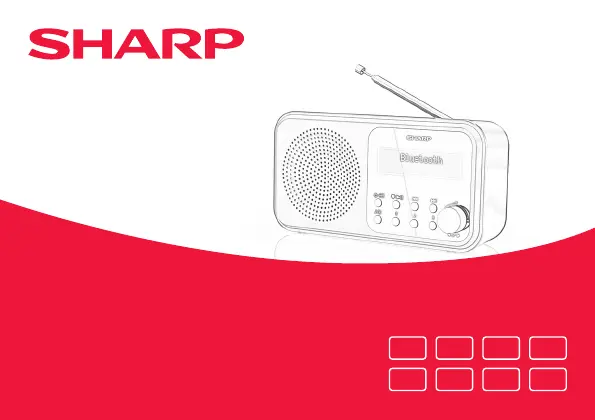
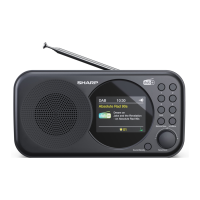
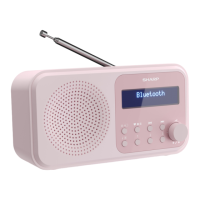
DR-P420 | Tokyo Portable Digital Radio
Product images are for illustration purposes only. Actual product may vary.
EN
IT
DE
NL
ES FR
PL RU

Table of Contents

Questions and Answers

  • Q
    qnovakAug 10, 2025
    What to do if my Sharp Tokyo has no sound?
    • C
      Candace ChristensenAug 11, 2025
      If your Sharp Radio has no sound, first, adjust the volume. Also, check that the USB cable is properly connected and that the radio is not in standby mode. If you're using batteries, ensure they have power.
  • K
    Kayla SmithAug 18, 2025
    How to improve the radio reception on my Sharp Tokyo?
    • D
      Denise Richards MDAug 18, 2025
      To improve radio reception on your Sharp Radio, fully extend the telescopic aerial (preferably vertically). You can also try rescanning for radio stations. Moving your radio to another location might also improve reception. Check that there is no other electrical equipment close to your radio that may cause interference.
  • C
    Courtney FreemanAug 25, 2025
    Why won't my Bluetooth device connect to my Sharp Tokyo Radio?
    • C
      Christine HallAug 25, 2025
      If you're having trouble pairing a Bluetooth device with your Sharp Radio, first ensure that you are in Bluetooth mode. Make sure that the radio and the device are within 10 meters of each other. Move the radio and the Bluetooth device away from other Bluetooth devices or electrical equipment. If possible, turn off other nearby Bluetooth devices.
  • L
    Lindsey PittmanSep 1, 2025
    What to do if the function buttons on my Sharp Radio do not respond?
    • R
      Russell HamiltonSep 1, 2025
      If the function buttons on your Sharp Radio are not responding, check that the USB cable is connected to the back of the radio and short press. If you are using batteries, they may need to be replaced. You can also try to factory reset the device.

Summary

Important Safety Instructions

Precautions

General safety measures and precautions for using the product, including child safety.

Battery Safety and Disposal

Children Safety

Warnings about batteries being swallowed by children and seeking immediate medical advice.

Radio Controls Overview

Functional Buttons

Explanation of Power/Mode, Play/Pause, navigation, and Info/Menu button functions.

Radio Setup and Usage

USB Connection

Instructions for connecting the USB cable to power the radio and entering standby mode.

Initial Setup and Tuning

Automatic DAB Scan

Steps for switching on the radio and initiating an automatic DAB station scan.

DAB Radio Mode Operations

Managing DAB Presets

Storing DAB Presets

How to store up to 20 DAB radio stations for quick access.

Storing FM Station Presets

FM Station Management

Bluetooth Connectivity

Entering Bluetooth Mode

How to enter Bluetooth mode and initiate pairing with discoverable devices.

Wireless Music Streaming

Instructions for streaming audio via Bluetooth and available controls.

System Information and Reset

Factory Reset Procedure

Instructions for resetting the radio to its original factory settings.

Troubleshooting No Sound or Power

Troubleshooting Poor Reception

Troubleshooting Bluetooth Pairing

Troubleshooting Unresponsive Buttons

Technical Specifications

Sharp Tokyo Specifications

General IconGeneral
BrandSharp
ModelTokyo
CategoryRadio
Power SourceBattery
Battery TypeAA
Frequency Range FM87.5 - 108 MHz
TypePortable

Related product manuals