36
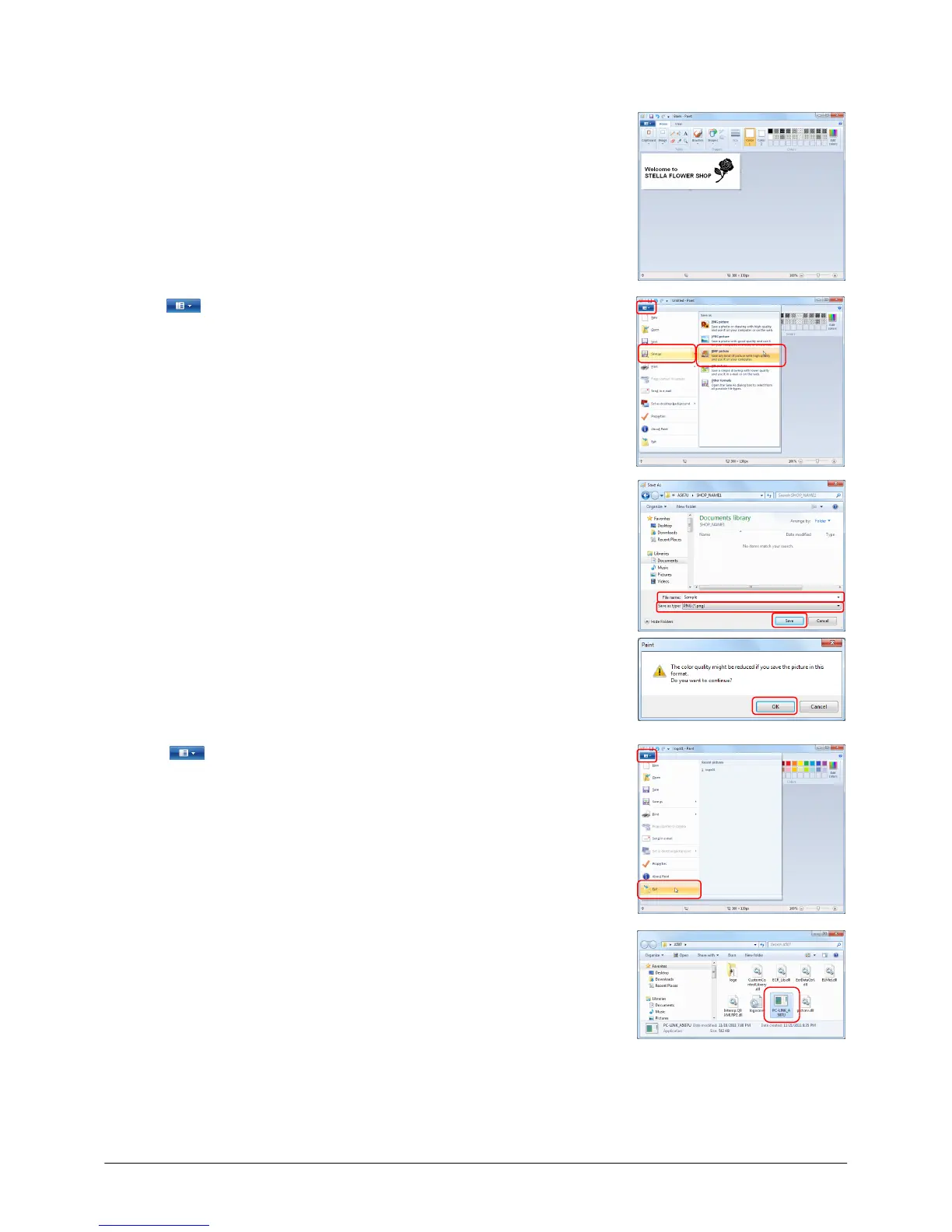
4. Based on Blank(.bmp), design your own logo, using various Paint tools.
5. Click
at the upper left corner, and then [Save as]-[BMP picture].
The “Save as” dialog appears.
6. Type the name of logo you have created in the textbox,
7. Select “Monochrome Bitmap (*.bmp; *.dib)” as “Save as type.”
8. Click [Save].
The confirmation dialog appears.
9. Click [OK].
The logo is saved.
10. Click
at the upper left corner, and then [Exit].
Paint finishes.
11. Double-click “PC-LINK_A507U(.exe)” in the A507 folder, which has been
created after decompression.
5
6
7
8
9
10
11



 To Next Page