For incoming transactions, the address field shows which address received the Bitcoin.
For every incoming Bitcoin transaction a different address is used by default, following
industry best practices. This makes transactions more private.
Your transaction history and Bitcoin balance are not stored on the BitBox; they are read
from the public blockchain using the keys stored on your BitBox.
Advanced tip: double clicking on the address displays the complete information for each
transaction within a Block Explorer pop-up window.
The smallest unit of Bitcoin is 0.00000001 Bitcoin, or 10
-8
Bitcoin (known as “the
Satoshi“ in honor of the creator of Bitcoin), and is the precision used to denote your
balance. Typical Bitcoin transactions are in the range of Millibitcoins.
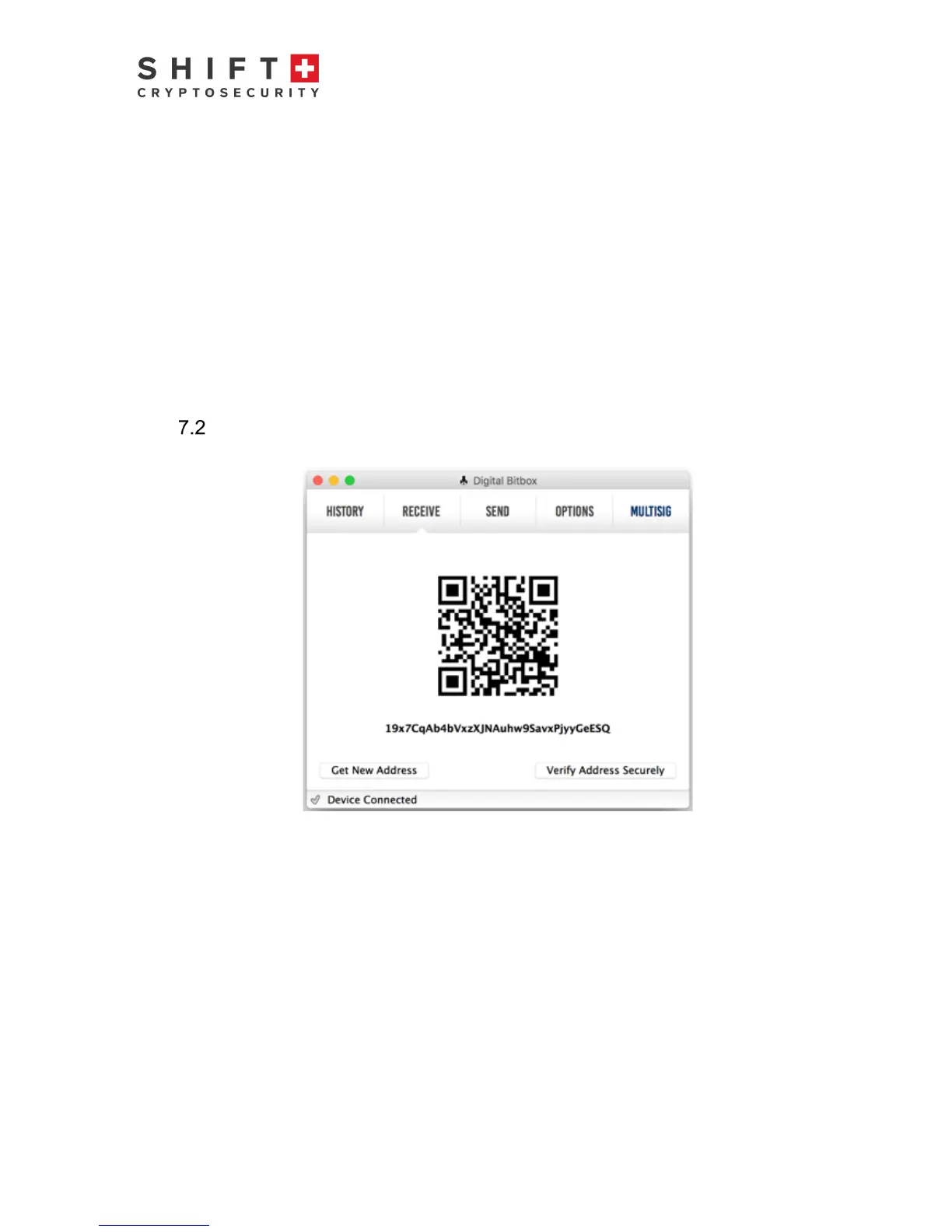
Receive tab
Figure 7 Receive Tab
The purpose of the receive tab is to generate a unique address that is associated with
your wallet. Other people may use this address to send you Bitcoin. The address is
displayed in two formats, (1) a QR code that can be scanned and (2) a string of text that
can be copy-pasted into other Bitcoin applications. The BitBox will automatically
generate a new address after a given address receives coins. This is best-practice for
optimum privacy – each transaction is then associated with a unique address. Note that
there is no security issue if you use the same address multiple times. If you prefer, you
may click on “Get New Address” to generate the next new one. The number of possible
receive addresses is virtually inexhaustible. All transactions which include receive
address information are securely recorded on the Bitcoin network and accessible via
your BitBox. Note that your BitBox does not have to be plugged in to receive Bitcoin.
Advanced tip: by clicking on “Verify Address Securely”, you can verify the displayed
address automatically with a paired BitBox mobile smart verification app.



 To Next Page