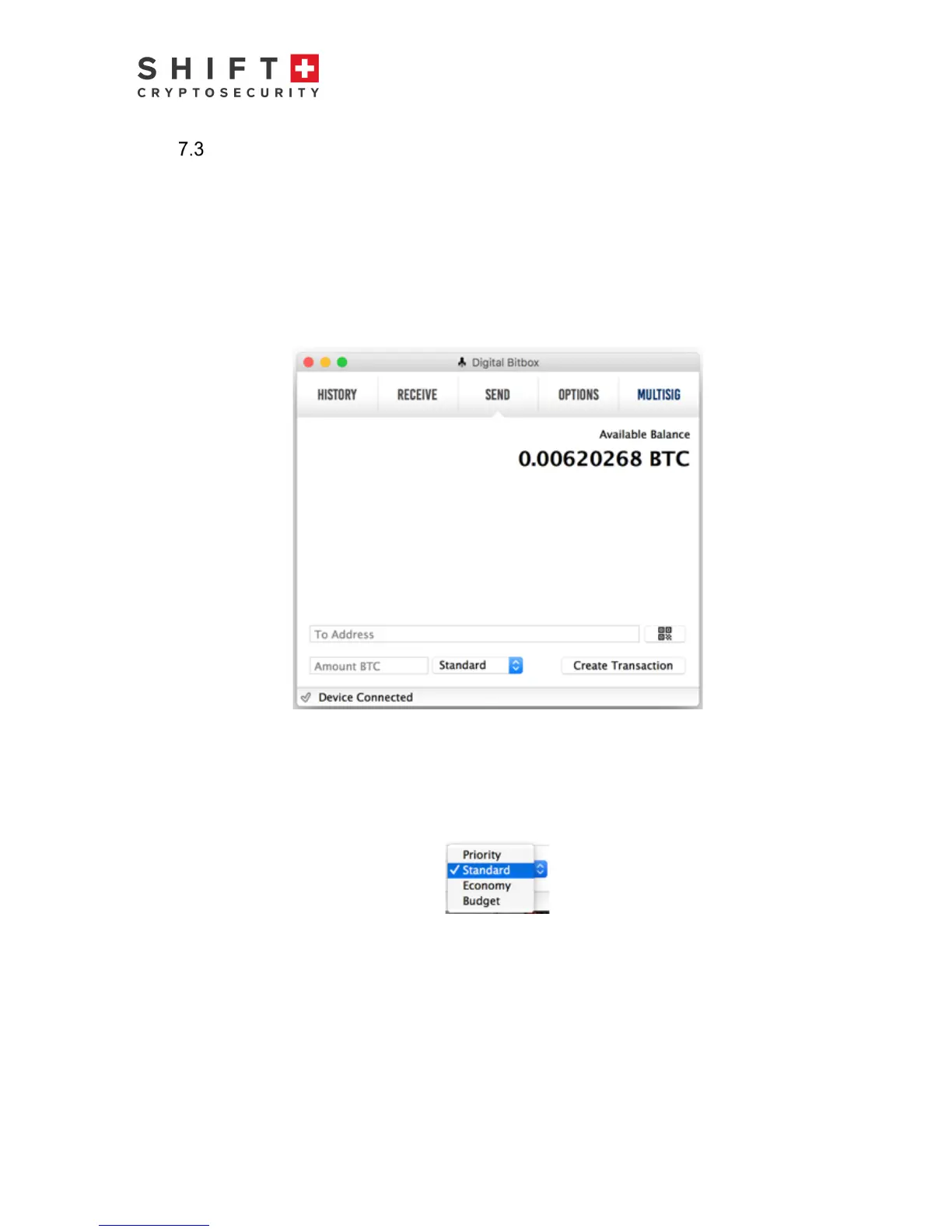
Send Tab
The purpose of the Send tab is to allow you to send Bitcoin to someone else. You can
only send an amount that does not exceed the Available Balance, taking into account
the transaction fee. To send Bitcoin, paste in the Bitcoin address of your intended
recipient. You may have received this address via email, text, flash drive, etc. It will be
uniquely associated with your intended recipient’s wallet. Copy and paste the address
into the “To Address” field. Visually check the address against the original to make sure
it is correct. Alternatively, use the QR reader option (icon to the right of the “To Address”
field) to read in the recipient’s address using the computer’s webcam. Note that your
BitBox must be plugged in to send Bitcoin.
Figure 8 Send Tab
Next, enter in the amount of Bitcoin you want to send. Then select your desired “delivery
speed”; Priority, Standard, Economy or Budget. This will determine the fee applied to the
transaction. Note that your recipient receives the entered amount of Bitcoin and fees are
deducted in addition from your Bitcoin balance.
Figure 9 Delivery Speed Pulldown Menu
In general, the higher the level, the faster the transaction is executed. You can preview
the fee added to your transaction amount by choosing one of the options (ex.
“Standard“), then pressing “Create Transaction“. Here you can preview the transaction,
including the transaction fee before authorizing the transaction. You may abort the
transaction by briefly pressing the LED, or simply waiting for the transaction to timeout
and abort. Note that fees are not applied based on amount of Bitcoin associated with the
transaction, but rather the amount of data associated with the transaction (i.e. the



 To Next Page