ǦͳǦ
"Notice"
Please ensure that this instruction manual is made accessible to the
final user of this instrument.
Preface
This instruction manual is provided for those who will be involved in
the wiring, installation, operation and routine maintenance of the
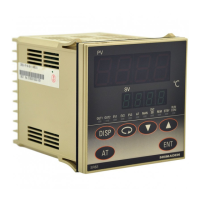
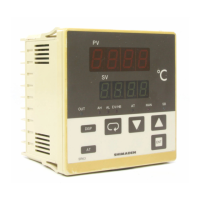
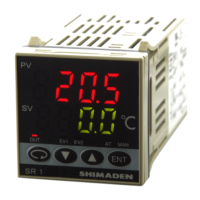
SR80 series (SR82, SR83 and SR84). This manual describes the care,
installation, wiring, function and operating procedure of the SR80
series. Keep this manual at the work site during operation of the
SR80 series. While using this instrument, you should always follow
the guidance provided herein.
For matters concerning safety, potential damage to equipment and/or
facilities, additional instructions and notes are indicated by the
following headings:
Indicates matters which may result in accidents leading to injury or
death if proper attention is neglected.
WARNING
Indicates matters which may result in damage to equipment and/or
facilities.
CAUTION
Indicates that additional instructions and notes have been provided.
NOTE
The mark à represents a protective conductor terminal.
Ensure that it is grounded properly.
Matters to be
attended
to for
safety's sake:
·
CAUTION
In the event a potential failure of the instrument could cause
damage to the connected equipment, facilities or products, safety
measures such as installing a fuse or an overheating protection
device must be taken prior to the use of the instrument. We
assume no responsibility for any accident which may occur as a
result of not employing appropriate safety measures
·
CAUTION
• The · mark on the plate affixed to the instrument: On the terminal
nameplate affixed to the case of the instrument, the · mark has
been printed. This is to warn you of the risk of electric shock
which may result if the charger is touched while it is energized.
• In the external power circuit to be connected to the power terminal
of the instrument, a switch or a breaker as means to turn power off
must be installed. Such a switch or a breaker should be fixed
adjacently to the instrument so that it can be operated with ease,
and with an indication that it is a means to turn power off. Use a
switch or a breaker which meets the requirements of IEC60947.
• Fuse: Since the instrument does not have a built-in fuse, make sure
to install a fuse in the power circuit to be connected to the power
terminal. The fuse should be positioned between the switch or the
breaker and the instrument and be attached to the L side of the
power terminal.
Fuse rating/type: 250V AC 0.5 A/medium lagged or lagged type.
Use a fuse which meets IEC60127 requirements.
• In the wiring operation, make sure to fasten terminal connections.
• Power voltage and frequency must be within their rated ranges.
• Voltage/current of a load to be connected to the output terminal
and the alarm terminal should be within a rated range. If it goes
out of the range, a rise in temperature will reduce the product life
and/or result in problems with the product.
The output terminal should be connected with a device which
meets IEC61010 requirements.
• Voltage/current out of its specified range should not be applied to
the input terminal. It may reduce the product life and/or result in
problems with the product.
For the rated voltage/current, refer to "7. Specifications."
In case input is of voltage (mV or V) or current (4-20 mA), the
input terminal should be connected with a device which meets
IEC61010 requirements.
• The SR80 series controller is provided with a draft hole.
Take care to prevent metal or other foreign matter from entering
into it. Failure to do so may cause problems with the instrument or
even fire
• Do not block the draft hole and maintain it free from dust and dirt.
A rise in temperature or insulation failure may result in a
shortening of the product life and/or problems with the instrument.
For spaces required to be kept in its installation, see "2-3.
Drawings showing external dimensions and panel cutout."
• It should be noted that repeated tolerance tests against voltage,
noise, surge, etc. may lead to deterioration of the instrument.
• Users are prohibited from modifying the instrument and using it in
an anomalous way.
• When employing the instrument, you are requested to observe
matters to be attended to as described in the instruction manual
concerning safe and correct operation of the instrument in order to
use it safely while maintaining its reliability
·
WARNING
The SR80 series controllers are control instruments designed for
industrial use to control temperature, humidity and other physical
values. You must not employ this series for the control of any
device potentially having a serious effect on human life without
employing adequate and effective safety measures. We assume no
responsibility for any accident arising from the use of this product
without first taking effective safety measures.
·
WARNING
• The instrument should be installed, for example, in a control
panel to prevent its terminal portion from accidental contact with
a human body during its operation.
• The instrument should not be pulled out from its case. Never
place your hand or an electric conductor inside it as such act may
cause an electric shock resulting in serious injury or death.
• Make sure to ground the protective conductor (earth) terminal
prior to using the instrument.
Note: It takes 30 minutes to display the correct temperature after
applying power to the digital controller. (Therefore, turn the
power on more than 30 minutes prior to the operation.)
SR80 Series (SR82 / SR83 / SR84) Digital Controller
Instruction Manual
Thank you for purchasing the Shimaden SR80 series digital controller.
Please check that the delivered product is the correct item you ordered. Please do not begin operating this product until
you have read this instruction manual thoroughly and understand its contents.
SR80F-1IE
July 2019

 Need help?
 General

 To Next Page