Need help?
Do you have a question about the Shimaden SRS10 Series and is the answer not in the manual?
Important warnings and cautions for safe operation and equipment protection.
Verify product specifications, appearance, and accessories upon receipt.
Guidelines for operating the controller, including panel key usage and cleaning.
Specifies environmental requirements for controller operation, including temperature, humidity, and pollution.
Instructions for physically installing the controller onto a panel, including cutout dimensions.
Provides detailed physical dimensions and panel cutout specifications for different models.
Detailed instructions and precautions for connecting wires to the controller terminals.
Illustrates the physical arrangement of terminals on the controller for wiring reference.
A comprehensive table mapping terminal names to their corresponding numbers for different models.
Steps to perform before operating the controller, including wiring checks and initial settings.
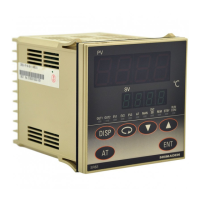
The primary display showing the current measured value of the process variable.
Displays the setpoint or target value for the controller.
Indicates the operational status of the controller, such as RUN, AT, or MAN.
Describes the function of each key on the front panel for navigation and setting.
Visual representation of the controller's screen structure and parameter hierarchy.
Outlines the initial screens displayed upon powering up the controller.
Instructions on navigating between different screen groups and screens.
Explains how the controller automatically returns to the basic screen after a period of inactivity.
Details on how to make settings within screen group 0, focusing on target set values and manual output.
The main screen displaying PV and SV, used for initial value setup.
Setting screen for controlling the controller's standby or execution mode.
Displays PV and monitors/sets control output 1 value in automatic or manual mode.
Initial screen for fixed value control settings.
Screen for setting PID parameters for the first control loop.
The initial screen for accessing screen group 4 settings.
Configures key lock to prevent unauthorized modification of settings.
Defines the type of event or alarm for EV1.
Detailed explanation of event types, alarm actions, and status output.
Detects heater malfunctions using CT input and triggers alarms based on current levels.
Explanation of PID control parameters: Proportional (P), Integral (I), Derivative (D), Manual Reset (MR), and SF.
Details on control output limiters, proportional cycling time, and output characteristics.
How to use digital inputs for external control functions like execution, manual output, and auto-tuning.
Function to gradually increase control output to prevent excessive current on startup.
Troubleshooting guide for common operational problems and their solutions.
Troubleshooting guide for specific error messages and abnormal measured inputs.
Details on display elements, setting methods, key lock, and manual control parameters.
Covers input types, resistances, scaling, PID parameters, output limits, and soft start functions.
Information on event outputs, programming functions, digital inputs, CT inputs, and communication protocols.
Environmental conditions, power, analog output details, insulation, and materials.
 General
| Control Method | PID |
|---|---|
| Input Type | Thermocouple, RTD, DC voltage/current |
| Output Type | Relay, SSR drive, DC voltage/current |
| Display | LED |
| Power Supply | 100 to 240 VAC, 50/60 Hz or 24 VAC/DC |
| Dimensions | 48x48mm |
| Accuracy | ±0.3% of full scale or ±1°C, whichever is greater |


 To Next Page